
You are here:
Install the Churn Prediction Einstein Discovery Templates
By using the churn-prediction app templates, you can sync external communications data and then consume the data to generate training or scoring datasets and predict churn.
The app then deploys prebuilt recipes and creates an Einstein Discovery Model. A model is a specialized structure within Einstein Discovery that stores a set of configurations related to a machine learning model. One of the templates delivered with Churn Prediction is a preconfigured model.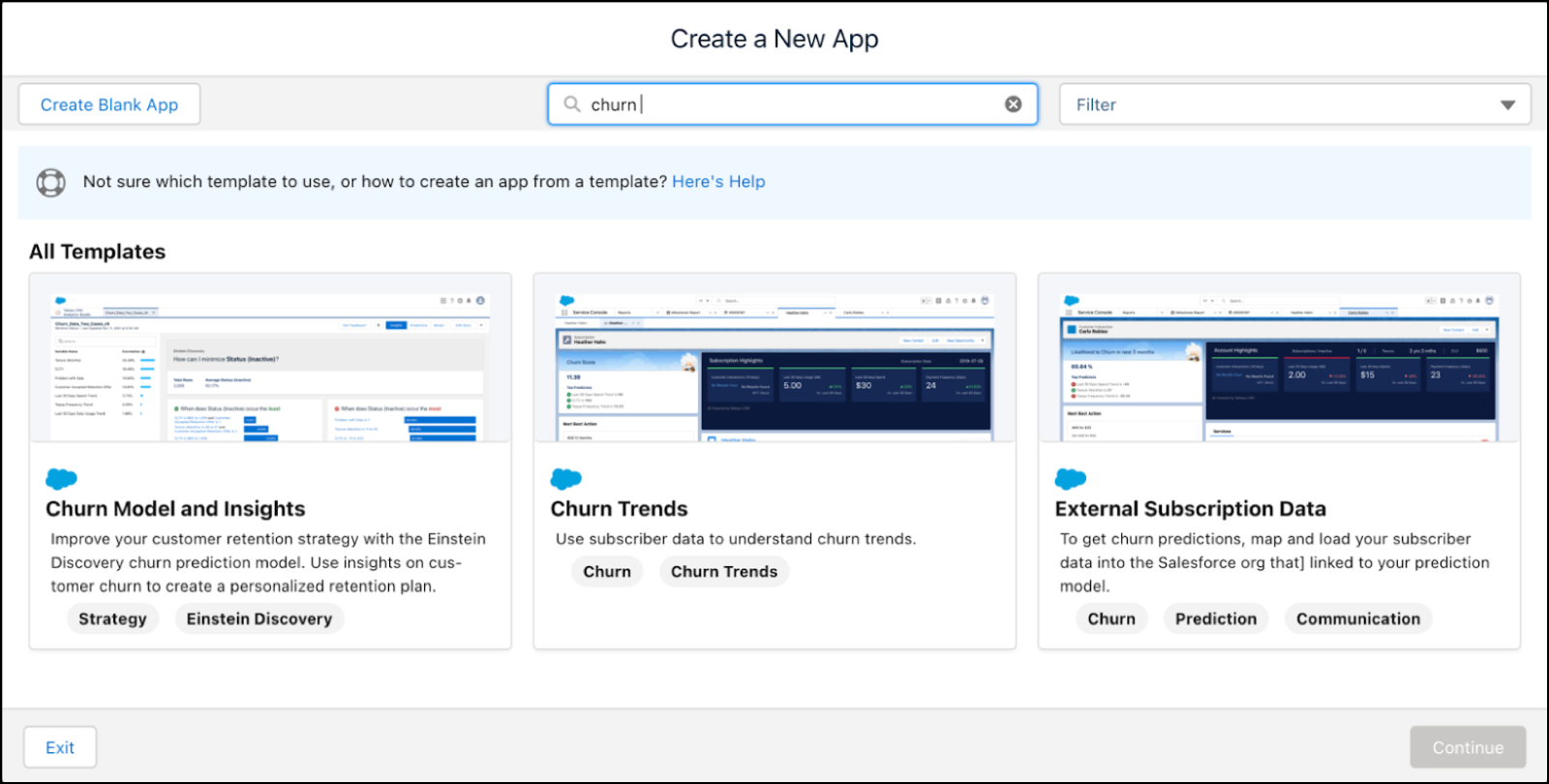
Import External Communications Data Into Your Model
If you haven’t imported the data already, for example, into a CSV file, import the data from an external source. Use the External Subscription Data app to input a preconfigured external data source and the source’s object, and then map and sync the data to Salesforce.

- In Tableau CRM, click Create, and then select App.
- To view the related templates in the gallery, in the Create a New App dialog, search for templates with the churn tag.
- Select the External Subscription Data template, and then click Continue.
- Click Continue.
- Select Create a brand new app, and then click Continue.
-
In the External Subscription Data - Personalize dialog, select these options:
-
An external connection that contains your external communications data.
-
A connected object to which you want to map your external data.
-
- Click Next.
-
Create a mapping of the fields from your external connection to the fields in your sObject.
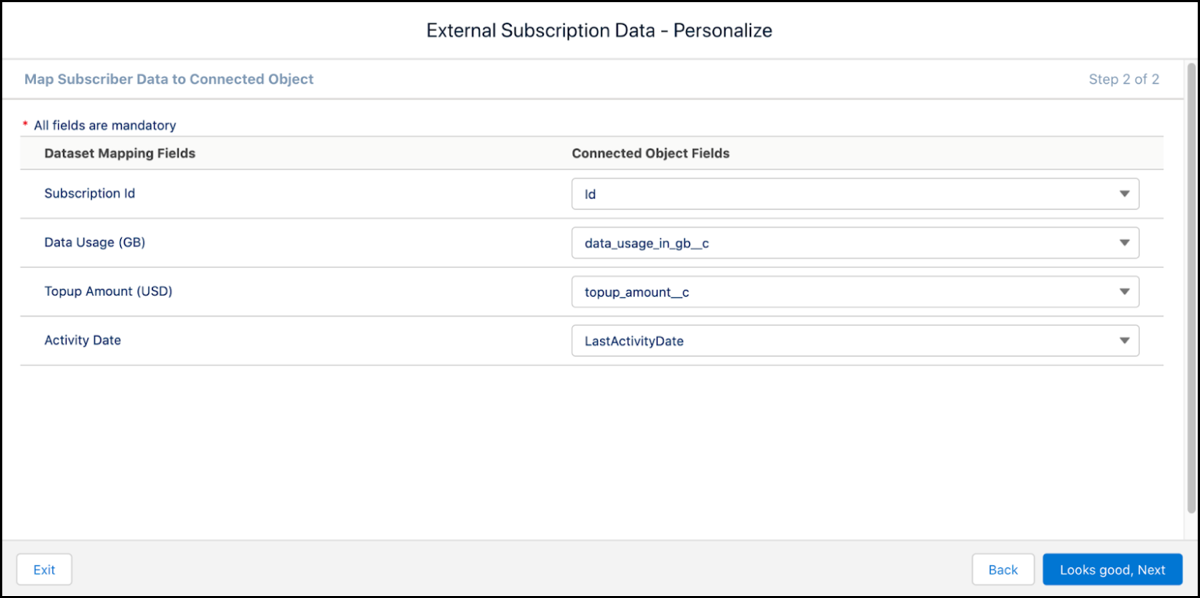
- Click Next, and then enter a name for your app.
-
Click Create, and then wait for the template to create the app.
The app uses external data to create the required datasets and data flows. You can use the datasets and data flows to develop your predictive model and predictions.
- To view the assets that are created in the app, refresh the page.
Run Recipes to Generate Prediction Datasets
The Churn Trends template consumes the Daily Top-up & Usage dataset and the synced data from the Communications schema. The Churn Trends template runs the preconfigured recipes that perform transformations and aggregations to generate a feature set and the training and scoring datasets.
- In Tableau CRM, click Create, and then select App.
- To view the related templates in the gallery, in the Create a New App dialog, search for templates with the churn tag.
- Select the Churn Trends template, and then click Continue.
- Click Create a brand new app.
- Click Continue.
-
In the Mapped Subscriber Dataset field, select the dataset that you created with the External Communications Data template or your preconfigured dataset that’s generated from the Communications schema or CSV file.
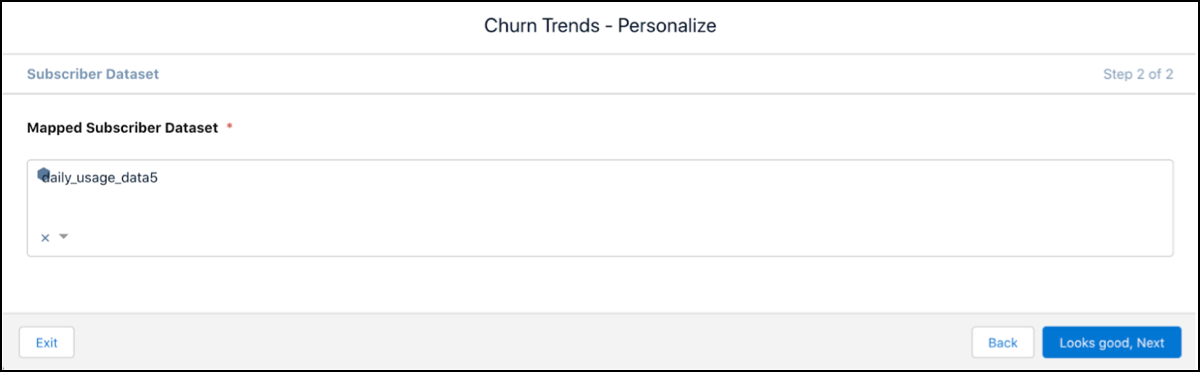
- Click Looks good, next, and then enter a name for the app.
-
Click Create, and then wait for the template to create the app.
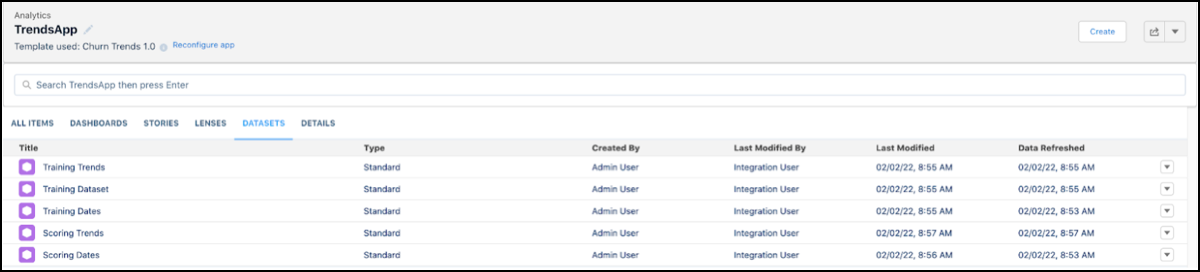
The app runs the recipes and generates the required training and scoring datasets.
-
To view the list of generated datasets, refresh the page, and then click the DATASETS tab.
Create a Churn Prediction Model
Use the Churn Model and Insights template to deploy the ML model on the dataset that you generated earlier. The template contains recipes for visualizations and predictions on churn. To improve customer retention, the Churn Model and Insights template consumes the generated training and scoring dataset and then deploys the model.
For more information on generating datasets, see Run Recipes to Generate Prediction Datasets.
- In Tableau CRM, click Create, and then select App.
- To view the related templates in the gallery, in the Create a New App dialog, search for templates with the churn tag.
- Select the Churn Model and Insights template, and then click Continue.
- Click Create a brand new app.
- Click Continue.
-
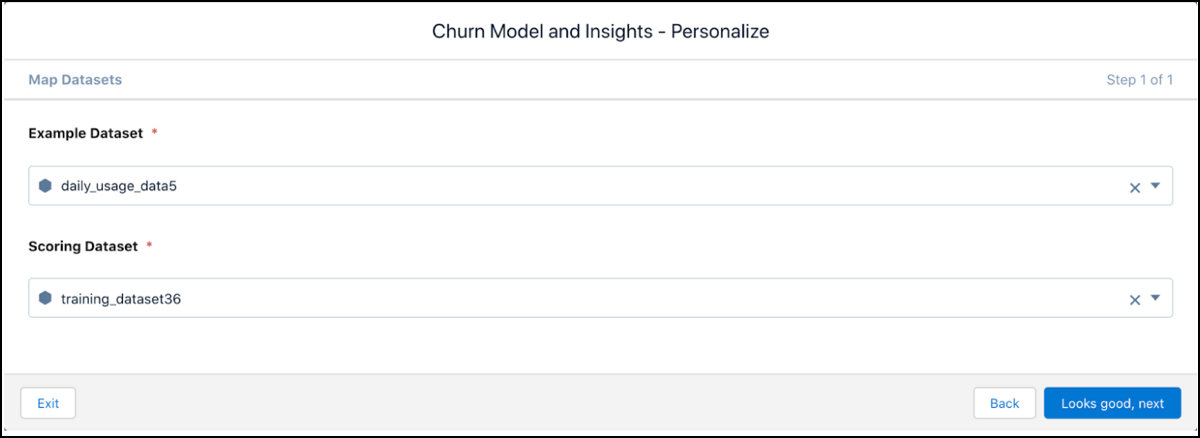
Select these datasets that you generated by using the Churn Trends template:
-
Example dataset
-
Scoring dataset
-
- Click Looks good, next, and then enter a name for the app.
- Click Create, and then wait for the template to create the app.
-
To view the list of assets that the app created, refresh the page.
Stories contain the model and insights on how to maximize store revenue. Datasets contain the final scoring data.
