
Loading
Feature degradation | Gmail Email delivery failureRead More
Automotive Cloud
Table of Contents
Select Filters

          No results
          No results
          Here are some search tips

          Check the spelling of your keywords.
          Use more general search terms.
          Select fewer filters to broaden your search.

          Search all of Salesforce Help
          Assess Dealer Visits with Metrics

          Assess Dealer Visits with Metrics

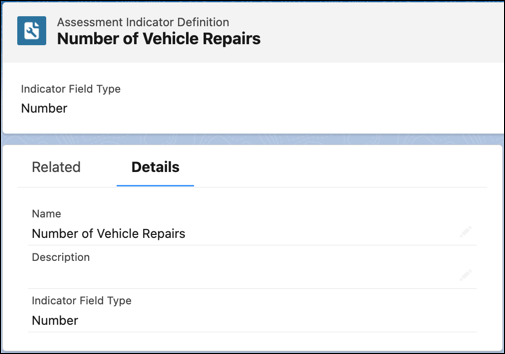
          Sales managers can relate Assessment Indicator Definition records to visit tasks to measure a dealer’s performance or compliance. Each task performed during a visit can be assessed based on different parameters or metrics. For example, a sales manager can create a numeric assessment indicator, Number of Vehicle Repairs, to count the number of vehicle repair jobs completed by a service dealer in the previous month. Or, the manager can create a date-time indicator, to capture the last date that the dealer participated in a product knowledge training.
          Required Editions

          Available in: Enterprise, Unlimited, and Developer Editions.
          User Permissions Needed
          To create assessment indicator definitions:
          • Partner Visit Management permission set
          • Create access on Assessment Indicator Definition
          1. From the App Launcher, find and select Assessment Indicator Definitions, and then click New.
          2. Enter the name and the description for the indicator.
          3. Select an indicator field type:
            • Number
            • Boolean
            • Percentage
            • Date Time
            • Text
            • Decimal
          4. Save your changes.
            A assessment indicator definition.
           
          Loading
          Salesforce Help | Article