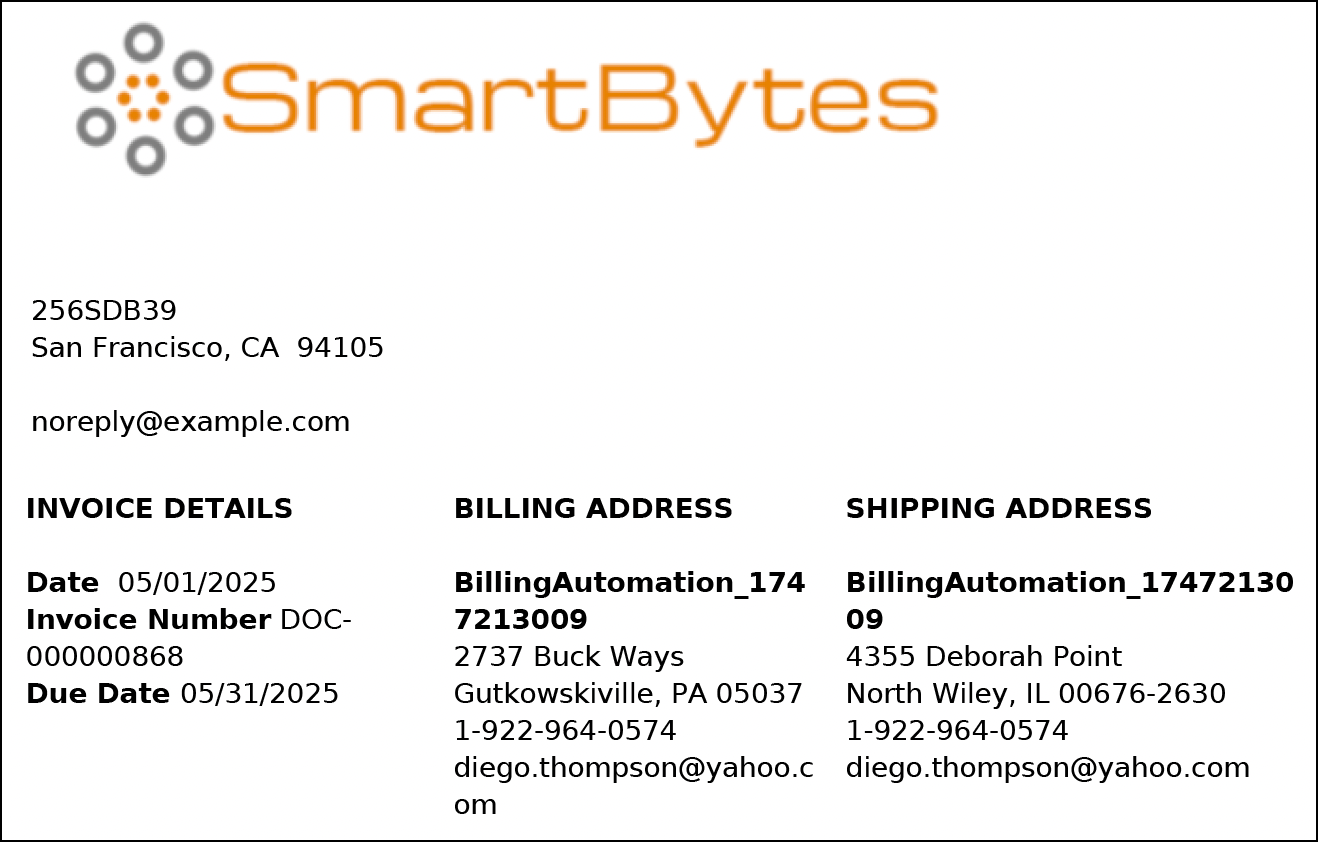
When you click Generate Invoice Documents or Generate Invoice Document, the action is
triggered to create a Document Generation Batch Process or Document Generation Process record
with a status of In Progress. Once the status changes to Success, it means the invoice PDF
document has been generated.
Required Editions
Available in: Lightning Experience
Available in: Enterprise, Performance, Unlimited, and
Developer Editions with the Revenue Cloud Billing license. Contact your Salesforce account
executive for more information.
The description of the Document Generation Batch Process record contains the ID of the
Invoice Batch Run record for which it's created. You can see the Document Generation Process
record for each invoice PDF document that's generated in the Document Generation Process
related list of the Document Generation Batch Process record.
Open the Invoice record for which the PDF is generated, and go to the Invoice
Documents related list.
When you regenerate a single invoice document, it replaces the previous version.
If you’re generating invoices in bulk, each invoice version has a separate Invoice Document
record.
To download the PDF, open the PDF and click Download.
Information in the Invoice PDF Documents
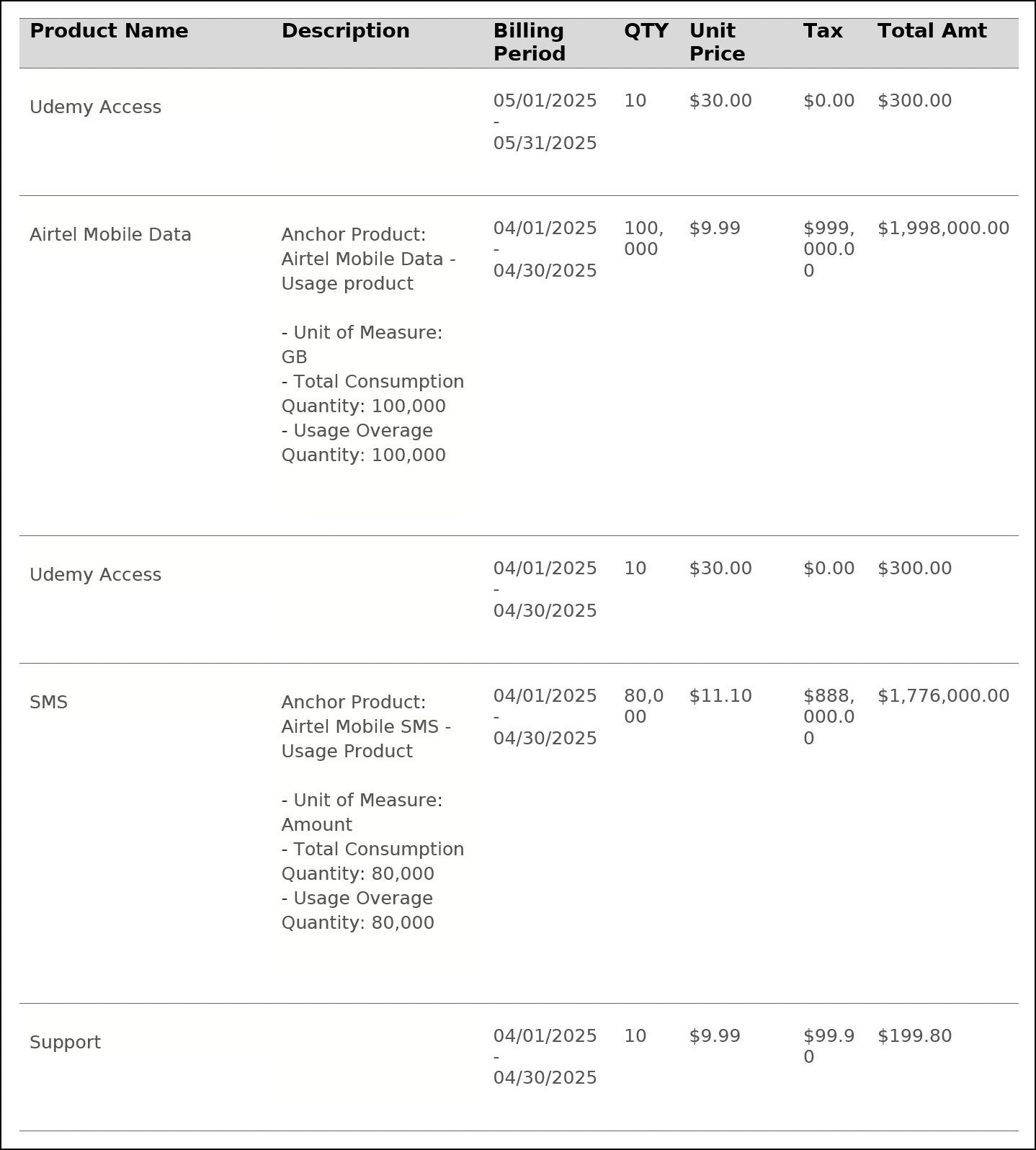
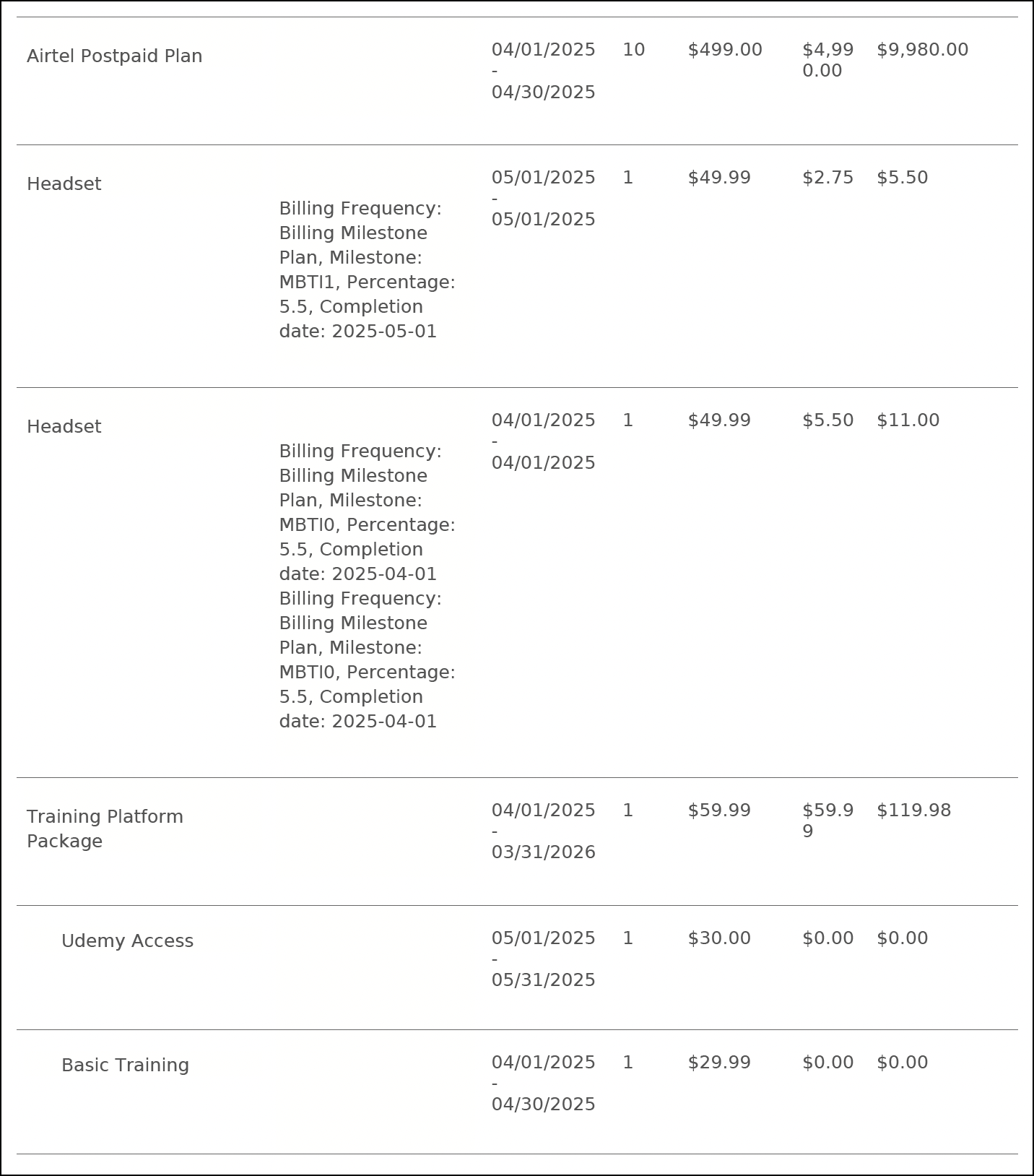
The Description column of the invoice PDF document provides context-specific information of
the invoice line based on the product type. For usage-based products, the Description column
shows the Unit of Measure, Quantity, and Usage Overage Quantity fields of the usage-based
Invoice Line record. For milestone-based products, it shows the Percentage or Flat Amount
field, and the Milestone Accomplishment Date field of the Billing Milestone Plan Item
record.
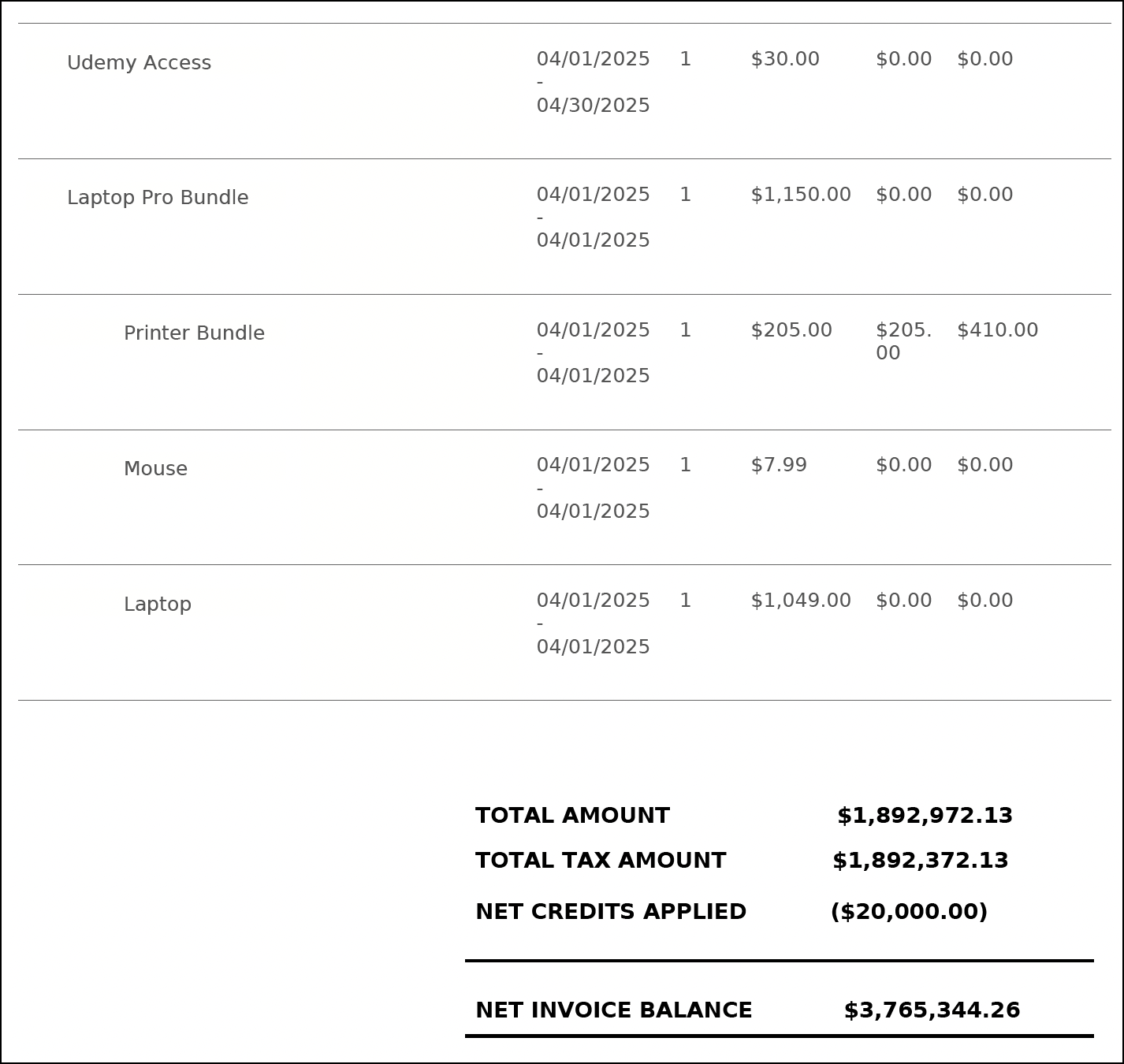
The invoice PDF document generated by using the default template shows bundled invoice
lines in a hierarchy up to three levels, highlighting the difference between bundled and
independent invoice lines. If your use case includes more than three levels of bundled
invoice lines, use a customized document template to view all the invoice lines.
We use three kinds of cookies on our websites: required, functional, and advertising. You can choose whether functional and advertising cookies apply. Click on the different cookie categories to find out more about each category and to change the default settings.
Privacy Statement
Required Cookies
Always Active
Required cookies are necessary for basic website functionality. Some examples include: session cookies needed to transmit the website, authentication cookies, and security cookies.
Functional Cookies
Functional cookies enhance functions, performance, and services on the website. Some examples include: cookies used to analyze site traffic, cookies used for market research, and cookies used to display advertising that is not directed to a particular individual.
Advertising Cookies
Advertising cookies track activity across websites in order to understand a viewer’s interests, and direct them specific marketing. Some examples include: cookies used for remarketing, or interest-based advertising.