Create Pricing Condition Stage Records
If you aren't importing pricing conditions from an Enterprise Resource Planning (ERP)
system, you can manually create the order header and order item condition records in the Pricing
Condition Stage table. The pricing worker batch (ScheduleCGCloudServiceComplexPricing) condenses the information from the Pricing
Condition Stage and Pricing Condition Scale Stage to arrive at the complex pricing
conditions.
Required Editions
Available in: Lightning Experience Available in: Enterprise and Unlimited Editions where Consumer Goods Cloud is enabled |
| User Permissions Needed | |
|---|---|
| To create a pricing condition stage record: | (CGCloud Business Admin OR CGCloud Retail Business Admin) AND Penny Perfect Pricing |
Add and enable the entity for the user profile. See Enable Object Permissions in Permission Sets.
Considerations
- The status field is manually maintained, and indicates whether the record is new (n), updated (u), or deleted (d). The merging process doesn’t use the statuses ‘n’ (new) or ‘u’ (updated).
- If you use the Penny Perfect Pricing V2 batch, the merge process that the batch carries out doesn’t consider the staging conditions marked with status as ‘d’. The Penny Perfect Pricing V2 batch never hard deletes condition records. The batch process does a soft deletion of pricing conditions and empties the JSON in the Content field in the Complex Pricing Condition table. The process recreates the merged condition even when all the stage conditions to be merged are deleted and don’t exist in Salesforce.
- When you use the Penny Perfect Pricing V1 batch, and if all the stage conditions to be grouped are marked with status as ‘d’, then the batch process deletes any merged condition that exist. The process doesn’t recreate the merged condition when all staging conditions to be merged are in deleted status and the merged condition doesn't exist in Salesforce. If one of the stage conditions to be grouped is marked as ‘d’, then the batch process updates the merged condition and the non-deleted stage conditions are grouped.
- Consumer Goods Cloud doesn't support empty keys. Always make sure that key fields have a defined value and instead of leaving them blank, use a placeholder value such as No Priority or Empty. Also, if a key type defines a specific condition such as Customer or Customer Hierarchy, make sure that the corresponding fields (in this case, the customer field) are filled in the stage condition.
- From App Launcher, find and select Pricing Condition Stage, and then click New.
-
Provide the condition value (amount or percentage).
For a discount condition, the value must be negative.
- Map the record to the corresponding pricing condition template. For example, base price staging records must be mapped to the condition template for calculating base prices.
-
Select the key type and the relevant reference fields. For example, if the Key Type
entity has the Consider Customer Set flag enabled, then the Customer Set field of the
Stage record must be filled. Similarly, if a key type has the Consider Reward as true, the
Reward field must be filled.
The system automatically generates the Key Hash Code based on the key type or key attributes set in this entity. Combinations of the same keys produce the same hash code. However, different combinations of the same keys produce varying hash codes. The hash code builds the merged key in the complex pricing condition table.
-
Define the unit of measure for which the condition applies.
Consumer Goods Cloud doesn’t support the usage of the sort field.
- Provide the threshold unit that holds the unit of measure for which the scales are defined. Define this field only when the scale conditions are specified.
- Select the sales organization to which the conditions belong.
-
To define conditions per multiple units, set the denominator.
The Denominator field is automatically set to 1 if you provide 0 or a non-numeric value.
-
Based on the chosen Key Type, select the key_1 to Key_10 fields of the used key
type.
Don’t use characters other than A–Z a–z 0–9 - _ . ! ~ * ' ( ) as Penny Perfect Pricing batch (V1 and V2) doesn't generate complex pricing conditions for stage conditions with key types having special characters.
- Save your changes.

| Configuration | Example |
|---|---|
| Threshold Unit | If you order 132 bottles (the smallest unit of the product) and the threshold unit of the scale condition is defined as crates (one crate holds 12 bottles), then the pricing engine converts the bottles to crates to evaluate the scale ranges. The From scale ranges are -1% discount for 10-20 crates and -2% for more than 20 crates. Pricing Engine converts 132 bottles into 11 (132/12) crates. The Pricing Engine evaluates the scale ranges against 11 crates and grants a discount of -1%. |
| Denominator | You order 144 bottles. The bottle is the smallest unit of the product and a crate holds 12 bottles. The price is defined per 3 units ($10 for 3 cases) with the condition base as Quantity. The pricing engine converts 144 bottles into 12 crates and the pricing engine calculates the price as (condition base / Denominator) x condition value (12 / 3) x $10 = $40 |
| Keys | For a Key Type with customer and product, select Key 1 as Customer and Key 2 as Product. |
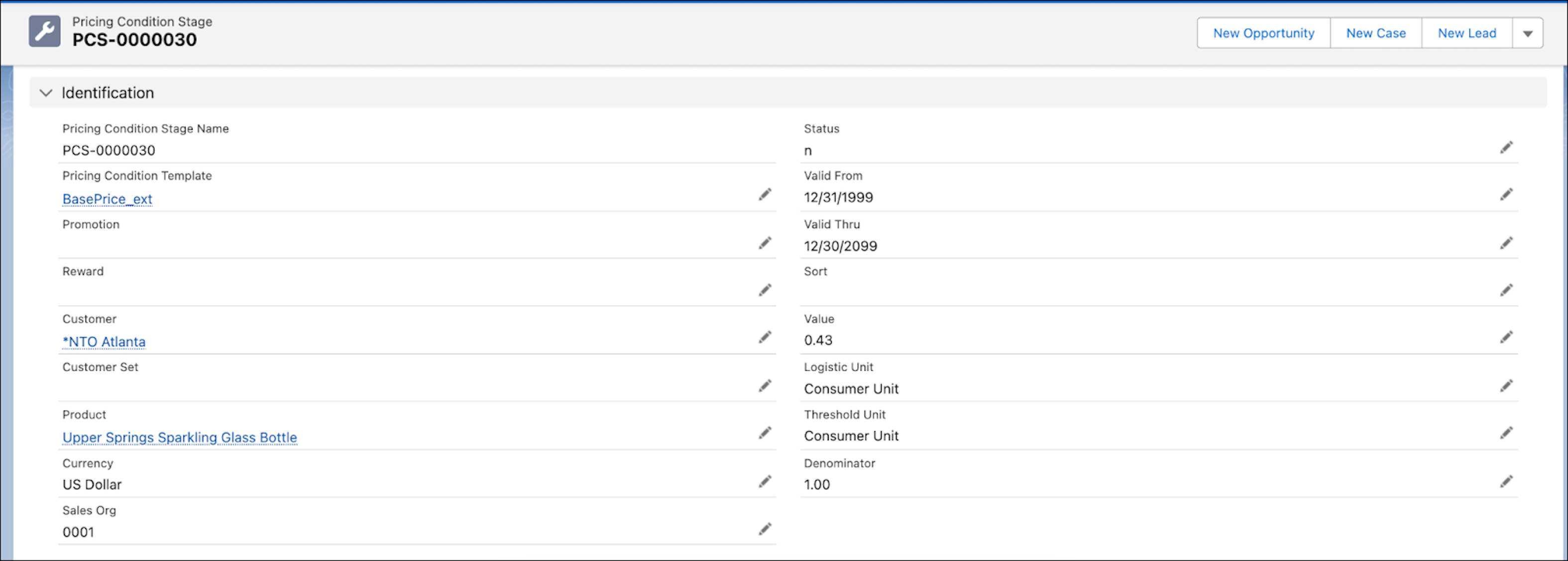
This image shows the pricing condition for the Upper Springs Sparkling Glass Bottle, which is set at $0.43. The condition value applies only to NTO Atlanta and its child accounts.
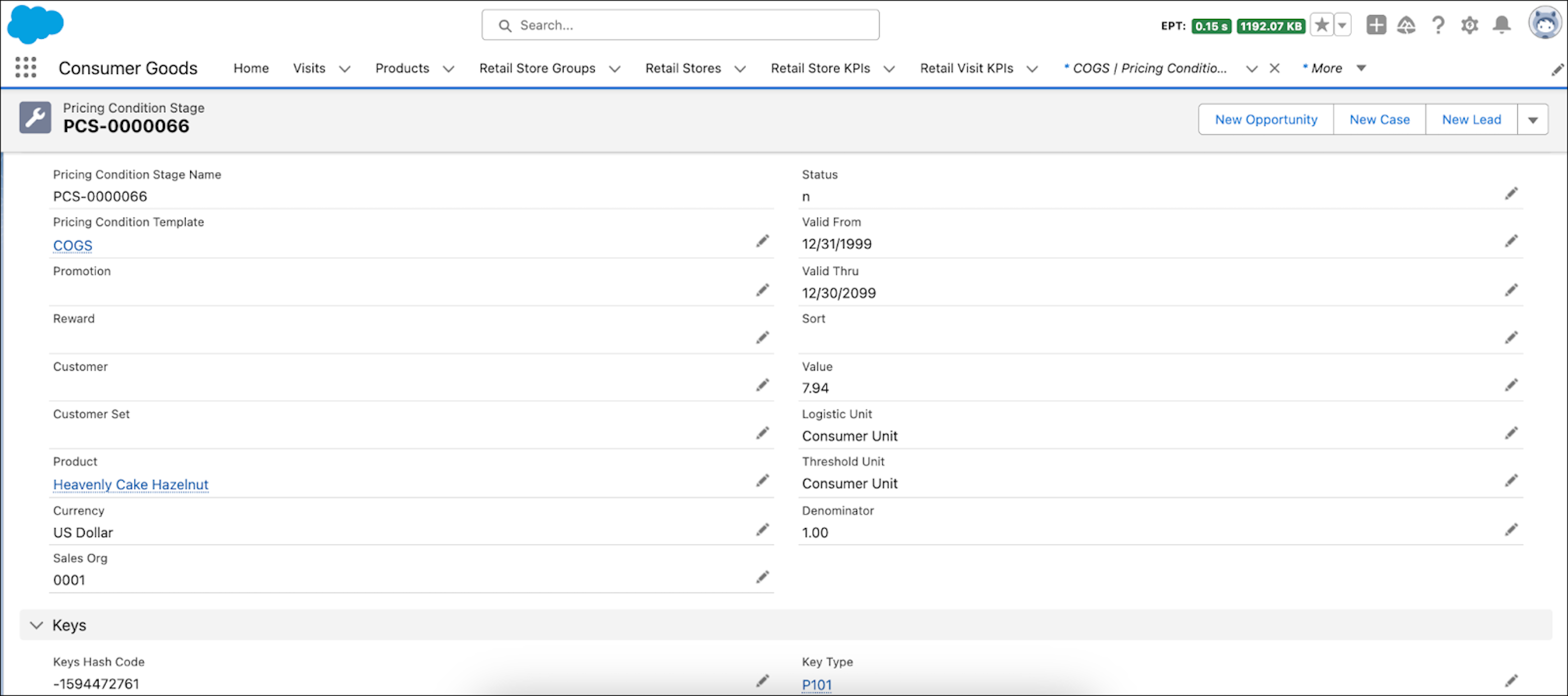
This image shows the cost of goods sold with a pricing condition of $7.94 for Heavenly Cake Hazelnut for all customers.
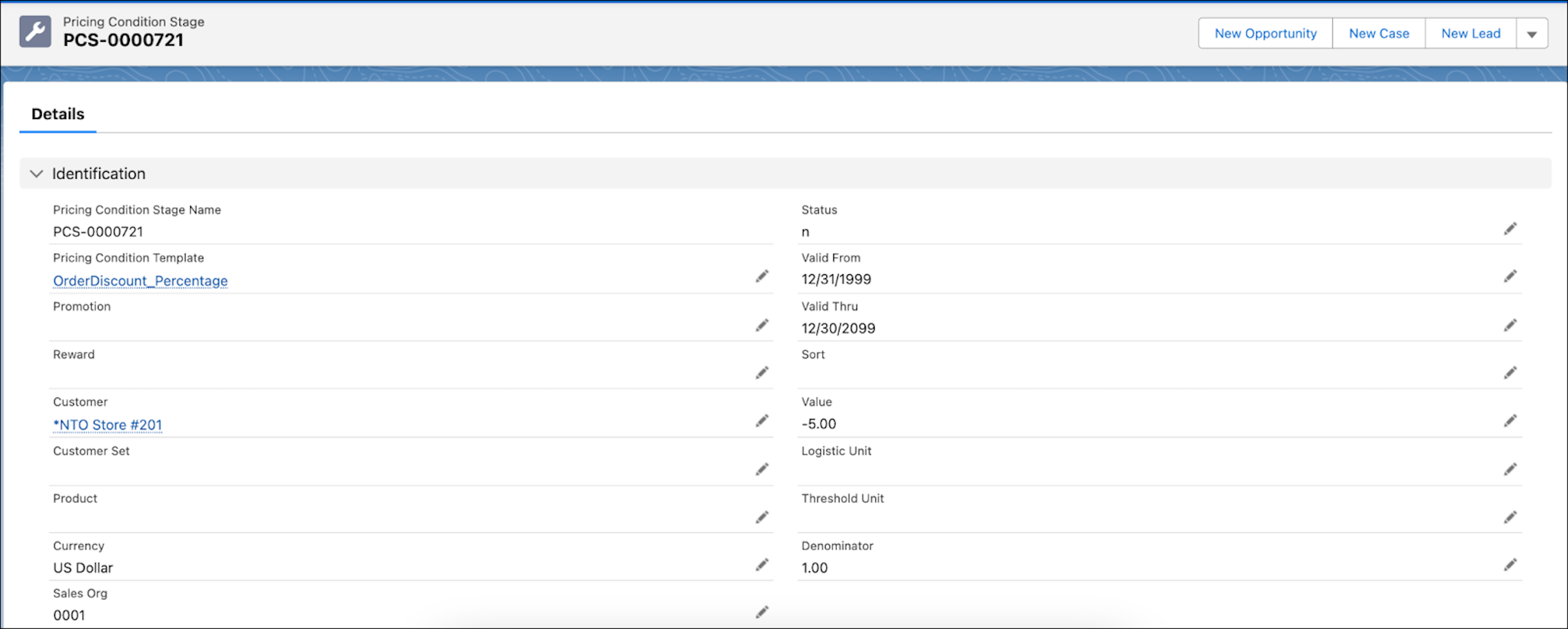
This condition shows an order discount of $5% applied to all NTO Store # 201 orders.