You are here:
About Build Rules and Entity Filters
Before building a Rule, you must create all of the associated Entity Filters, Rule Filters, and Rule Actions. Also, you must create all of the Rule Action procedures.
Rules can include four different objects:
-
Rule
-
Rule Filter
-
Rule Action
-
Rule Variable (optional)
For more information, see Rule Objects.
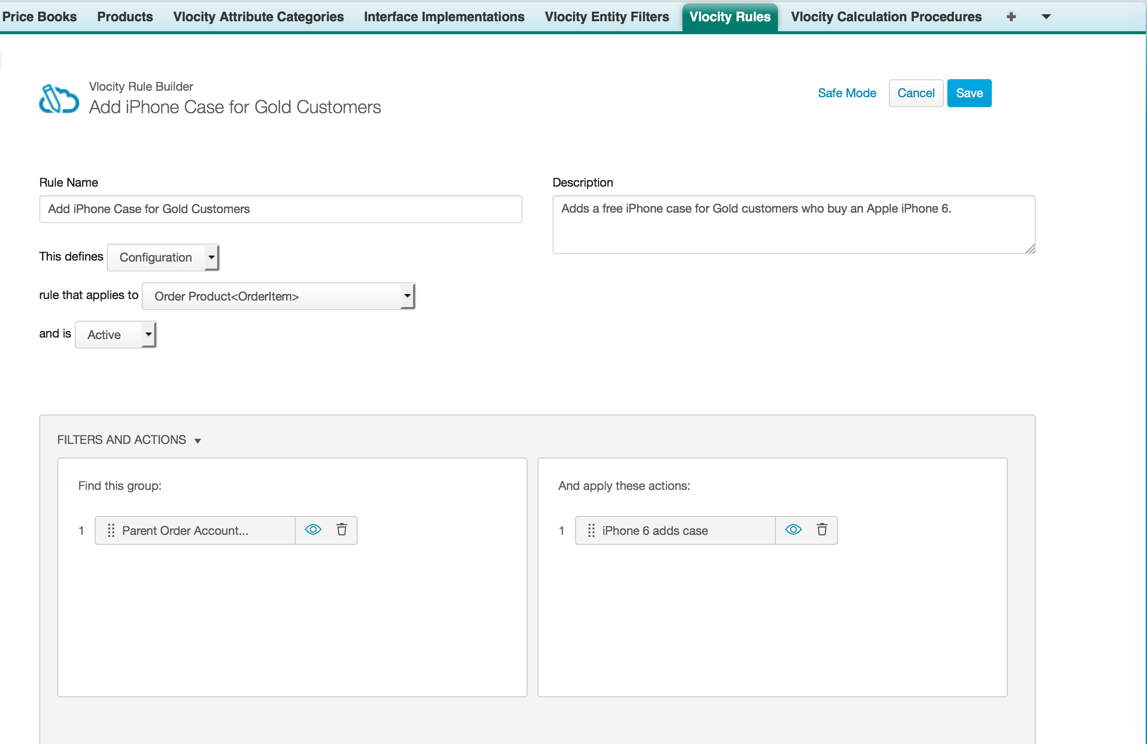
When you define a Rule, you provide a descriptive short name and a long description. You specify the filter type to apply to the object. You also set the status as active or inactive and set the effective dates. You can define Rule using natural language, so people can read and understand what the rule is meant to do.
Before you build a rule, plan ahead:
-
What triggers the rule?
-
What does the rule do?
-
When does the rule apply?
-
On which objects do the rules run?
After you have created the prerequisite elements, use Vlocity Rule Builder to group the elements in a Rule.
Accessing the Vlocity Rule Builder
Using the Rule Builder, you define what the Rule must do, associate Entity Filters with the Rule, and define the Rule Actions.
-
To go to the Vlocity Rule Builder from a recently created Rule:
-
Click the Vlocity Rules tab.
-
In the Recent Vlocity Rules list, click the Rule Name.
-
In the Vlocity Rule Detail section, click Edit.
-
-
To go to the Vlocity Rule Builder from an existing Rule:
-
Click the Vlocity Rules tab.
-
Click Go.
-
Click the Rule Name.
-
In the Vlocity Rule Detail section, click Edit.
-
-
To go to the Vlocity Rule Builder to create a new Rule:
-
Click the Vlocity Rules tab.
-
Click New Vlocity Rule.
-
Deactivate a Rule
You can deactivate rules. You want to deactivate rules when migrating CLM to another org, for example.
To deactivate a rule:
- Go to the Vlocity Rules tab.
- View all rules.
- Next to the rule to deactivate, click Edit.
- Click Edit Mode.
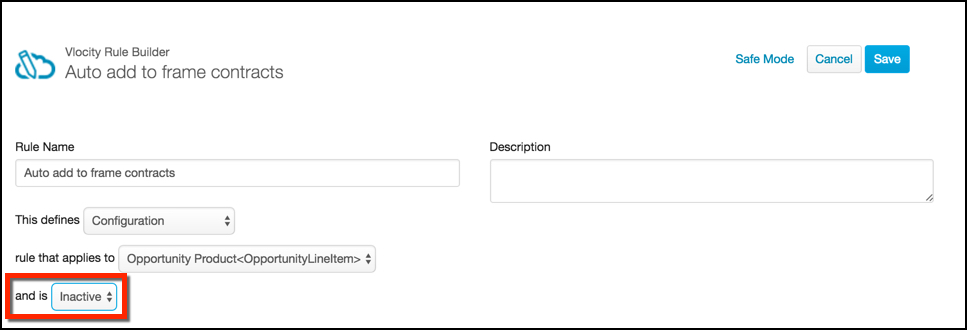
- From the And Is picklist, select Inactive.
- Click Save.