
You are here:
Usage-Based Pricing for Industries CPQ
Before you start using the Multi-Site Quote and Order Capture feature, you must enable usage pricing.
- Log in to Salesforce and go to the App Launcher.
-
Enter Vlocity CMT Administration Console in the quick find search.
The Vlocity CMT Administration Console is displayed.
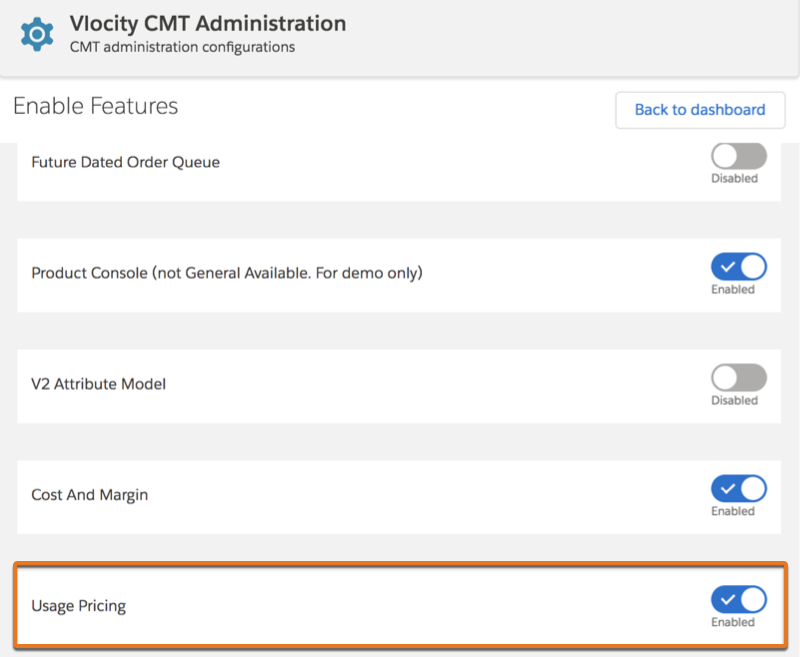
- From the Custom Settings section, select Enable Features.
-
Navigate to the Usage Pricing feature and toggle the
switch to enable it.
You will see a confirmation message.
-
Click Enable.
You will see a confirmation message indicating that the feature is enabled.
- Click OK.
After you enable the usage pricing feature, the following options are available in the Industries Cart.

If you do not enable the Cost and Margin feature, Usage Pricing is only available in the drop-down menu of the Industries Cart.
Industries Cart Tab |
Available Columns with Usage Pricing Enabled |
Available Columns with Usage Pricing and Cost and Margin Enabled |
|---|---|---|
When you enable the usage pricing feature and the cost and margin feature, you will see Usage Pricing + Cost and Margin in the drop-down menu in Industries Cart. |
Usage Pricing |
Usage Pricing + Cost and Margin |
New columns for each line item in the Cart are available when you enable Usage Pricing. These are calculated based on the usage pricing variables you defined. |
|
|
New columns in the Total Bar are available when you enable Usage Pricing. These are calculated based on the usage pricing variables you defined. |
|
|
- Configure Usage Pricing
Follow this workflow to enable usage pricing and configure the pricing element for charges and costs. - Configure Charge Measurements
A charge measurement is a unit of consumption and pricing for utility commodities. Before you configure usage pricing for Energy & Utilities Cloud, configure the charge measurements first. - Set Up Dynamic Usage Quantity
You can source the estimated usage quantity of a service at a service point, premises, subscriber, or service account from various custom fields. A calculation matrix identifies the custom field based on different criteria. You can configure the system to calculate usage pricing for a service based on the usage quantity recorded in the custom field identified in the calculation matrix. - Create a Pricing Element for Usage Pricing Charges
You can create a pricing element for usage pricing charges which you can then apply to a product. - Update Usage Quantity of a Product Using an Attribute
The usage quantity attribute with the attribute binding configured on it enables you to update the usage quantity of an Industries Cart line item at runtime. Updating the usage quantity of a line item helps to reprice and calculate the usage total price of a product. The default usage price is always set to zero until you update the usage quantity in Industries Cart. - Create a Usage Standard Cost for a Product
You can create a usage standard cost and apply the usage cost to a product.
