
You are here:
Lifecycle Status for Objects, Products, Projects, and Picklists
The Lifecycle Status field is available for objects, product specifications, product offers, picklists, and EPC projects. Using the lifecycle status allows you to manage changes to picklist values over time in a controlled way.
Product Lifecycle
Products have the following default states. New versions are automatically set to Draft. Versions set to Released are available for sales and allow limited changes. Amendment Pending is a temporary status that is automatically set when you change a released version. You can add custom states and functionality for those custom states. In-Test, In-Review, and Canceled are inactive states that are reserved for future use.
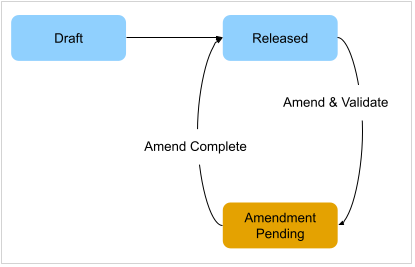
When a product's lifecycle status is changed from Draft to Released, validations are performed to ensure the integrity of the referenced product. If there are validation errors, changes are rolled back to previous values, and the Lifecycle Status is set to Draft. If there are no validation errors, the changes are committed, and the Lifecycle Status is set to Released.
-
A released product can't have versioning dates that overlap with those of currently released versions. If a product has overlapping dates, a validation error is thrown.
-
EPC checks the versioned object that is associated with a product. If the associated object is not Released, a validation error is thrown.
-
You can't delete a released product. The delete product process validates the cross-references before allowing deletion to maintain referential data integrity. You can make a released product inactive.
Entity |
Requirements to Release Entity |
|---|---|
Product specification |
|
Offering with an associated object type |
|
Offering with an associated product specification |
|
Amend Process for Released Products
This process is only for products that are already in the Released state.
If you successfully amend or modify versioning dates, run the Product Hierarchy Maintenance job so that datastore records are updated, and the new versioning dates are used at runtime.
-
You may have to modify the versioning dates of Released products when you are trying to release a different version of the product that's in draft.
-
For Released products, you can modify only Version Start Date, Version End Date, Product Name, Description, Version Label, Product Code, Orderable, Active, and Status fields.
-
The Amendment Pending process shows an error message if versioning dates overlap with existing released versions.
-
If there are no date overlaps, the batch job checks for any active order line items or assets. This process takes time to complete. You'll receive an email with success or failure after the batch job completes.
-
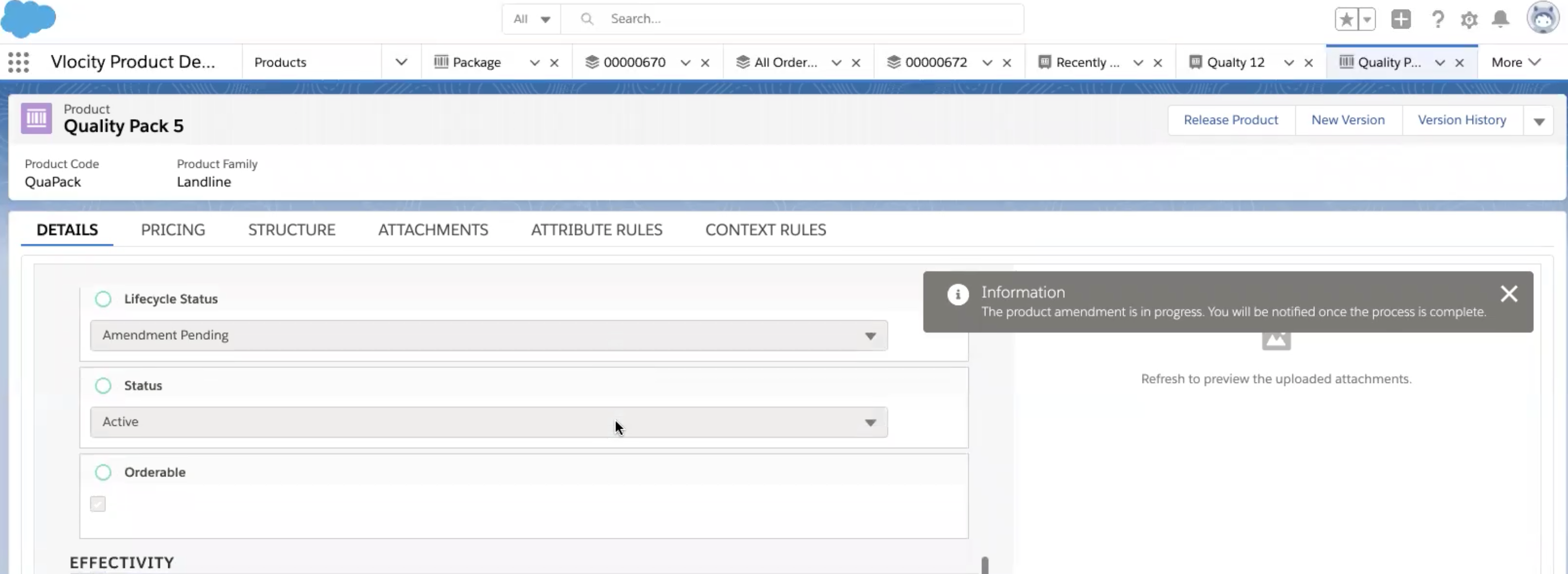
When a product goes through the Amendment Pending process, the Lifecycle Status is modified to the Amendment Pending state. This is a lock state during which no actions or modifications are allowed.
This example shows a product with a Lifecycle Status of Amendment Pending while the amendment is in progress.
Product2 Object and Object Type Lifecycle
An object type has Draft and Released states.
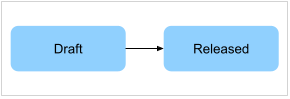
While releasing an Object Type for the Product2 Object, the system checks whether the Parent Object Type is Released.
-
If it isn't, a validation error is thrown and asks the user to release the parent object type first.
-
If the parent object type is Product2 Object, this validation is skipped because Product2 Object isn't meant to be released.
-
If the object type has any associated unreleased Picklists through the Attribute Assignments, a validation error will be thrown asking the user to Release the Picklist first.
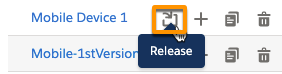
To change an object type's status to Released, click the Release action next to the object type.
Picklist Lifecycle
A picklist has Draft and Released states.
After a picklist is released, you can edit only a few picklist fields: description, picklist name, active status, and effectivity dates. You can't add or change picklist values.
Set a picklist's status to Released with the Release Picklist button.

