
You are here:
Add a sub-action to the Order Product Object or Orchestration Scenario Object
Sub Action is a field of type Picklist in the Order Product and Orchestration Scenario objects. You can add values to this picklist in the Object Manager in Setup.
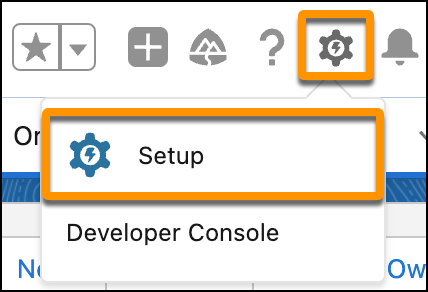
- From the gear icon, click Setup.
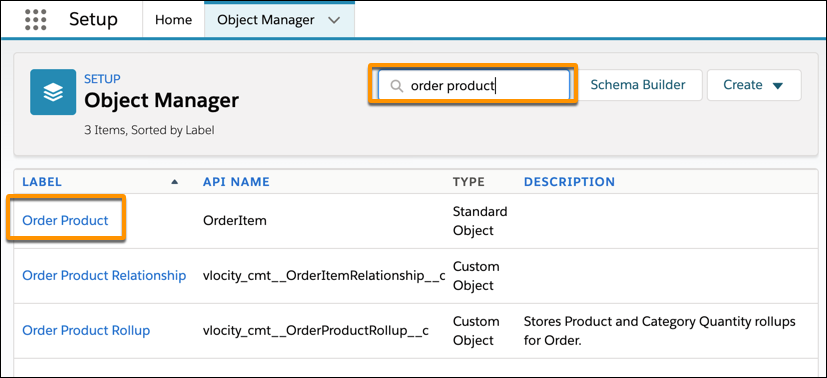
- Click the Object Manager tab.
- In the Quick Find box, type either order product or orchestration scenario to filter the list, then click either Order Product or orchestration scenario.
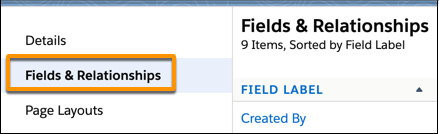
- In the left sidebar, click Fields and Relationships to open the Fields and Relationships page on the right.
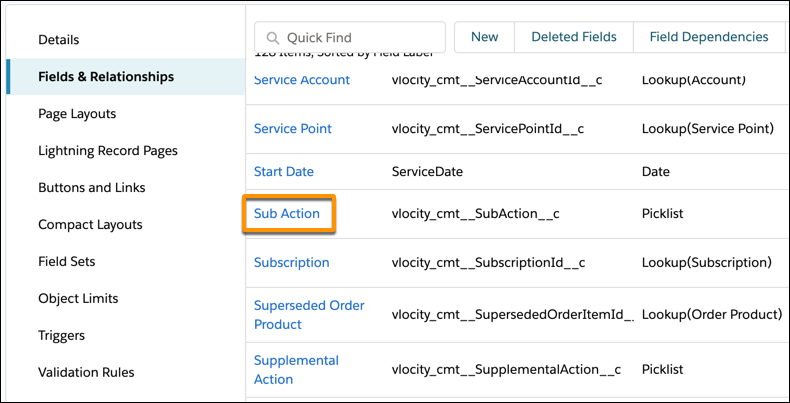
- In the Field Label column, scroll down until you see the Sub Action link, then click it to open the Sub Action custom field window.
- Scroll down to the bottom of the page, and in the Values section, click New.
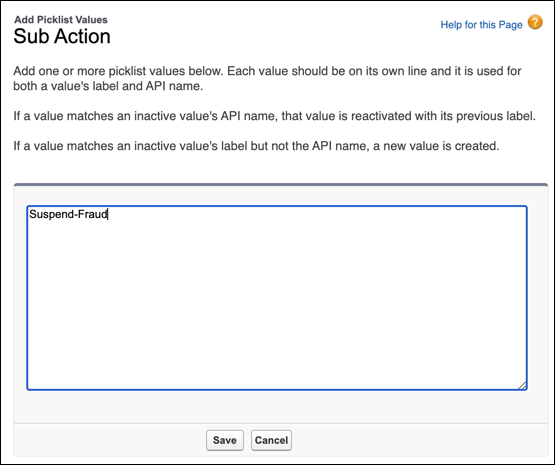
- In the Add Picklist Values field, enter the name of the sub action that you want to add (for example, Suspend-Fraud), then click Save. The new value is added to the Values list.

Did this article solve your issue?
Let us know so we can improve!
