
You are here:
Allow Supplemental Changes after PONR (Point of No Return)
As of the Spring '22 release, you can allow an order to be changed, even after an item in the order has reached the point of no return. Select the Force Supplementals option on an order to allow that order to be amended.
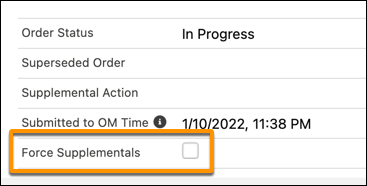

This option doesn't appear on the order page by default. You can add it to the layout.
If you select the Force Supplementals option, the following things happen:
The isChangesAllowed flag is marked as
truefor all order line items and fulfillment request lines.No PONR is honored for that order. The order can be amended or canceled at any time until you clear the Force Supplementals option.
If you clear the Force Supplementals option after having selected it, the following things happen:
Order Management does not honor the PONR for any item that has already reached the Running state. It's as if those items aren't marked as PONR.
Order Management honors the PONR for all items that haven't yet reached the Running state. Those items reach PONR as usual.
