
You are here:
Enable Retry Policies in the Custom Record Type Settings
You can create rules that control how Order Management retries failed connections to fulfillment systems. Before those rules take effect, you must enable the policies in the Custom Record Type settings.

Note
These steps are not necessary if you're running the Spring '22 release (236) or later. You can safely skip these steps and move on to the What's Next section that follows the steps.
- Click the Setup icon, then click Setup.
- In the Quick Find box, type profiles, then click Profiles.
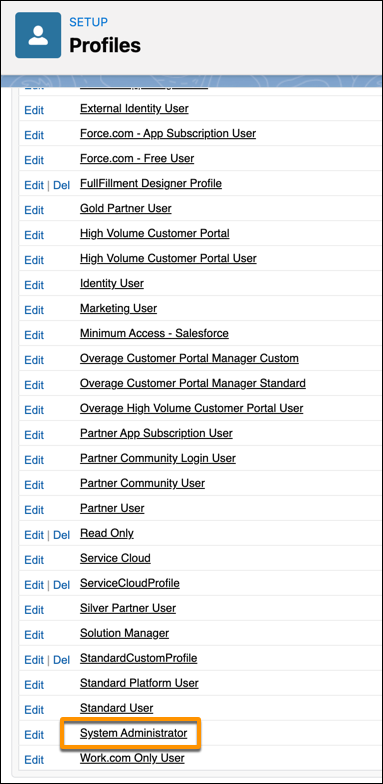
- In the Profiles page, scroll down and click System Administrator. The System Administrator page appears (it sometimes takes a few seconds to load).
- Scroll down to Record Type Settings, then Custom Record Type Settings, then in Integration Retry Policies, click Edit.
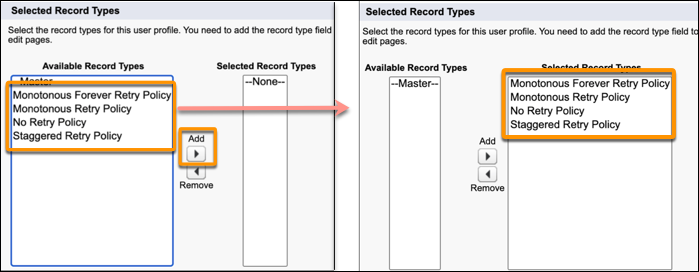
- In the Available Record Types pane (on the left), select all the retry policies, then click the Add arrow to move them to the Selected Record Types pane (on the right).
- Click Save.



Did this article solve your issue?
Let us know so we can improve!
