You are here:
How Technical Inventory Works
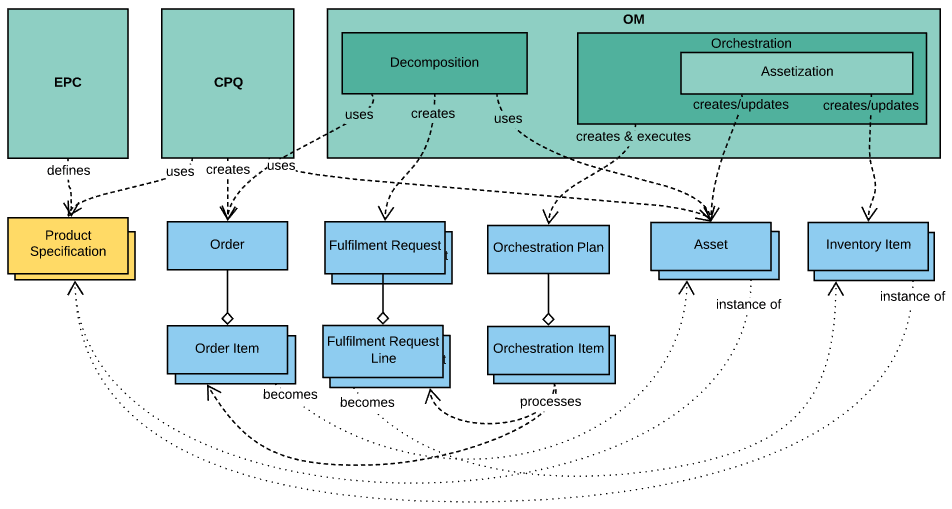
You can define commercial and technical product specifications, including cardinality rules, in the Enterprise Product Catalog. CPQ uses these definitions to drive the order capture process that results in an Order with Order Items.
Each Order Item is a wrapper for a product instance and becomes an asset. Orders processed by Order Management are first decomposed. During the decomposition process, Order Management generates a list of Fulfillment Requests, each of which contains Fulfillment Request Lines, by running the configured decomposition rules on the order. The Fulfillment Requests are essentially wrappers for technical product instances.
The resulting decomposed order is then fulfilled by creating and executing an Orchestration Plan specific to the order. Typically, orchestration plans invoke a process of assetization after all provisioning and billing has been completed. This is done through a special orchestration item that invokes managed package code that persists the commercial side of the order in the Assets table and persists the technical side of the order in the Inventory Items.
To avoid having a technical item persist as an inventory item, a fulfillment designer enables the notAssetizable flag for that technical item. To avoid having an order item assetize, the designer must both enable the notAssetizable flag for that item and set a filter in the FieldMapper.
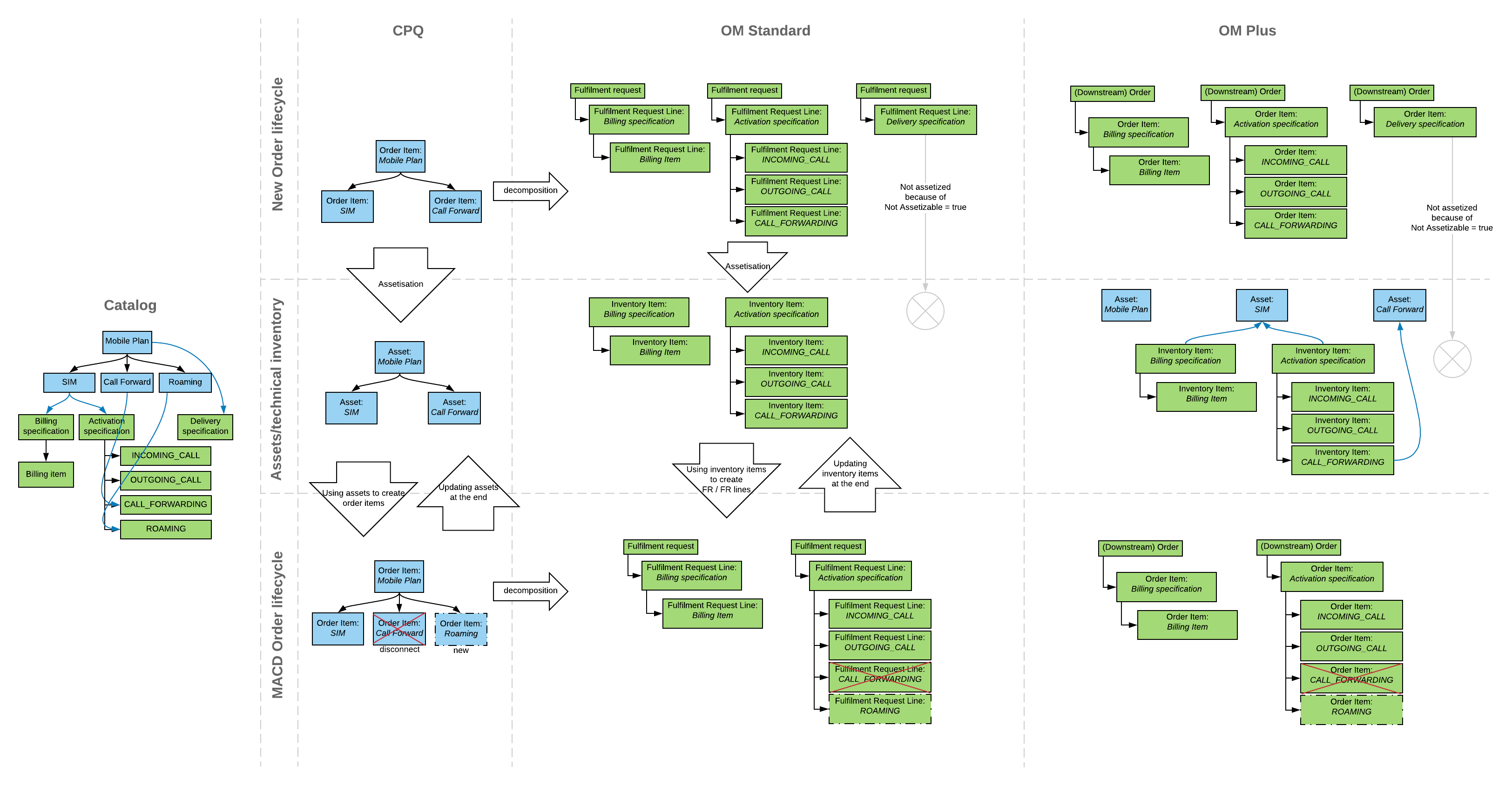
The image is a high level diagram of the relationships between the components and objects.
The following diagram illustrates the lifecycle of the inventory items: