
You are here:
Order Management Standard: Schedule the Orchestration Recovery Job
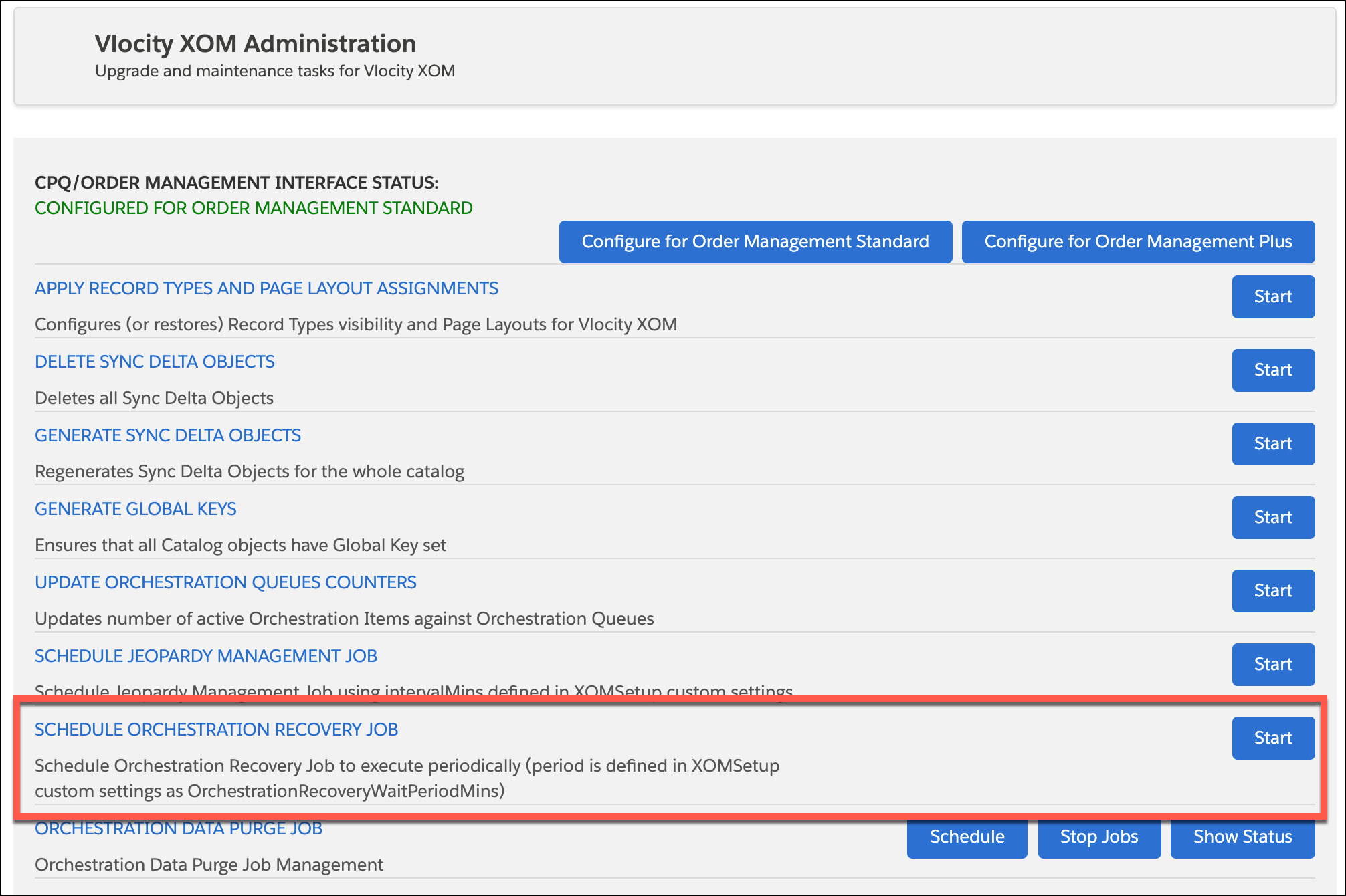
Once you've set the OrchestrationMode custom setting, the next step in setting up platform events is to schedule the Orchestration Recovery job from the Vlocity XOM Administration panel. You only have to do this one time.
Before You Begin
Edit the OrchestrationMode custom setting: See Order Management Standard: Edit the OrchestrationMode Custom Setting
To schedule the Orchestration Recovery job, follow these steps:
- In Lightning Experience, click the App Launcher:

- Begin to type XOM Administration until Vlocity XOM Administration appears in the list.
- Click Vlocity XOM Administration. The Vlocity XOM Administration panel opens.
- Click the Start button next to Schedule Orchestration Recovery Job. A message appears confirming that the job is scheduled.
Did this article solve your issue?
Let us know so we can improve!
