You are here:
Product Models for Enterprise Sales Management (Managed Package)
Enterprise Sales Management includes Business Internet, Mobile, VPN, and SD-WAN product models. Corresponding Order Management templates help map offers to products and customer-facing services to support order orchestration.
 This feature is part of the Communications Cloud managed package.
Business Internet
The Business Internet product model includes the following plans:
-
Business Internet Enhanced
-
Business Internet Essential
-
Business Internet Pro
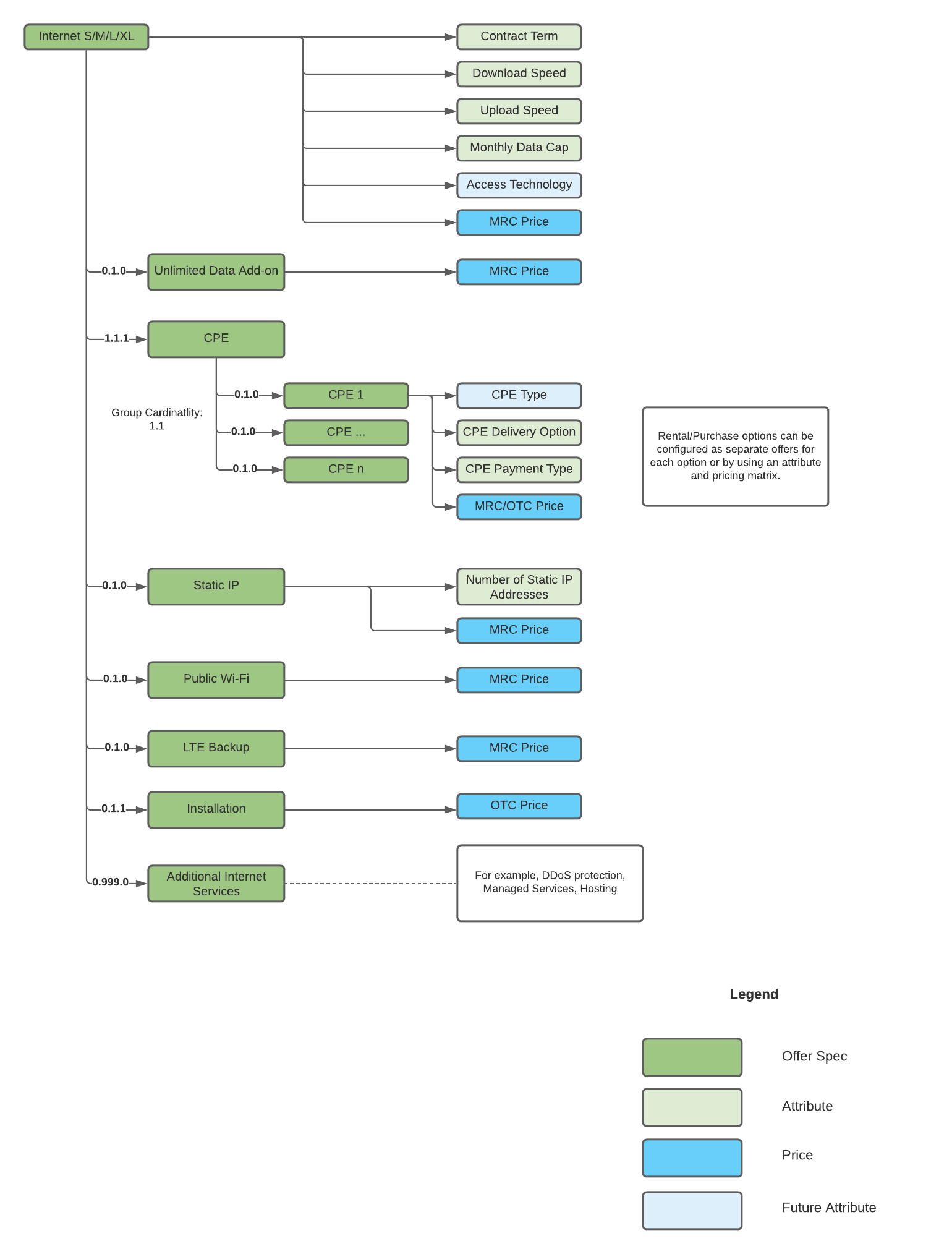
Each tier includes variations of the following:
-
A fixed access line to the customer's premises, which can be wired or wireless
-
Customer premises equipment (CPE): A termination device located in the premises, such as a modem, router, or access point
-
Installation services
-
Additional Internet Services: Supplementary services, such as security solutions, static IP addresses, mailboxes, security licenses, and hosting
-
Accessories: Additional hardware, such as access points, Wi-Fi extenders, and cables
-
Business-specific features: Additional services not typically available to consumers, such as:
-
Public Wi-Fi for customers and office visitors
-
Wireless backup to provide limited access line protection
-
Business Internet Diagram:
Business Mobile
The Business Mobile product model includes the following plans:
-
Business Mobile Enhanced
-
Business Mobile Essential
-
Business Mobile Pro
-
Business Mobile Pro+
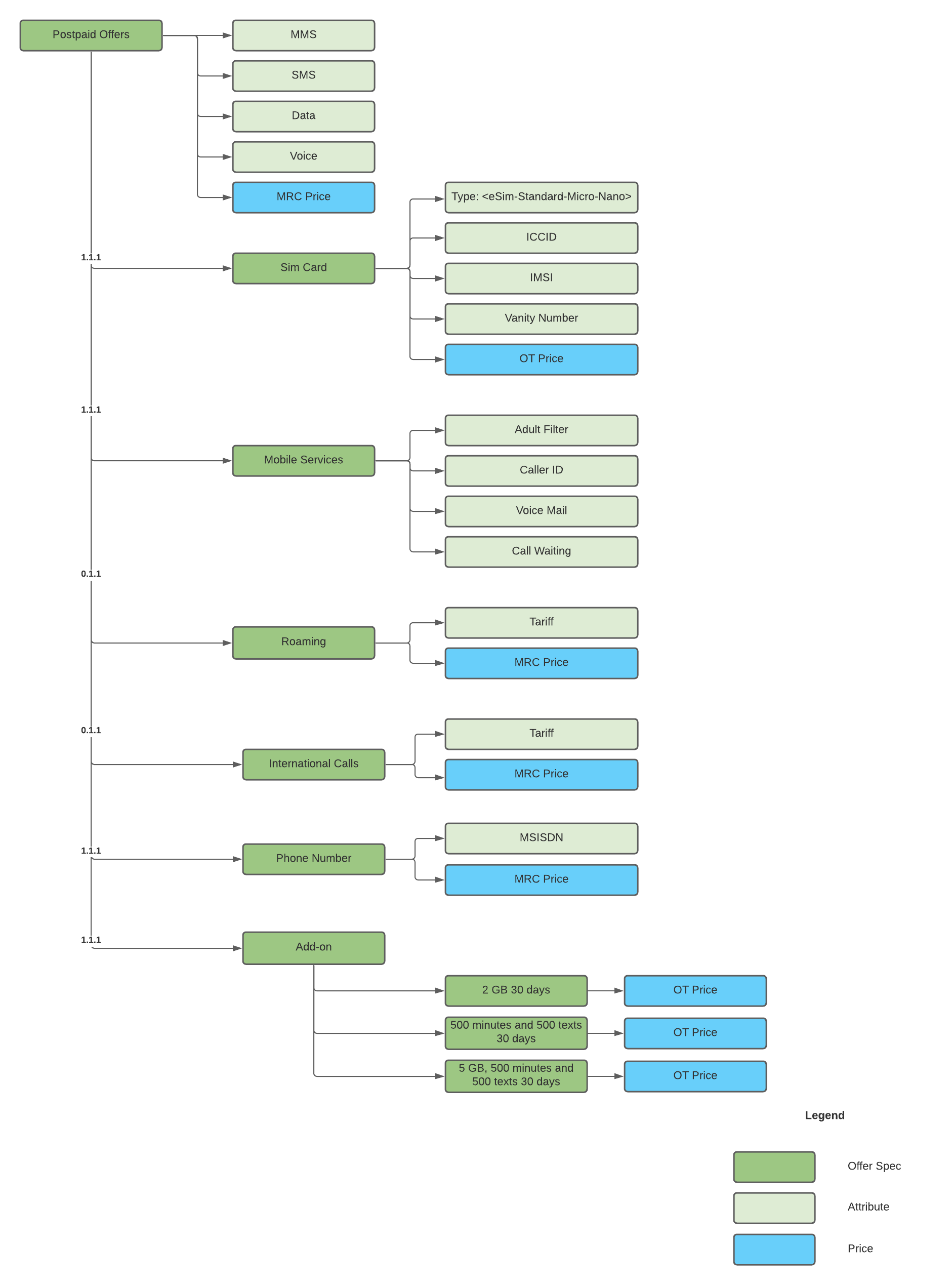
Each plan includes similar services but provides different values for voice, data, SMS, and other services.
Business Mobile Diagram:
Business VPN
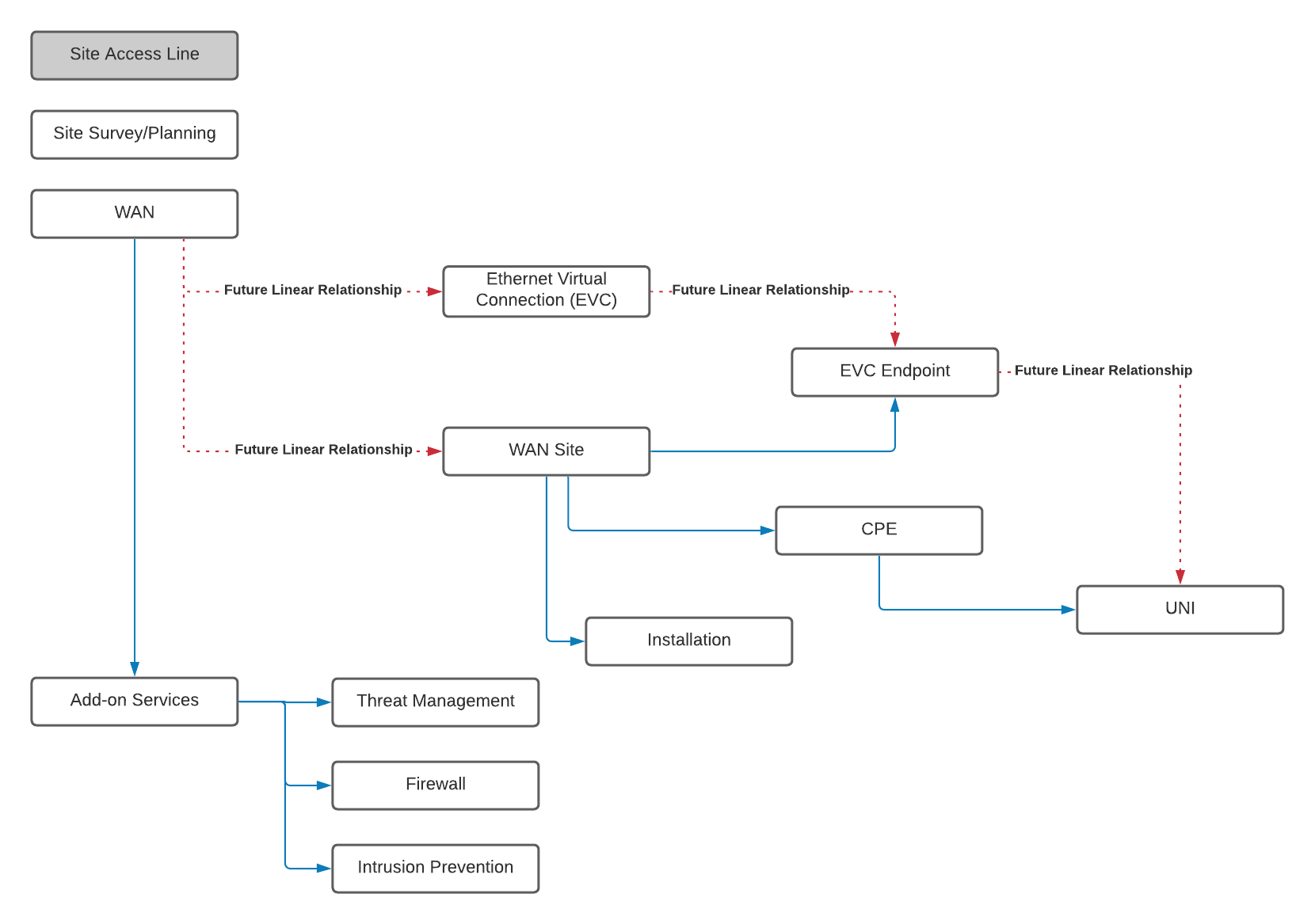
Business VPN: A wide-area network (WAN) solution that supports different WAN use-cases, such as Internet breakout to local access points, site connections, connections to a data center, and combinations of the following items:
-
WAN site: A physical location where a site access line terminates and CPE is installed. To enable changes contained within a particular site and separate charges per site, a WAN site is considered to be a separate product element. The WAN solution assumes that a site access line already exists at customer premises.
-
Ethernet virtual connection (EVC): An association between an EVC and a user network interface (UNI), such as an E-LINE EVC with two endpoints or an E-LAN with many endpoints. For virtual local area network (VLAN) based WANs such as an Ethernet virtual private (EVP) LAN, multiple endpoints can reside in a single UNI.
 Note
NoteFor scalability, the Business VPN product model considers EVC endpoints to be part of a WAN site even though they typically considered to be part of an EVC.
-
User network interface (UNI): A physical network interface port where equipment such as a customer LAN is connected. A single CPE item can host multiple UNIs, such as to terminate multiple EVCs or to enable protection schema.
-
Customer premises equipment (CPE): A physical device typically exists at each customer site. However, its description in the product model can vary to support special circumstances such as the following:
-
Reusing existing CPE from another network solution previously deployed at the site
-
Multiple CPEs installed at a site to terminate different EVCs
-
When the UNI is on a provider edge (PE) router
-
Business VPN Diagram:
SD-WAN
Software-defined Wide Area Network (SD-WAN) provides application-level routing and traffic management capabilities across the WAN. In other words, SD-WAN facilitates high-level routing decisions based on the examination of the traffic flow across the WAN at the level of user applications. SD-WAN is a virtual solution that is agnostic to the underlying layer 1 and layer 2 architectures.
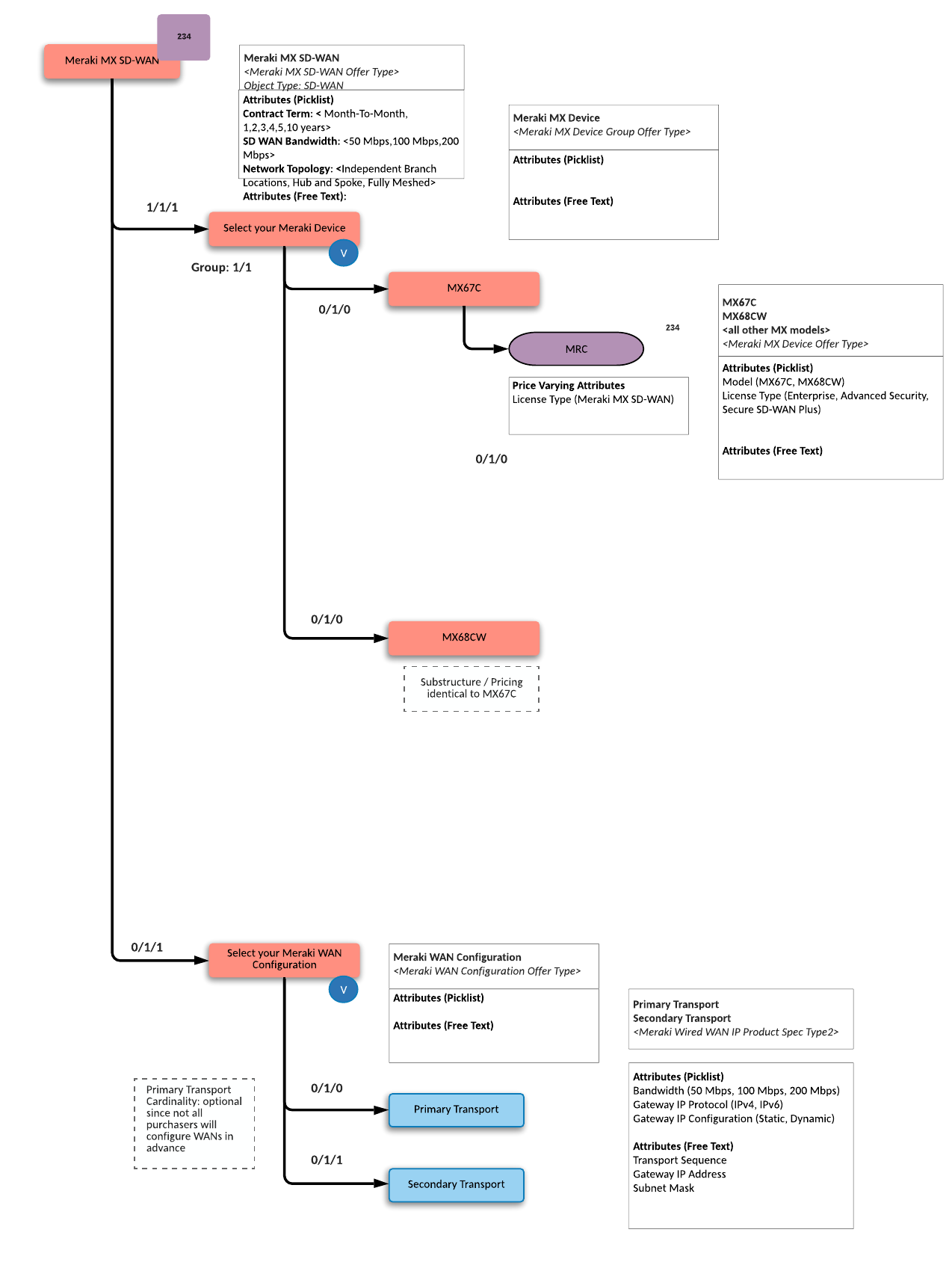
In the Cisco Meraki SD-WAN product model, the MX series of devices provide SD-WAN service connectivity and functionality. This product model includes offerings based on the following components, which you can customize based on your requirements:
-
Meraki SD-WAN Offer Types
Can be customized based on the following:
-
SD-WAN Bandwidth: 50, 100, or 200 Mbps
-
SD-WAN Network Topology: Independent Branch Locations, Fully Meshed, or Hub and Spoke
-
Contract Details: Month-to-month or yearly with the option to choose up to 10 years at once
-
-
Meraki Device: This is the CPE that acts as the SD-WAN controller. After choosing the device model, select a license type, such as Enterprise, Advanced Security, or Secure SD-WAN Plus.
-
SD-WAN Configuration
Can be customized based on the following:
-
Secondary Transport: A combination of the bandwidth, SD-WAN subnet mask, gateway IP address, transport sequence, IP protocols, and gateway IP configuration
-
Primary Transport (Optional Add-on Service): A combination of bandwidth, SD-WAN subnet mask, gateway IP address, IP protocol, and gateway IP configuration
-
SD-Wan Diagram: