
You are here:
Synchronize with OM Plus and check the status
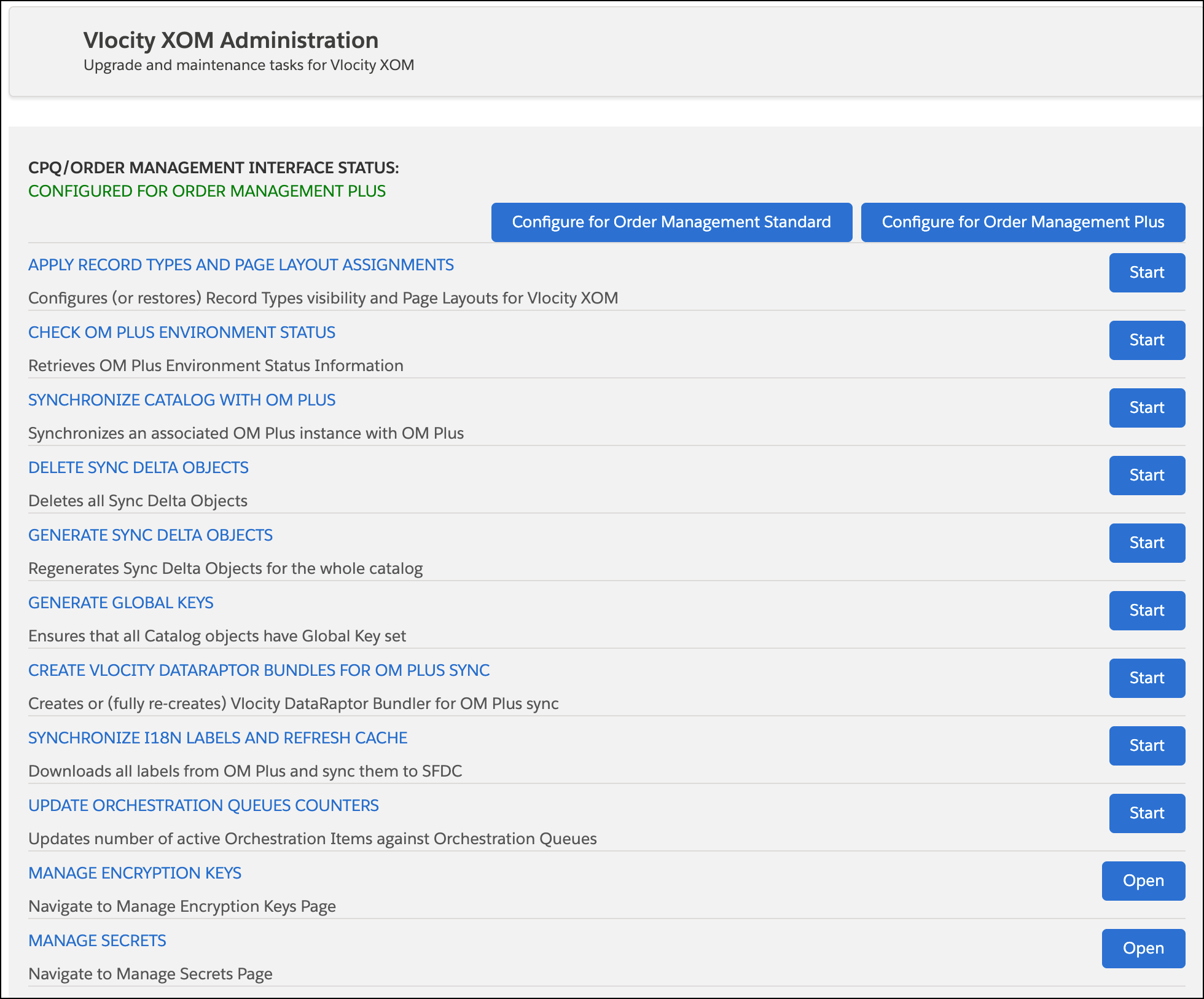
The Vlocity XOM Administration panel contains controls that allow you to administrate OM Plus.

To verify that OM Plus is properly connected to Salesforce, follow these steps:
-
In Lightning
Experience, click the App Launcher:

- Begin to type XOM Administration until Vlocity XOM Administration appears in the list.
- Click Vlocity XOM Administration. The Vlocity XOM Administration panel opens.
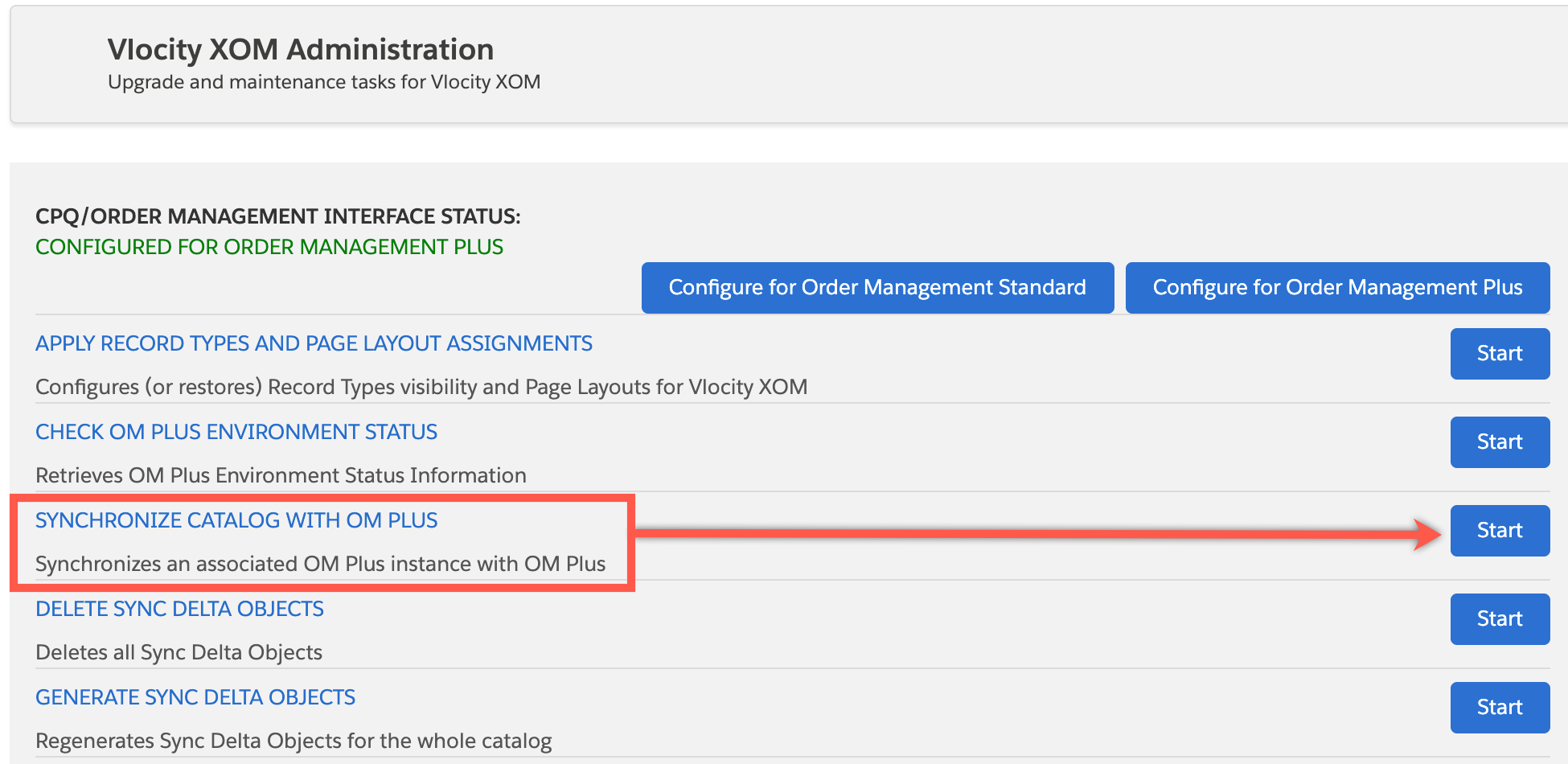
- Click the Start button on the line named SYNCHRONIZE CATALOG WITH OM PLUS.
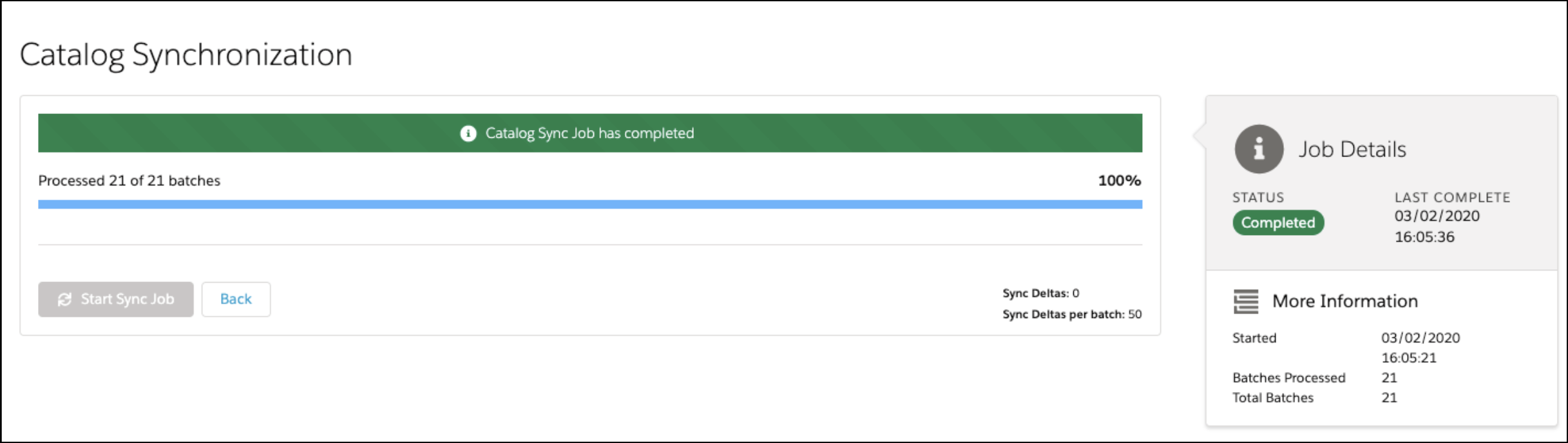
- The result of a proper sync looks similar to the image that follows.
Did this article solve your issue?
Let us know so we can improve!
