
You are here:
Using Asynchronous Callouts for Long Response Times
Asynchronous callouts are used when an external fulfillment system isn't expected to respond immediately.
When the fulfillment system can't respond fast enough, or when the response arrives after long periods of time, it means that the standard synchronous callout mechanism cannot be used. You can implement the asynchronous callout with a sequence of two orchestration items - a callout followed by a push event. However, Order Management also has built-in support for asynchronous callouts.
The following describes how to configure asynchronous callouts in your Orchestration Plan Definition.
Defining the Asynchronous Interface
To use the asynchronous callouts, configure a system interface that uses the correct implementation:
Go to Systems and select the system to use the asynchronous callout.
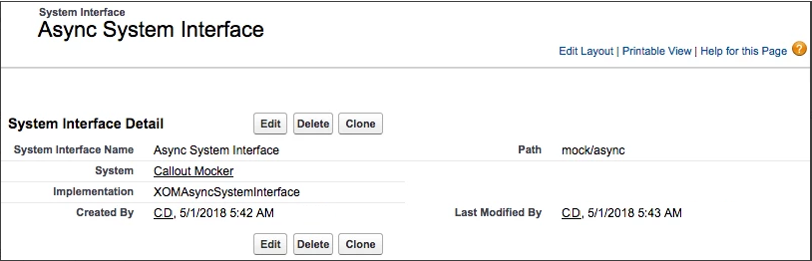
Create a new system interface and configure it to use the XOMAsyncSystemInterface implementation. In the following example, Async System Interface is created within the Callout Mocker system.
Processing the Response Asynchronously
One of the benefits of using asynchronous callouts is that you also get the opportunity to process the response, which is received asynchronously, through DataRaptor. To process the response, make sure you are adding the Async Vlocity DataRaptor Bundle field to the layout because the field is not displayed out of the box, and use the field to configure the DataRaptor that will process the response.
Once the response has been posted, Order Management marks the item complete and continues the orchestration.
- Defining the Callout
Now, you are ready to use the new implementation in your orchestration item.
