You are here:
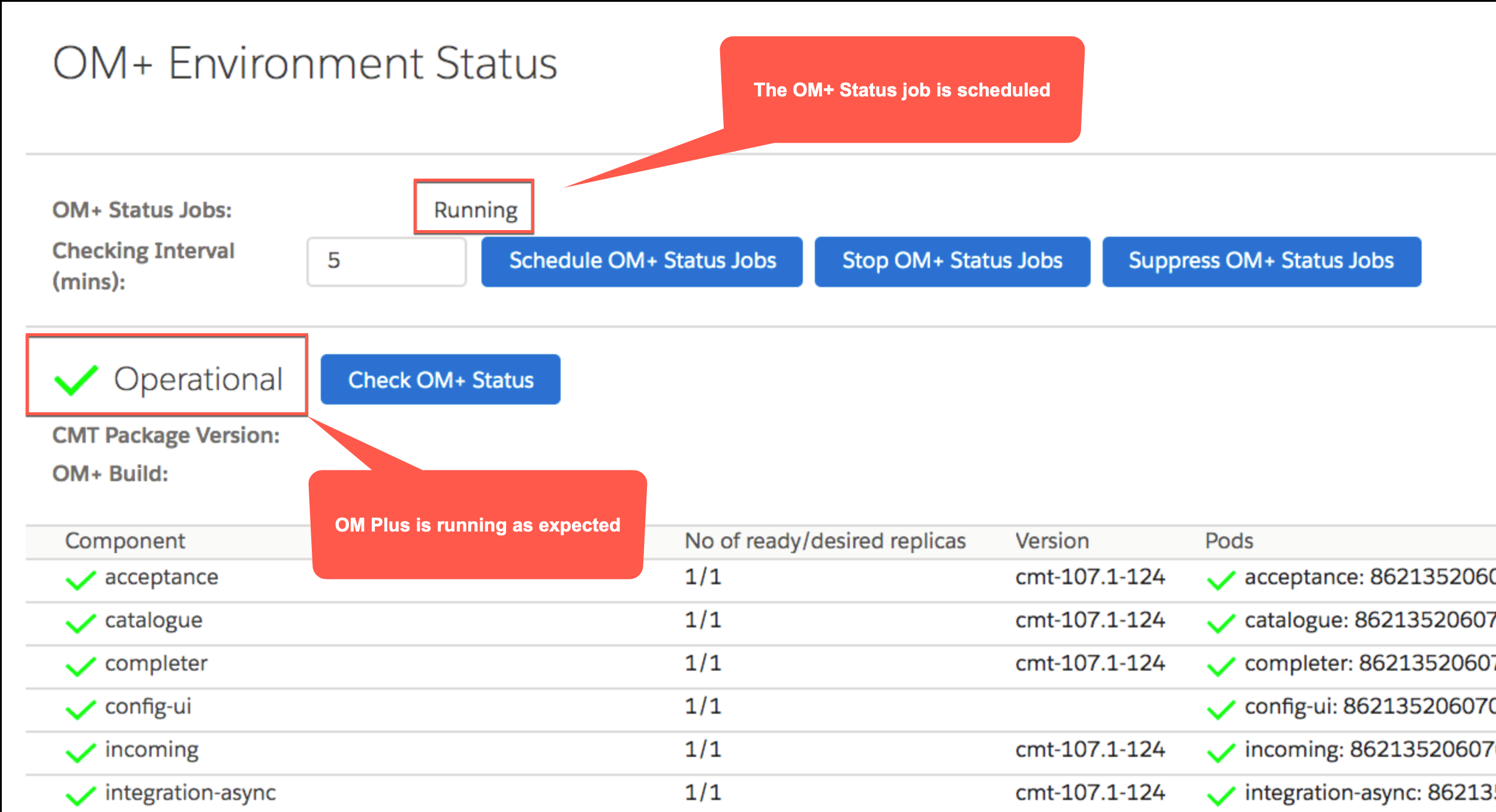
Verify that the OM+ Status job is scheduled
After you've verified that OM Plus is properly connected to Salesforce, ensure that two custom settings have been set properly. This job is also known as the OM + Status job.
For more information about this job, including running it and configuring it, see Configuring or Running the OM Plus Status Job.
- Return to the XOM Administration panel and click the Start button on the line named CHECK OM PLUS ENVIRONMENT STATUS. The OM+ Status job runs, and checks that OM Plus components are running and properly connected to Salesforce.
- Verify that the state is Operational and that the OM+ Status job is running. The possible statuses are listed here:
Operational: Working as expected. Sync Delta Objects for the initial full catalog sync have been generated. The system can send orders, unless there are pending Sync Delta Objects.
Empty or OMPLState record does not exist: Connectivity is configured but Full Catalog Sync has not been done yet. You can run a sync by clicking the Start button on the SYNCHRONIZE CATALOG WITH OM PLUS row on the XOM Administration page.
Version Mismatch: There is a version mismatch between OM Plus and Salesforce, or between different OM Plus components.
Partially Offline: Some components are not available.
Offline: The cluster is not reachable.
- Verify that there's a number in the Checking Interval (mins) field. This field set how many minutes pass before each time that the OM+ Status job runs. The default is five minutes.
- If the job is shown as Not Running or Suppressed, click Schedule OM+ Status Jobs. The OM+ Status job is scheduled to begin again.