Loading
Salesforce now sends email only from verified domains. Read More
Industries Order Management
Table of Contents
Select Filters

          No results
          No results
          Here are some search tips

          Check the spelling of your keywords.
          Use more general search terms.
          Select fewer filters to broaden your search.

          Search all of Salesforce Help
          View the Order Management Custom Settings

          View the Order Management Custom Settings

          Order Management has many custom settings that enhance the way it operates and performs. To see the list of custom settings, follow the instructions on this page.

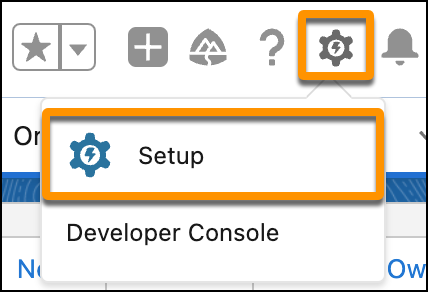
          1. In the Lightning environment, click the Settings gear icon, then click Setup.
            An image of the Setup button.
          2. In the Quick Find field, type Custom Settings, then click Custom Settings.
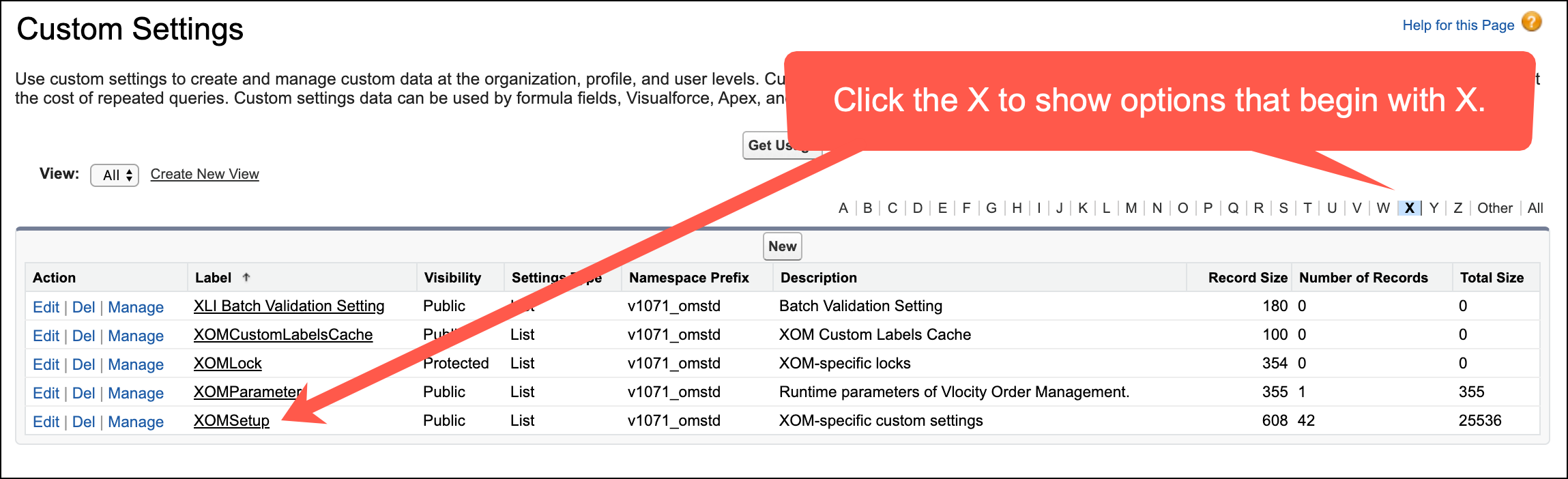
          3. In the Custom Settings page, find XOMSetup and click the Manage link next to it. If you don't see XOMSetup, then click the X from among the letters at the top of the screen to filter out most of the options.
            The Custom Settings screen, with arrows pointing to the X navigation aid and the XOMSetup list item.

          The list of Order Management custom settings opens.

           
          Loading
          Salesforce Help | Article