You are here:
Dynamic Rich Text for Server-Side Document Generation
Use rich text tokens in a Microsoft Word document template to insert rich text content in the generated DOCX and PDFfiles. With dynamic rich text tokens, show product details as a block of information with its original formatting in your generated document. Product details are stored in a rich text field of a Salesforce object.
The rich text token must start with RTB_. The token format is {{RTB_<richtexttokenname>}}, for example, {{RTB_HeaderRichText}}. Place rich text tokens anywhere in a document template, such as in a paragraph, table, text box, header, or footer. Rich text tokens must be placed on a new line. In the Text Area (Rich) field, you can undo, redo, bold, italicize, underline, strike-out, modify alignment, add a numbered or non-numbered list, indent, outdent, and add hyperlinks.
The rich text field supports right-to-left languages and custom fonts. Rich text can pass through the rich text tokens by using Omnistudio Data Mapper Transform, Custom Class, and Omniscripts.
The image shows an example of a Word document with a list of products, their names, and
their images. For each product, a rich-text list is inserted that describes the product
details, such as model and make. 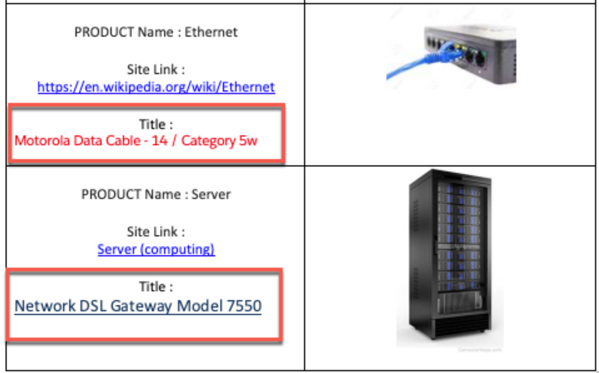

Rich Text Token Mapping
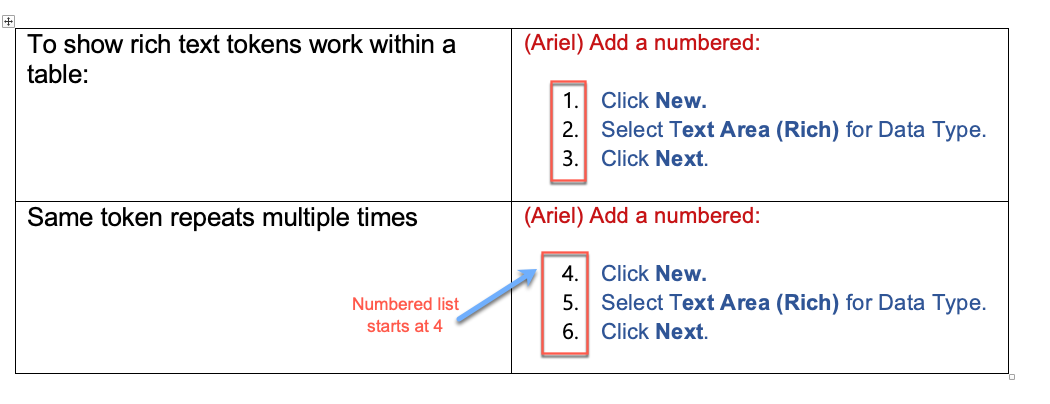
If the same rich text token is used more than once in a document template and the
rich text field has a numbered list, then the numbering of the second instance of
the numbered list doesn't start at 1. Instead, it appears as a continued numbered
list in the generated document as shown in the image.