You are here:
Add Meter Readings for Energy & Utilities Customers
Enter meter readings manually for one or more services at the customer’s premises. Customers generally provide meter readings themselves but the readings can also be determined by field agents or manual estimates.
After the readings are captured, they are validated and sent to the backend billing or metering system. The validation is performed against an expected read range - a high and low value, provided by the backend billing or metering system
The meter reading that you obtained from the customer should fall within this range. If the meter reading is out of range, you will see a warning message which you can override.
Process Flow
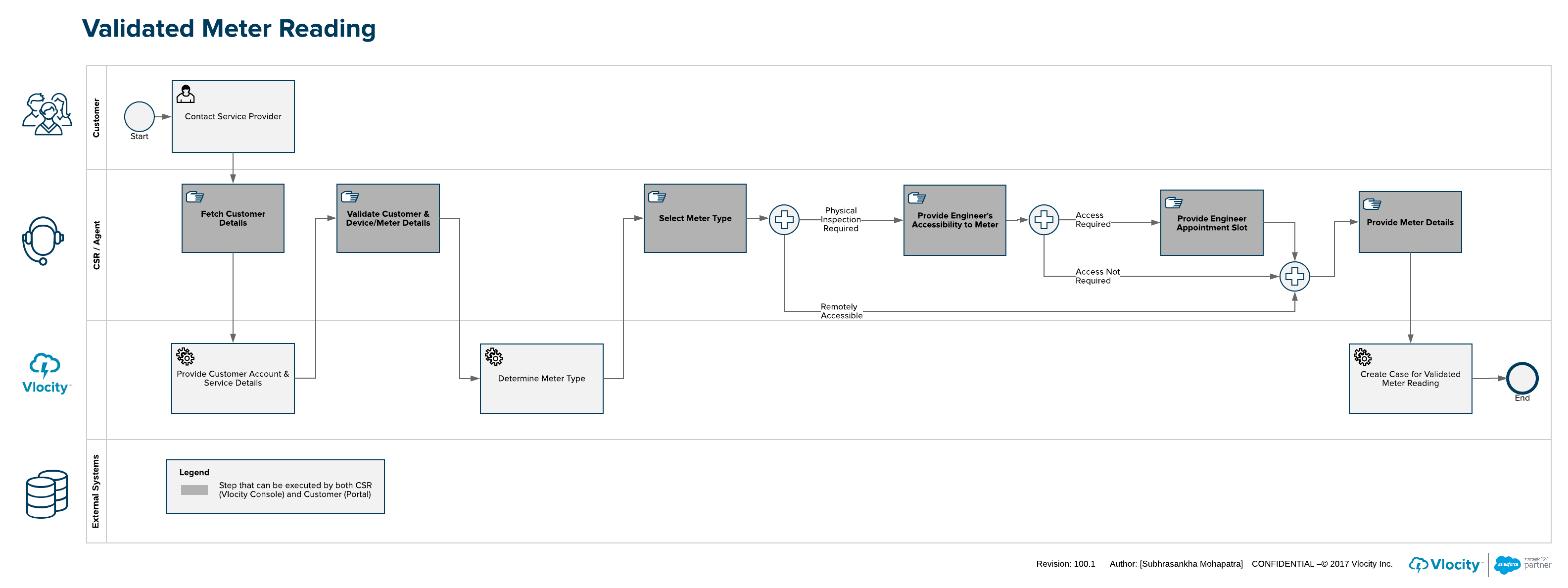
This process can start from another process (e.g. Dispute Bill), or as a result from a customer interaction by the customer service agent in the call center. The meter information is checked for accuracy and validity (meter location, metered service, and serial number). The meter type and meter location information are used to determine if the customer needs to provide access to the meter.
If access is required, a process step presents available appointments (requires integration to resource planning and scheduling system). The customer selects the preferred appointment, and a case is created in with relative details for meter reading task.
- Use the Identity Verification feature to verify the identity of the caller and launch the customer's accounts page.
- On the customer account page, select Add Meter Read from the Actions menu.
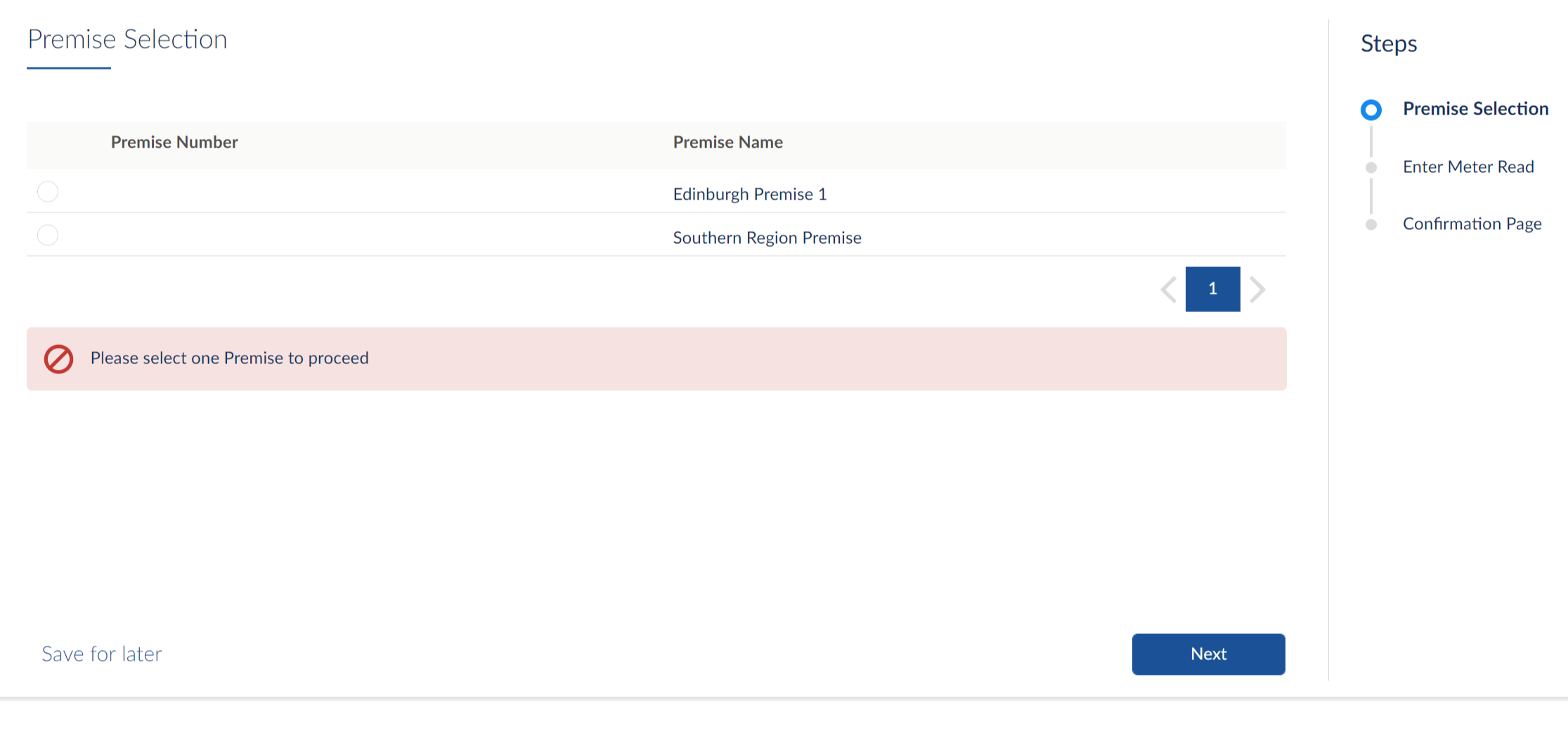
- On the Premises Selection page, select the premises for which the customer wants to provide the meter reading.
- Click Next.
-
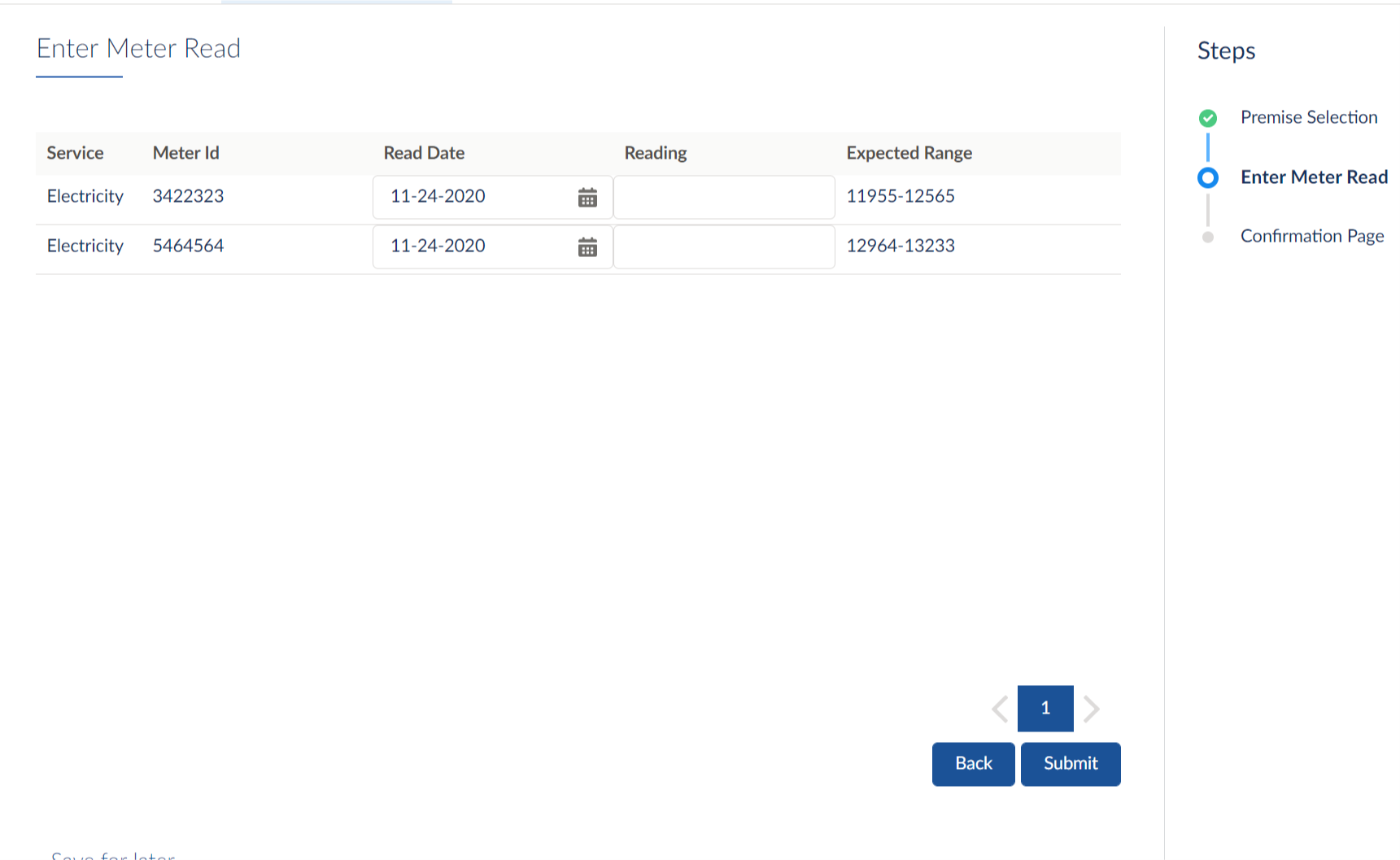
On the Enter Meter Read page, specify the meter
reading in the Reading
field for each Service to which the customer is subscribed.
-
Service - List of services to which the customer is contracted to receive.
-
Meter Id - Meter ID of individual service.
-
Read Date - Date on which the meter reading is provided.
-
Reading - Enter the reading provided by the customer.
-
Expected Range - Expected range against which the entered meter reading is validated
If the entered meter reading does not fall within the expected range, a warning message is displayed.
-
- Click Submit.
- Click Finish.