You are here:
Explore Account Details in Large Account Sales Management
The Large Account Sales Management Accounts page gives a detailed view of the customer accounts assigned to an agent. The Accounts page consists of multiple panels and tabs which provide a personalized view of each customer that includes leads, opportunities, quotes, digital conversations, interactions or related records, and more.
Home Page Panels
The summary panel of the Large Account Sales Management Home page provides key customer account details, for example, the Imperial Motors account.
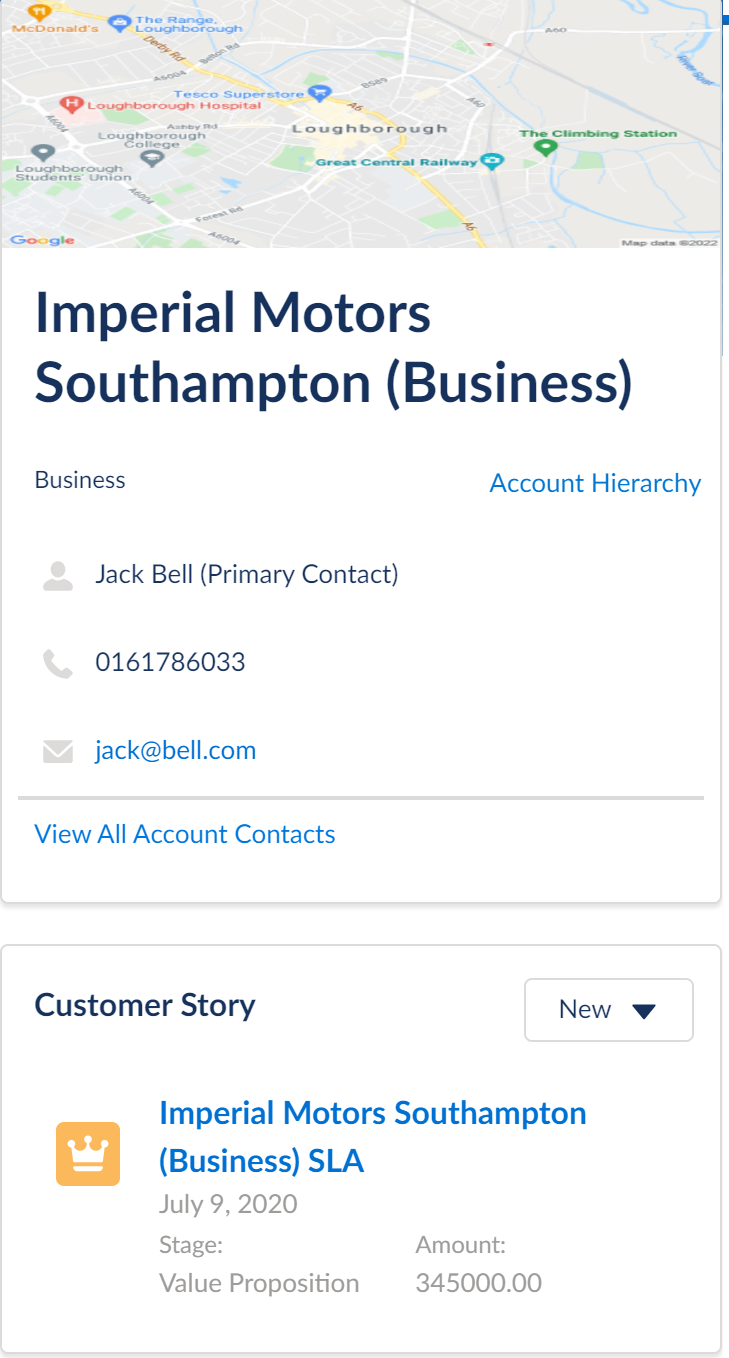
This panel includes:
-
The customer's account type. For a B2B customer, Business is displayed.
-
Account hierarchy listing the parent and child relationships between the related accounts. You can click on any account to navigate to the related account details page.
-
The customer's primary contact, service address, email, and phone number.
-
List of all the customer's contacts.
-
A map of the customer's address. Salesforce Industries has integrated the Google Maps API into the Console to enable this feature. If the customer relocates to a new house, the map updates with the new address information.
-
The Customer Story section provides information about customer conversations, related case tickets, open opportunities, and more. It pulls data from different components such as cases, activities, opportunities, and tracking services within the customer account and displays that information. For example, you can view a list of all open opportunities related to the customer account in the Customer Story section.
The Action tab lists the current actions assigned to the agent. Agents can also self-assign an action by clicking Add. The History tab lists the previous or completed assigned actions.
Opportunities Tab
The Opportunities tab displays the open opportunities, and quotes associated with the business account.
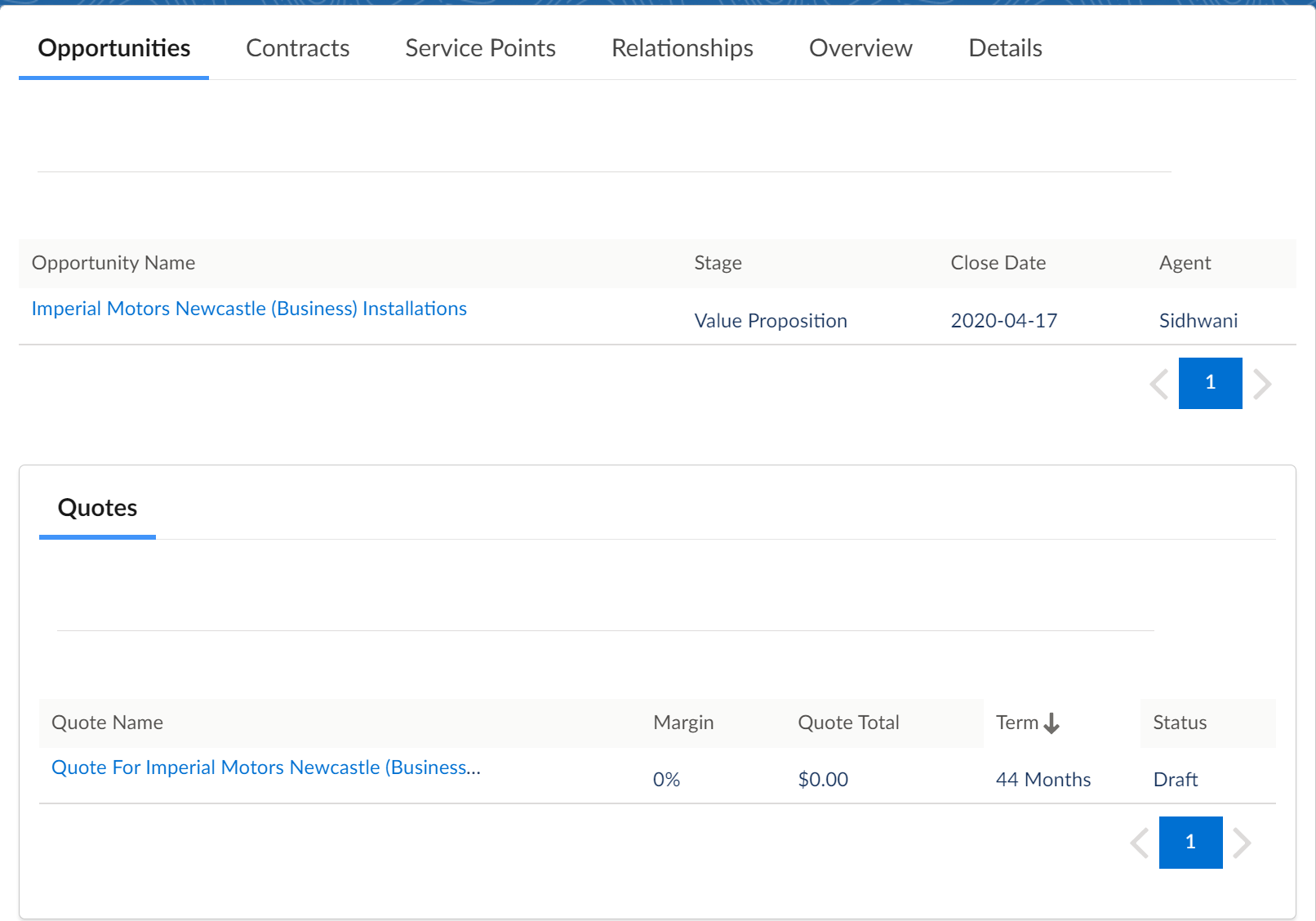
The Opportunities table lists all the opportunities along with their stage, close date, and assigned agent. The stage of an opportunity can be--Prospecting, Qualification, Needs Analysis, Value Proposition, Id. Decision Makers, Perception/Analysis, Proposal/Price Quote, or Negotiation/Review. Opportunities that are closed are not displayed in this list.
Click the opportunity name to open the Opportunity record page. This customized record page provides a detailed view of the opportunity and enables the agents to perform various custom and standard actions. To learn more about the Large Account Sales Management Opportunity record page, see Manage Opportunities for Energy & Utilities.
The Quotes table details all the quotes associated with the customer account. For each quote, you can view the percentage of margin, total quote revenue, term duration of the quote, and the current status.
Click the quote name to open the standard Quote record page. This record page provides a detailed view of the quote, and the agents can perform standard Salesforce actions such as configuring the quote, changing the record type, and so on.
Contracts Tab
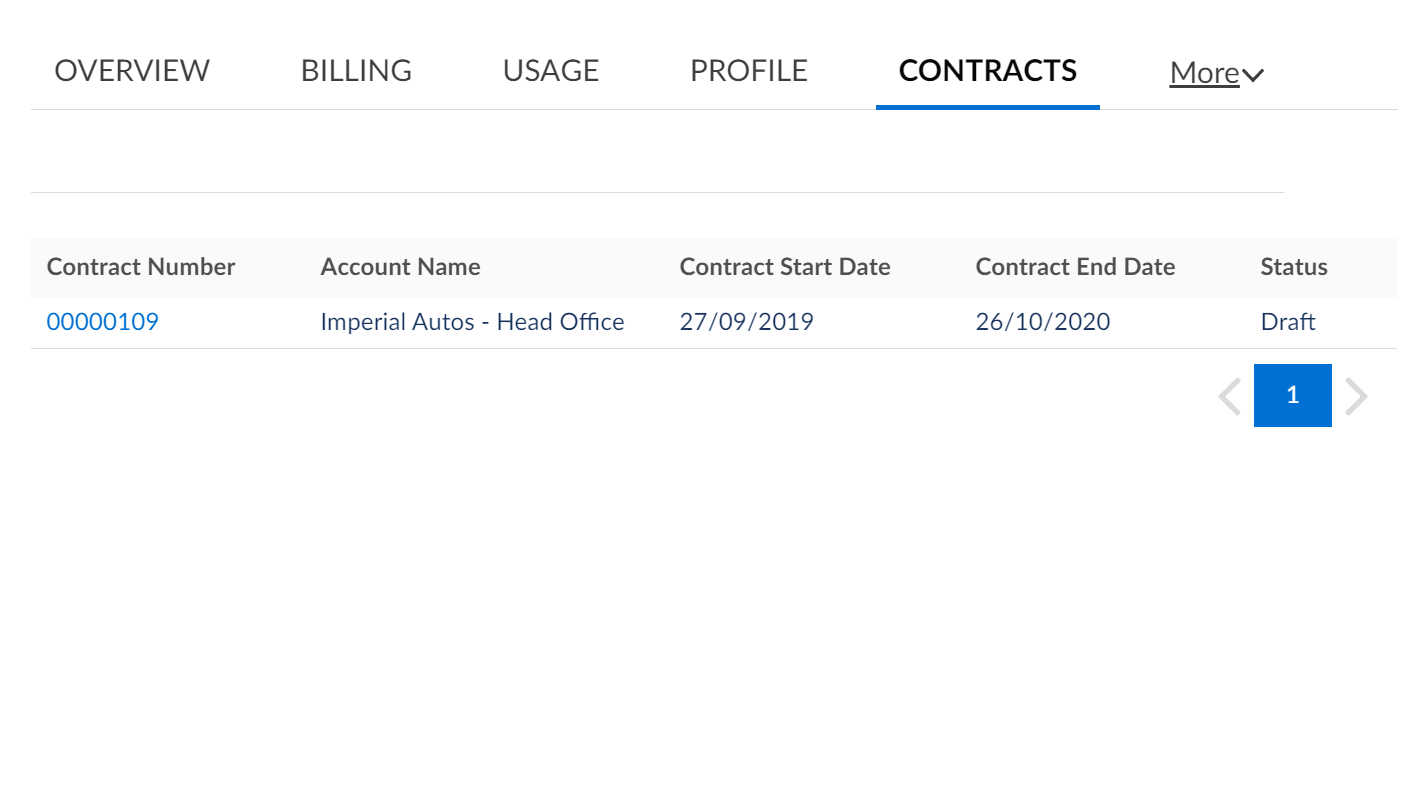
The Contracts tab displays all contracts currently associated with the selected business account. Click on a contract to display the details on a standard Salesforce Contract record page.
Service Points Tab
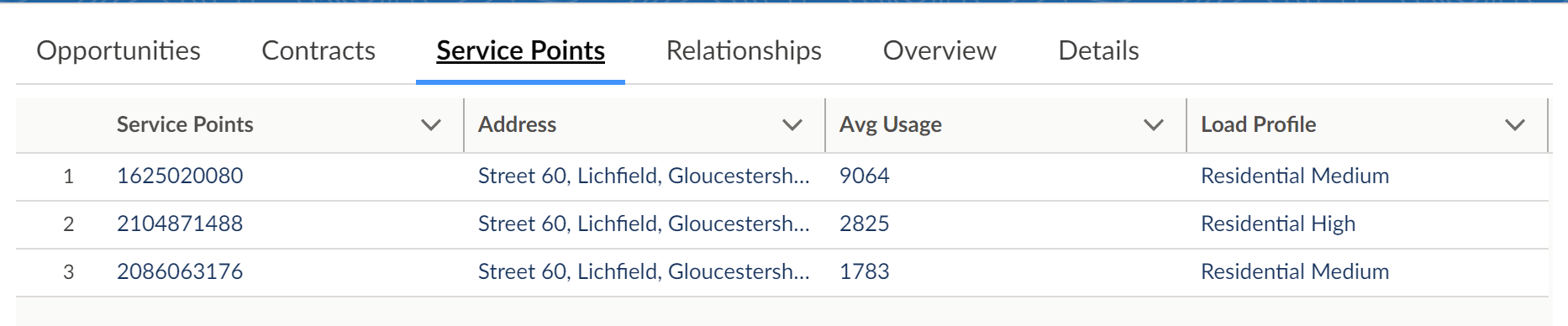
The Service Point tab lists all the service points associated with the customer account. For each service point, details such as Service Point ID, Address, Average Usage, and Load Profile are provided.
Relationships Tab
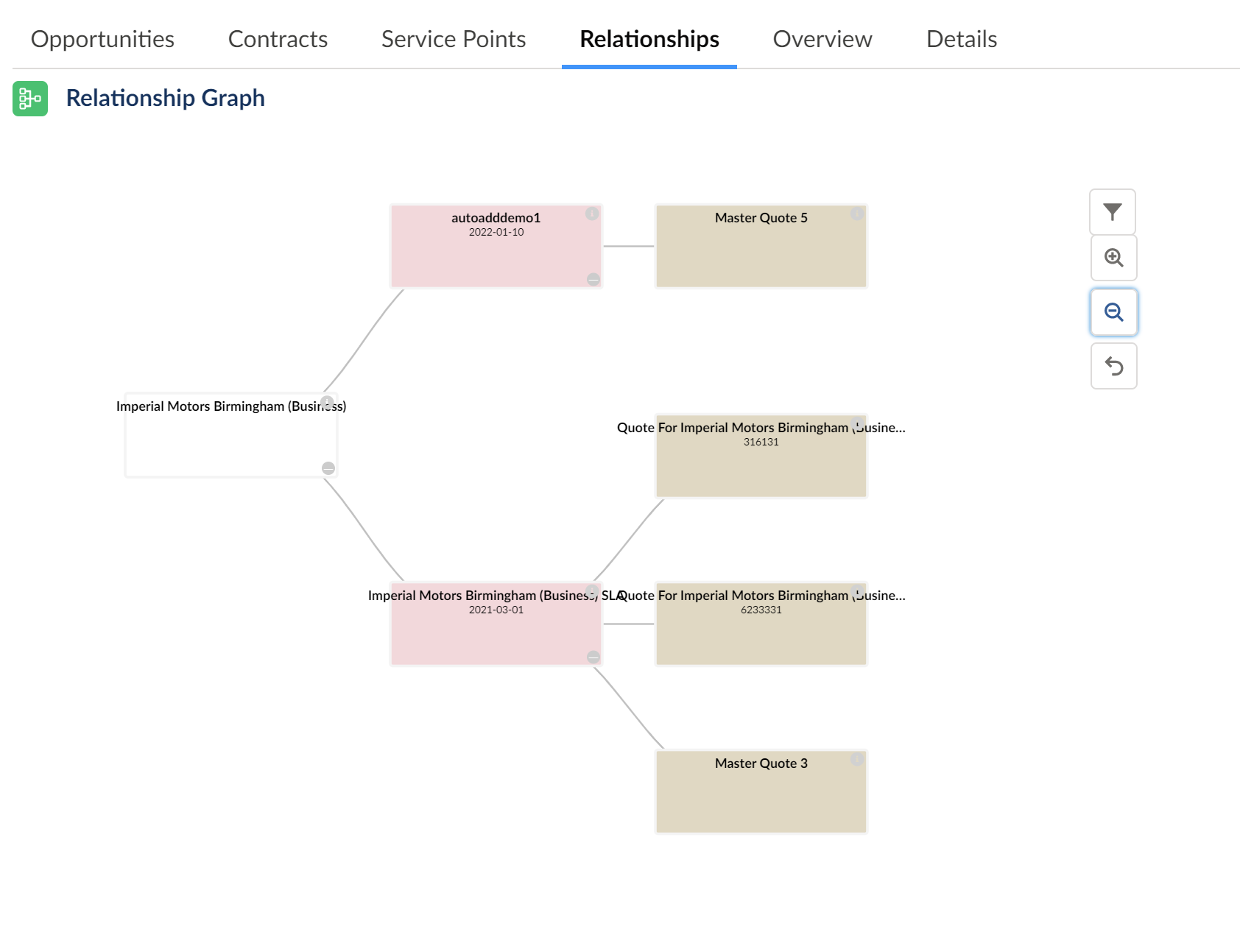
The Relationship tab provides details about the relationships the customer has with other account holders. It displays a business account hierarchy with the current customer account as the starting point. It then drills down to list open opportunities and generated quotes associated with an account or a sub-account. Each of the boxes displayed in the hierarchy is color-coded to identify the object that it represents.
Color |
Object Represented |
|---|---|
White |
Accounts or sub-accounts |
Pink |
Open opportunities |
Brown |
Quote generated for the account |