
You are here:
Large Account Sales Management Home Page Overview for Energy & Utilities
The Large Account Sales Management application provides an interface that gives you a 360-degree view of leads and opportunities associated with the customer accounts assigned to an agent. It also provides tools to the agents to convert the leads and opportunities into quotes and contracts.
The Home page consists of multiple panels and tabs which provide a personalized view to each agent that includes the Leads tab, Opportunities tab, Sales Pipeline, and scheduled Events.
Leads Tab
The Leads tab of the Large Account Sales Management home page provides a list of active leads associated with the customer account assigned to a sales agent. Each row of this list contains the company or account name, contact person, current status, expected revenue, and rating for that lead. Ratings indicate the value or prospect of the lead, for example, it can be Hot, Warm, Cold. The status of the lead, fetched from the Lead record, can be Open, Contacted, or Qualified. You can set any custom value to define lead status.
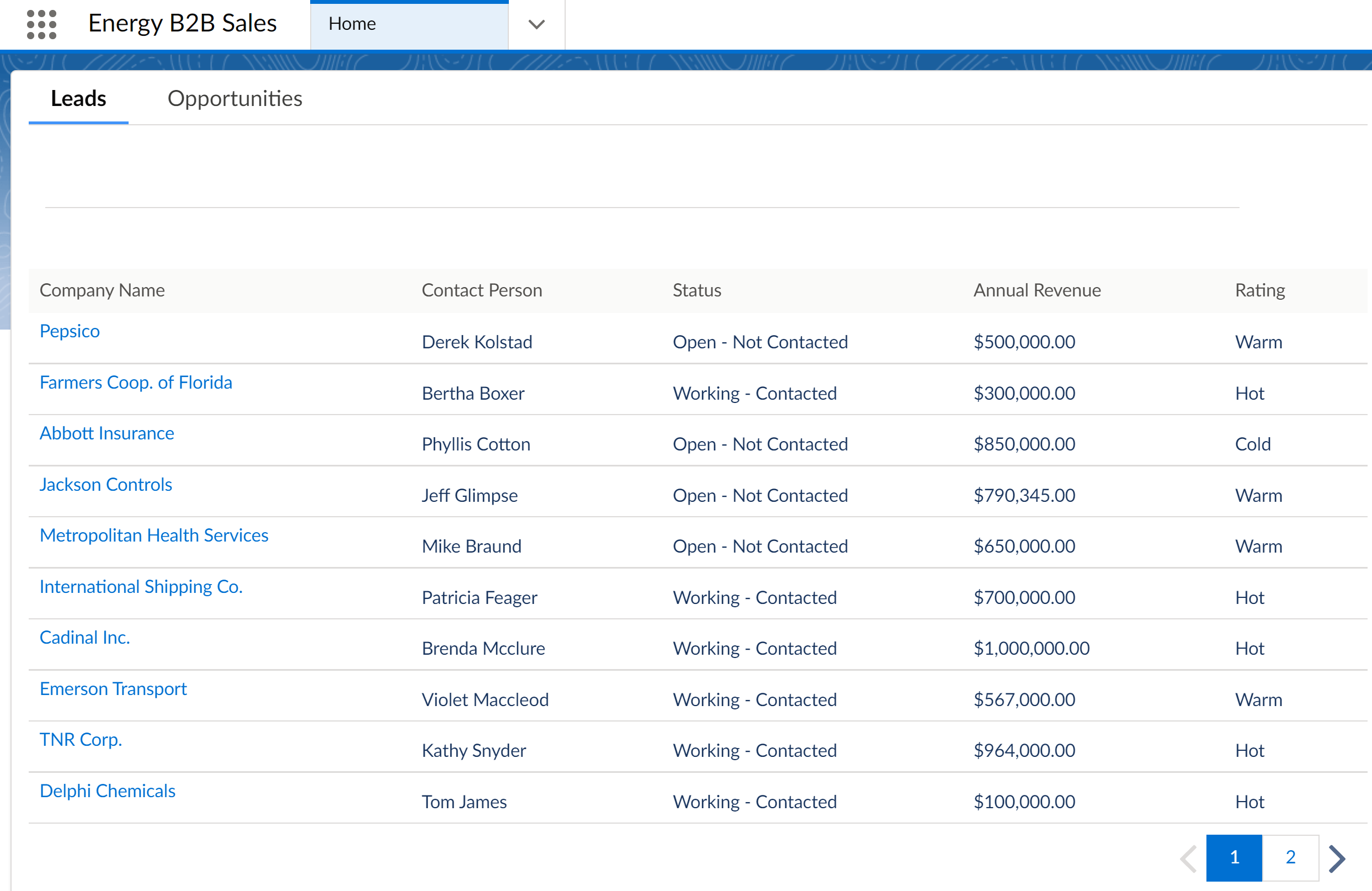
Click the Company Name to open the standard Salesforce Leads record page. To know more about Salesforce Leads, see Leads.
Opportunities Tab
The Opportunities tab lists all the opportunities for the customer accounts assigned to a sales agent. Each row in the list contains the opportunity name, the associated account, the current stage of the opportunity, any quotes associated with the opportunity, the probability of closing the opportunity in percentage, the close date, and revenue size.
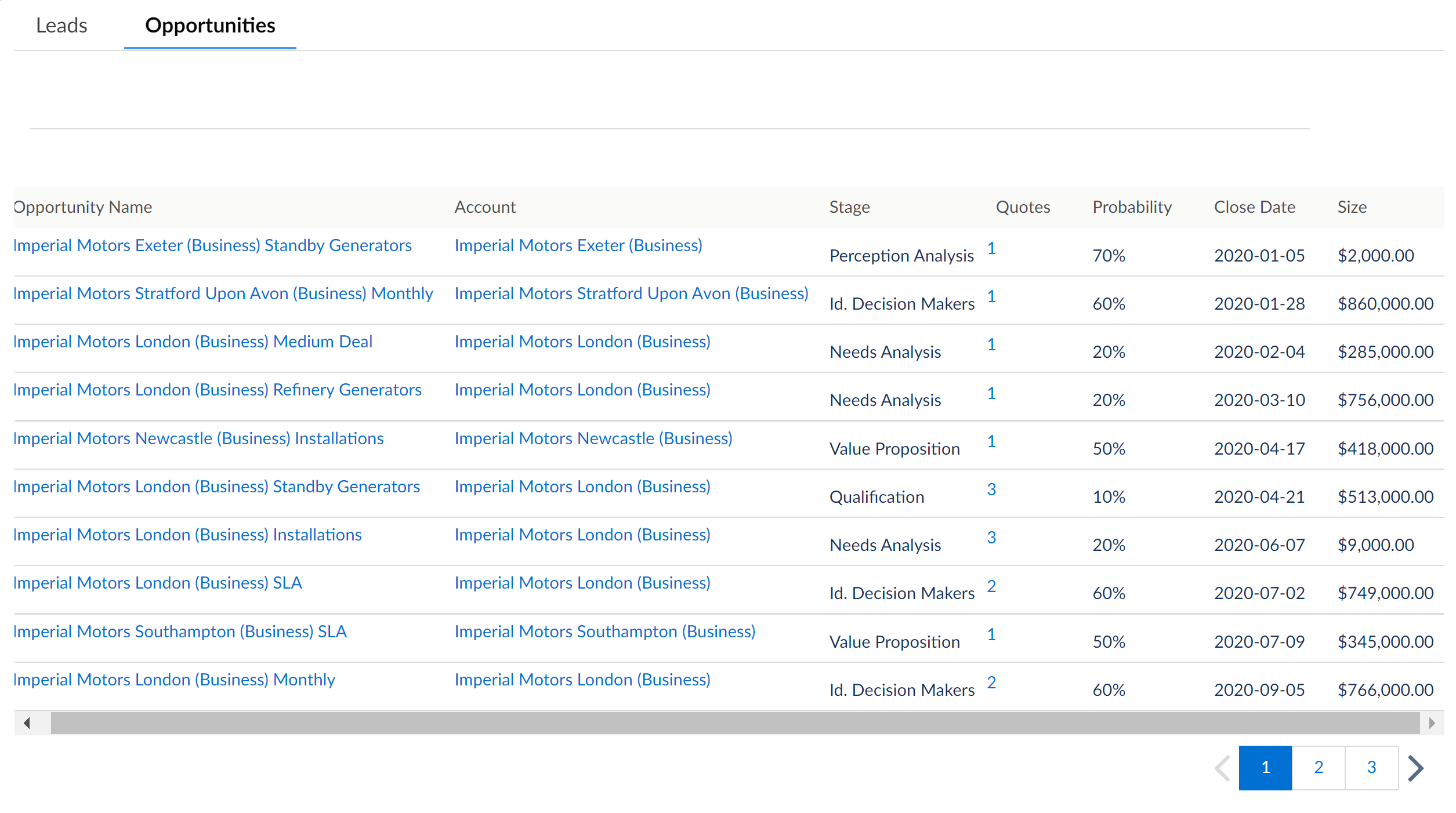
Click the Opportunity Name to open the Opportunity record page. The Large Account Sales Management Opportunity record page provides the opportunity details, and a number of sales agent tasks such as adding service points, managing opportunity groups, creating multi-site quotes along with the standard Salesforce functionality. To learn more about the Opportunities, see Manage Opportunities for Energy & Utilities.
Click the Account name to open the Accounts record page. The Large Account Sales Management Accounts record page provides a detailed view of the various opportunities, quotes, and contracts associated with the account. It also provides account holder details, billing and relationship information, and a list of services and services points related to the account. To learn about Accounts, see Manage Accounts for Energy & Utilities.
Click the Quote column to view the list of quotes associated with an opportunity. Click the desired quote name in the window to open the standard Salesforce Quote record page. To learn more about Quotes, see Manage Quotes for Energy & Utilities.
Sales Pipeline
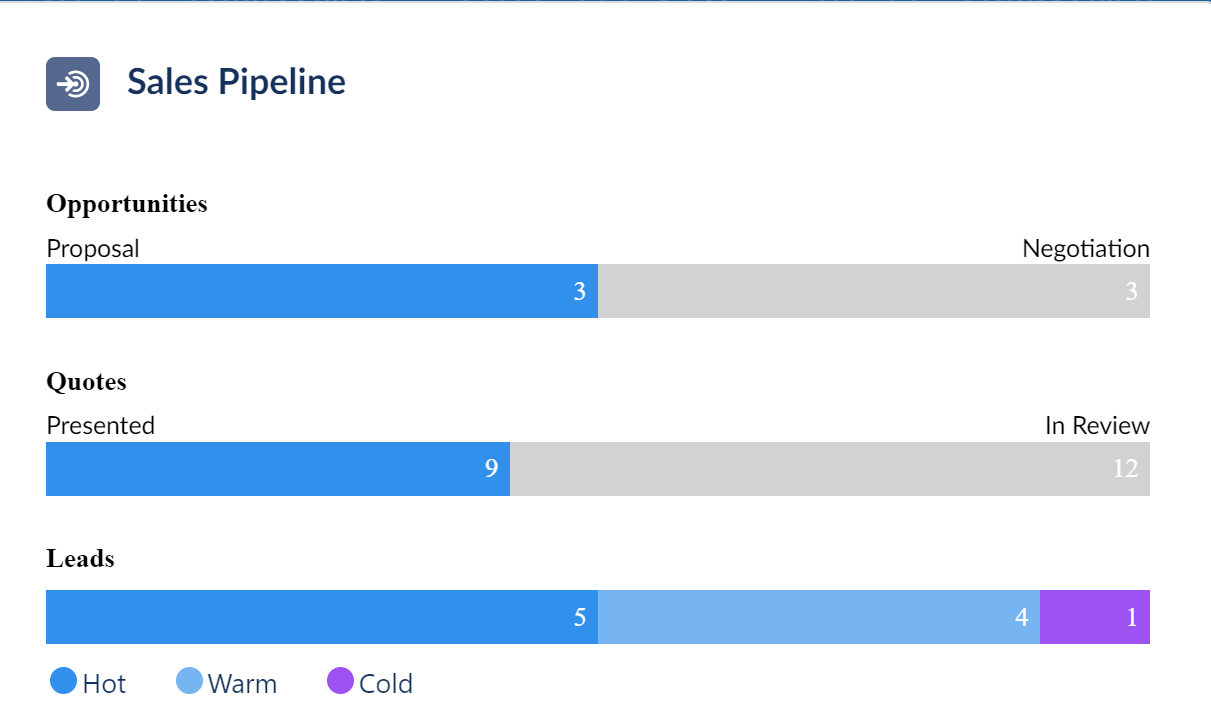
The right panel of the Large Account Sales Management home page contains the Sales Pipeline that provides a visual representation of where prospects are for your agents. It contains three metrics:
-
Number of Opportunities in the Proposal or Negotiation stage.
-
Number of Quotes in Presented or In Review stage.
-
Number of Leads with Hot, Cold, or Warm prospects.
Using the sales pipeline metrics the sales agents or team leads can get an estimate of where they are currently, and what to expect in a given week, month, or year.
Events Panel
The right panel of the Large Account Sales Management home page displays the list of events that are scheduled for the present day. This enables the sales agents and team leads to plan ahead for their day and track their meetings with customers, prospects, and colleagues.
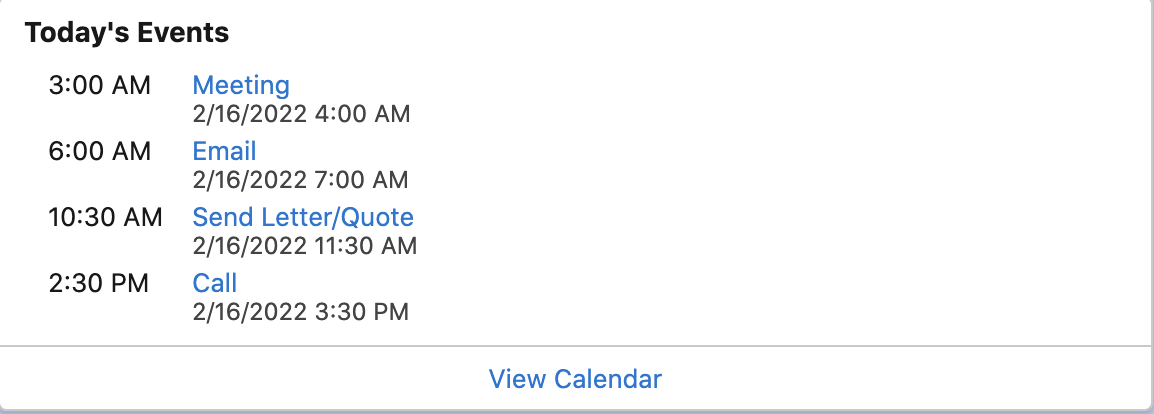
Click View Calendar to view the events scheduled for the week, month, or year. To learn more about using calendars to track and visualize dates, see Events and Calendars.
