
You are here:
Set up Chat in the Utility Self Service Portal
Add the chat feature to the Utility Self Service Portal to enable your customers to chat with service agents in real time.
Before You Begin
The chat feature requires both Contact Center Console and the Utilities Self-Serve Portal. To set up Contact Center Console, see:
To set up chat in the Utility Self Service Portal, follow these steps:
- From Setup, enter All Sites in the Quick Find box, then select All Sites.
- To open the portal in Experience Builder, click Builder next to the Self Service Portal.
- Open the pages menu and select the page you wish to add the chat feature to. For example, Overview.
- In Components, search for Embedded Service Chat.
- Drag and drop the Embedded Service Chat component in the body of the portal.
-
In the Embedded Service Chat component, under Chat Deployment, select the correct agent group name.
For example, select sfiEnergySelfServiceChatAgents.
-
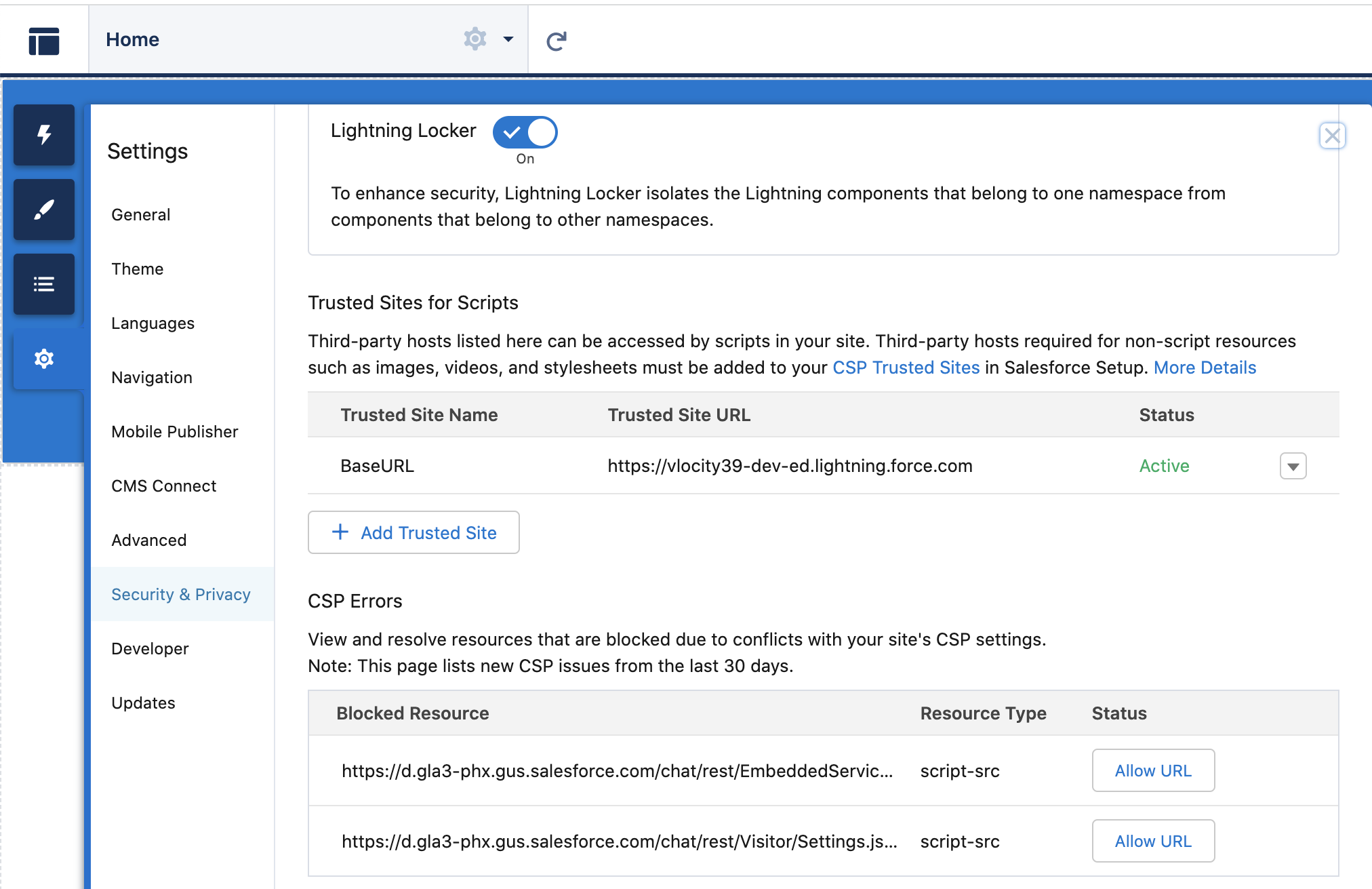
In Settings, perform these steps:
-
Select Security & Privacy.
-
In CSP Errors section, click Allow URL for any visible chat URLs.
-
- In Salesforce Setup, enter cors in the Quick Find box, then select CORS.
- Click New in Allowed Origins List.
- In Original URL Pattern, enter https://<myDomain>.livepreview.salesforce-communities.com
Did this article solve your issue?
Let us know so we can improve!
