Delete Records from a Snapshot Dataset
You can delete a user, contact, or an account from the Analytics for Insurance Snapshot datasets.
Required Editions
| Available for an extra charge in Professional, Performance, and Unlimited editions that have Agentforce Financial Services for Insurance enabled. |
| User Permissions Needed | |
|---|---|
| To delete records from datasets | CRM Analytics Plus Admin and FSC Analytics Admin |
-
In CRM Analytics Studio, click
 and then select Data Manager.
- Select Dataflows & Recipes.
-
Under Dataflows, look for FS_INS_GDPR_Compliance_Dataflow and then click

- Select Edit.
- Select the filter node and edit the SAQL filter.
-
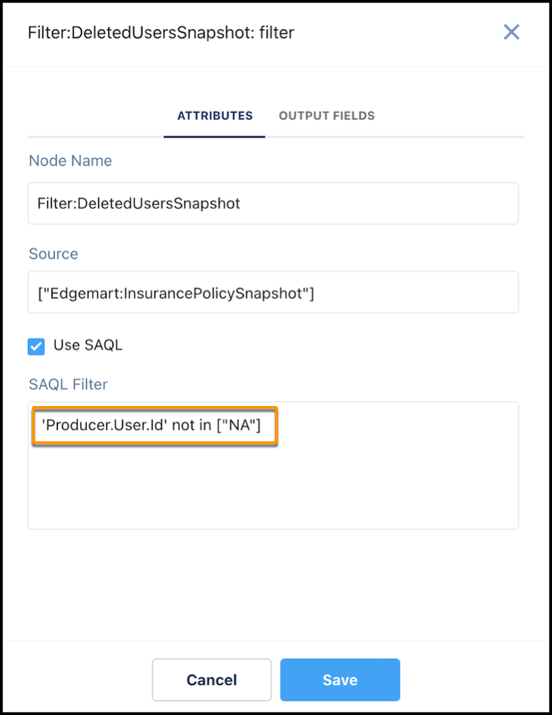
To delete a user,
- Select the Filter:DeletedUsersSnapshot node.
-
In the SAQL filter string, replace NA with the username of the record you want to delete.
- Save your changes.
-
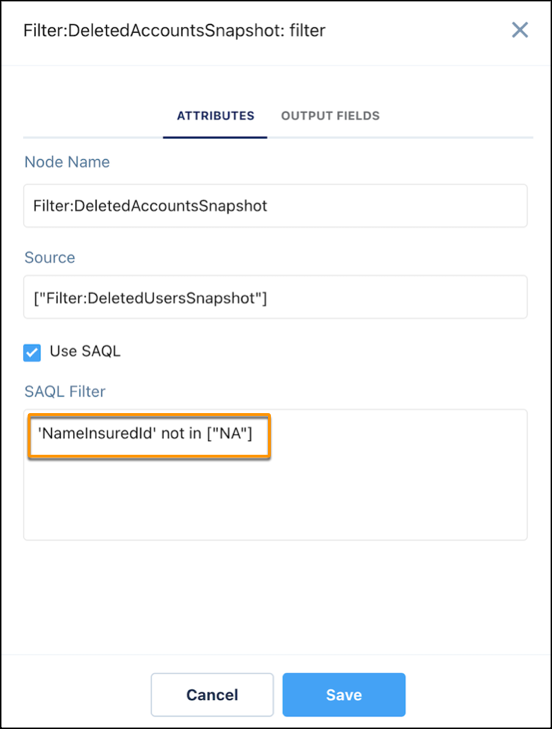
To delete an account,
- Select the Filter:DeletedAccountsSnapshot node.
-
In the SAQL filter string, replace NA with the ID of the account you want to delete.
- Save your changes.
-
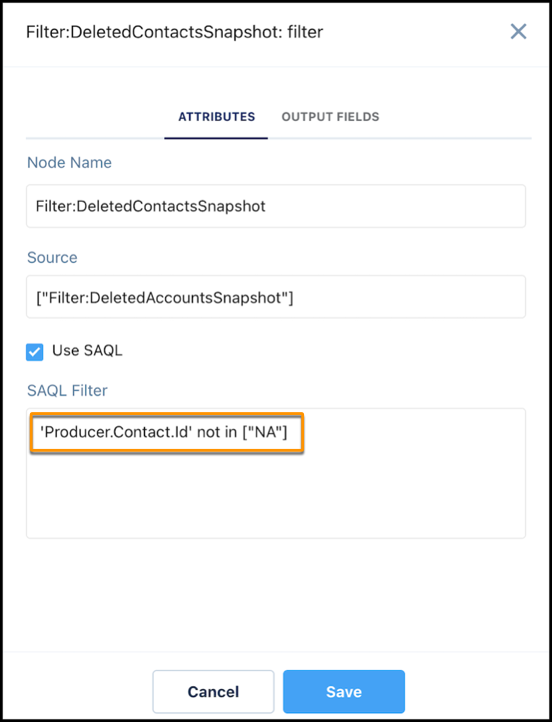
To delete a contact,
- Select the Filter:DeletedContactsSnapshot node.
-
In the SAQL filter string, replace NA with the ID of the contact you want to delete.
- Save your changes.
- Click Run Dataflow.
After the dataflow run completes, open the FS(INS) - Insurance Policy - Snapshot and FS(INS) - Account Snapshot datasets and verify if the records are deleted.
Did this article solve your issue?
Let us know so we can improve!
