
You are here:
Group Benefits App
Give internal insurance sales agents a centralized location where they can track leads, create quotes, manage enrollment census data, and enroll group members and dependents in selected insurance plans.
Required Editions
| Available in: Lightning Experience |
| Available in: Enterprise and Unlimited Editions with Health Cloud, the Insurance managed package, and the Insurance Industries Extension managed package |
The Group Benefits app brings essential sales tools and metrics together in one place. From the home page, users have quick access to active accounts, opportunities, quotes, and contracts. They can easily navigate to related insurance policies, products, and contacts.
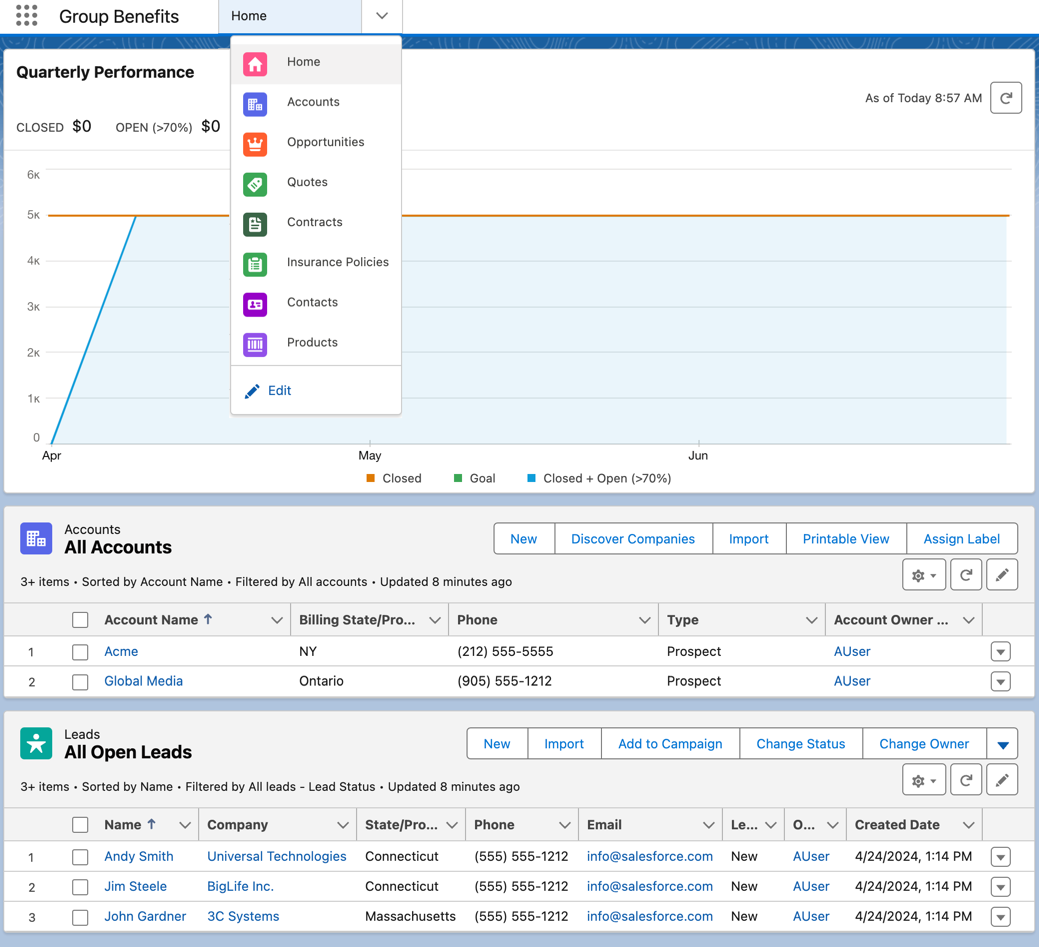
- Account, opportunity, quote, and contract page layouts are tailored to the needs of sales agents.
- Customizable workflows walk agents through steps to create quotes for small group plans, generate quote documents, and complete enrollment for small and large group plans.
- Create a document template for small group quotes and then clone and customize it to meet various business requirements.
The Group Benefits app is included with Health Cloud. To use the Group Benefits workflows for document generation, small group quoting, and enrollment, you must have the Insurance and Insurance Industries Extension managed packages installed. You must also have the Omnistudio Managed Package Runtime setting disabled.

- Give Users Access to the Group Benefits App Components
Give admins the required permissions to set up the app, and internal insurance sales agents the permissions required to use the app and its components. - Get Your Org Ready for the Group Benefits App
Make sure you have the required managed packages installed, set up the account and contract pages, configure the security settings required by app components, and verify Omnistudio settings. - Configure the Group Benefits Document Generation Omniscript for Health Cloud
The Document Generation Omniscript creates documents in .pdf and .docx format based on a template. Configure the Omniscript with details about your document template. To meet specific business requirements, you can customize the Omniscript and the template used to create quote documents. You can also create versions of the template to use in other document generation workflows. - Configure the Group Benefits Small Group Quoting Omniscript for Health Cloud
The Small Group Quoting Omniscript creates a quote for a small group plan. Configure the Omniscript with details about the custom Producer field and the document generation Omniscript. To meet specific business requirements, you can customize the Omniscript. - Configure the Group Benefits Enrollment Omniscript for Health Cloud
The Enrollment Omniscript for Group Benefits uploads group benefits plan enrollment data with census members and dependents. To use the Omniscript, customize the enrollment flow included in the Insurance Industries Extension managed package, and create a batch job to process bulk enrollment requests asynchronously. Then activate the Enrollment Omniscript. To meet specific business requirements, you can customize the Omniscript. - Set Up the Group Benefits App Home Page and Record Pages
Give internal sales agents access to small group quoting and enrollment workflows by adding actions to the Action Launcher on the Group Benefits app home page and record pages. Add the Small Group Quoting and Group Benefits Enrollment OmniScripts to custom tabs on the account and opportunity pages. Add census management, enrollment, and mid-term adjustment components from the Insurance managed package to the account and quote pages. - Add the Small Group Quoting Workflow from Health Cloud to an Experience Cloud Site
Add the small group quoting workflow to the portals used by your external insurance agents and brokers. - Use the Group Benefits App
Manage your book of business efficiently with a 360-degree view of group benefits sales. With the Group Benefits app, track leads, create quotes, manage enrollment census data, and enroll group members and dependents in selected insurance plans in one place.
