
You are here:
Correct Group Census Data in a Quote
The Quote Census Lightning web component identifies incomplete and invalid census member records by using the trigger and validation rules configured by a Salesforce admin. Zero in on data issues and correct them.
-
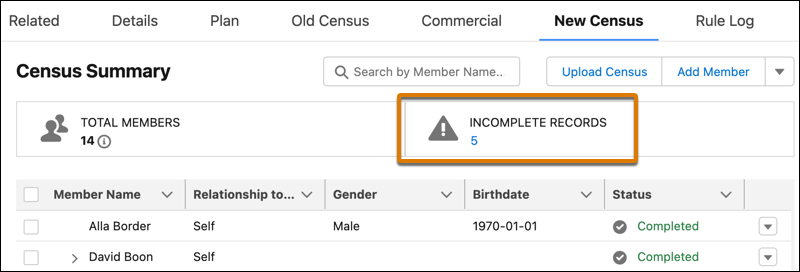
Click the Incomplete Records count.
-
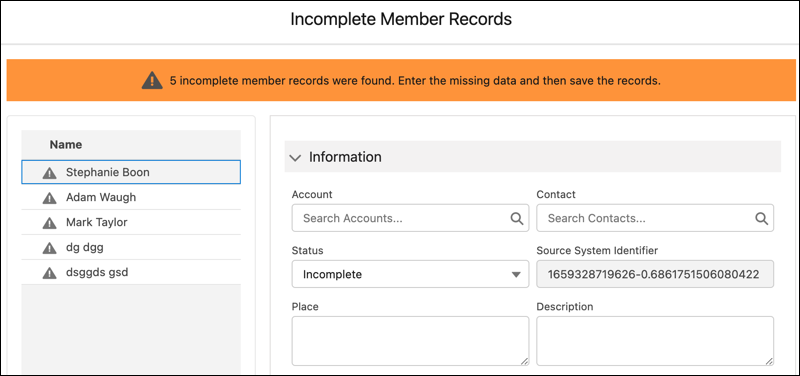
For each record listed, correct data. For example, enter a missing Smoker Status value, then click Save & Next to address issues in the next record in the list. After confirming changes, the Incomplete Records count is refreshed to reflect an updated count.
Did this article solve your issue?
Let us know so we can improve!
