
You are here:
Insurance Policy Claims Component
Show your Policyholder site users a snapshot of their open claims on a policy and link them to additional information about the claims with the Insurance Policy Claims component.
-
FlexCard: insPolicyClaimsContainer_nds
-
LWC: cfInsPolicyClaimsContainer_nds
-
Label: Insurance Policy Claims Container Newport
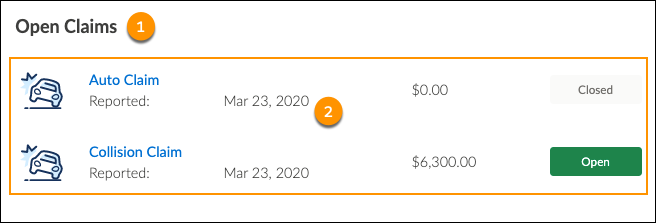
Here's what the Insurance Policy Claims component looks like when it's rendered in the Policyholder site:
-
Text label:
Open Claims
-
Open claims displayed in a child component.
Read about the Policy Claims child component hereInsurance Policy Claims Child Component.
What Your Users Can Do on this Component
Policyholder site users can click the name of the claim to go to the claim detail page.
FlexCard Structure
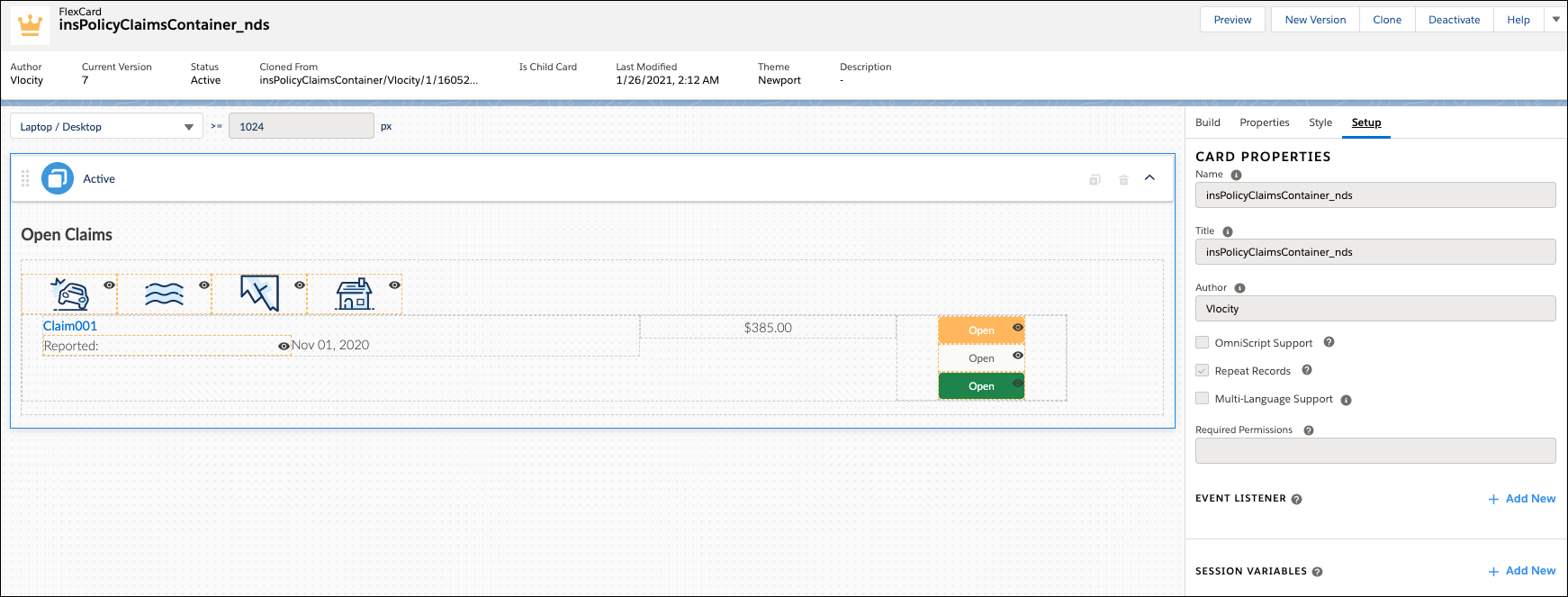
This FlexCard has a text element that displays the label we chose and holds the insPolicyClaimsChild_nds child FlexCard.
You can add, remove, and change any of these elements based on what you want your users to see. To learn how see Add Elements to a FlexCard. Other good topics to read to learn about how this FlexCard works include FlexCards Display Elements Reference, FlexCards Menu Properties, and FlexCards Action Properties.
Many of the elements of this card contain Custom CSS styles. You can make changes to these styles to create a different look and feel. To learn how to work with Custom CSS in FlexCards, see Apply Custom CSS to a FlexCard Element .
Customize this Component
To learn about how to customize this kind of component, see the Digital Experience Site Component Customization Overview
- Insurance Policy Claims Child Component
Use the Insurance Policy Claims Child component to show your Policyholder site users a snapshot of their open claims on a policy and link them to additional information about the claim. It's a child component that sits inside of the Insurance Policy Claims container component.
