
You are here:
Track Commissions
You can track commissions for agents and insurance products, and gain insight into commissions associated with each stage of the customer journey.
-
Decide how to calculate commissions. You can use flat amounts or fixed rates, rate matrices, Expression Sets, and Integration Procedures that factor in data from external sources.
-
Decide which events and transactions trigger a commission calculation, from quotes to sales, renewals to cancellations.
-
Create commission schedules that define commission calculations and effective dates.
-
Assign commission schedules to producers and insurance products.
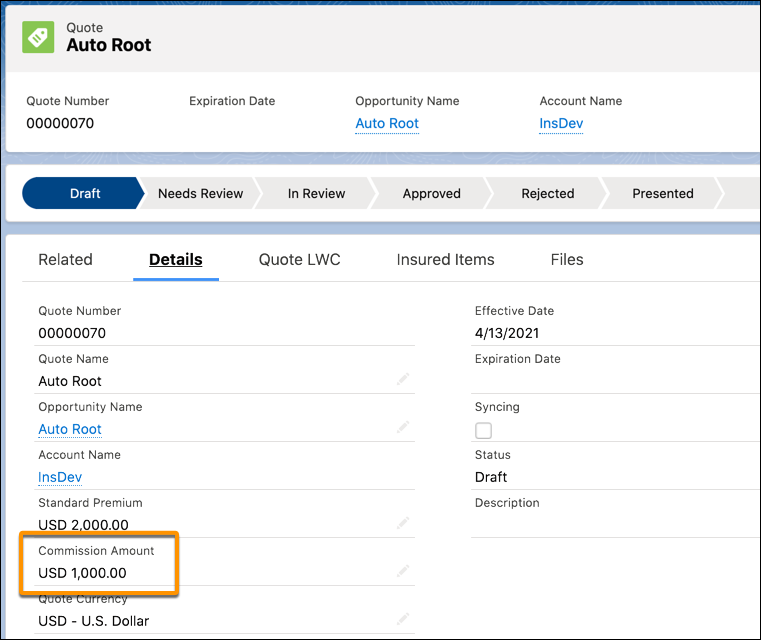
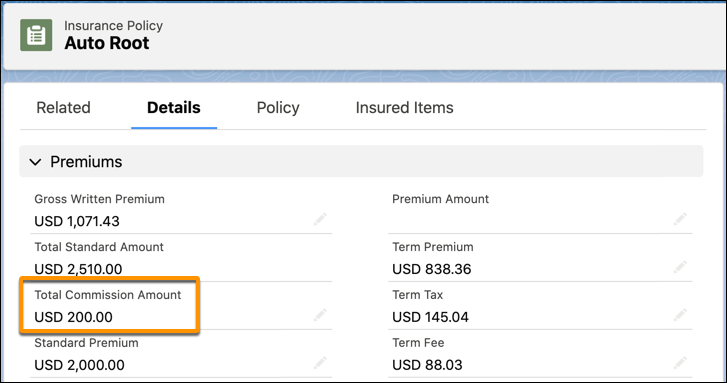
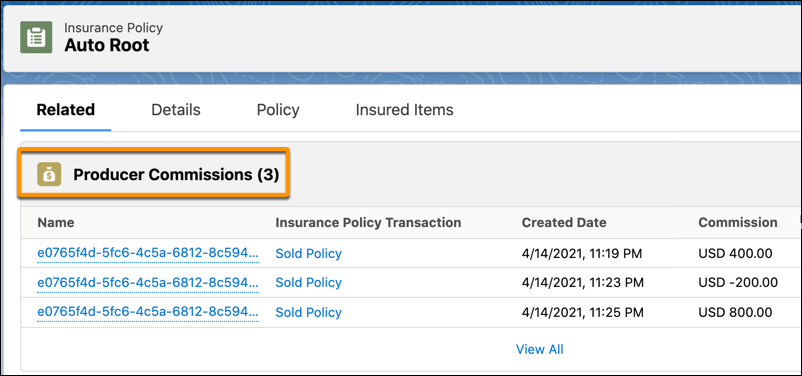
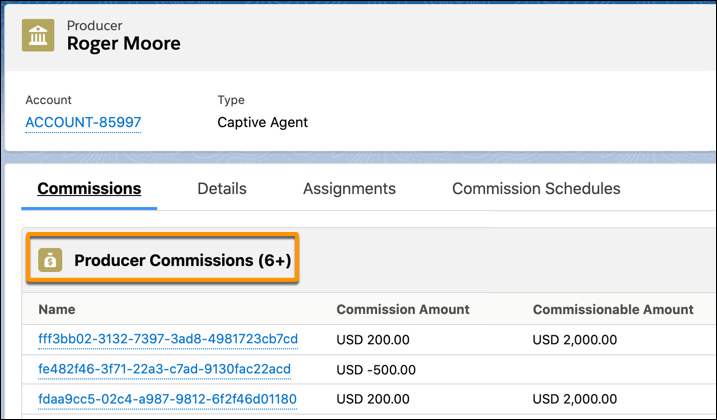
As commissionable events occur, services calculate commissions and save them to quotes, policies, producers, and transactions. You can view them in:
-
Quotes
-
Policies
-
Producers
Even if you don't assign commission schedules to producers and insurance products, you can use services to generate commissions, adjustments, and overrides ad hoc.
-
InsCommissionService:calculate calculates a commission for a producer using details about the producer, the insurance product, and the commissionable event.
-
InsCommissionService:adjust adjusts a commission amount for a producer using an existing Producer Commission record and Commission Schedule.
Here's a high-level look at how the data model is configured for commissions.
-
Agencies and offices are set up as Accounts.
-
All producers working for an agency are set up as Contacts for the Account. Parent producer codes can be used to set up a producer hierarchy.
-
A Commission Schedule represents characteristics of a commission calculation. It specifies calculation type, effective dates, and which types of objects can use the commission schedule.
-
A Commission Schedule Assignment links a commission schedule to a specific Product or Producer. It specifies commissionable events, effective dates, and minimum and maximum commission amounts.
-
Actions taken for a Quote or Insurance Policy trigger a commissionable event.
-
The Quote record stores the Primary Producer and Production Code. The createUpdateQuote service accepts these fields as inputs and adds them to Quote records.
-
The Insurance Policy record stores the Producer and Production Code. The createUpdatePolicy, createPolicyVersion, and createTransaction services accept these fields as inputs and add them to Insurance Policy records.
-
-
The Producer Commission represents the commission earned, or the potential commission for a quote. It’s associated with a Commission Schedule, and can have its own effective dates and minimum and maximum commission amounts. It also specifies:
-
Processing Producer, the producer who performed the commissionable event.
-
Producer Production Code, the production code for the producer who performed the commissionable event. The production codes associate a producer's contract with an insurance carrier.
-
Payee Producer, the producer who gets paid for the commissionable event, determined by the Producer Production Code.
-
- Add Commission Schedules and Set Up Tabs to Records
Add tabs to record pages so your users can configure commission schedules and view commission assignments. - Create Commission Calculations
Automate complex commission calculations with Decision Matrices, Expression Sets, and Integration Procedures. Your commission schedules either reference these calculations or specify flat amounts or fixed rates. - Create Commission Schedules
Commission schedules define commission calculations and effective dates. You can create a bunch of commission schedules and have different ones in effect for different producers and insurance products, at different times. - Assign Commission Schedules to Products
Commission schedule assignments give you control over who gets commissions, how much, and for what. By viewing commission schedule assignments, producers gain insight into how much they're earning as they issue quotes and close deals. - Assign Commission Schedules to Producers
Commission schedule assignments give you control over who gets commissions, how much, and for what. By viewing commission schedule assignments, producers gain insight into how much they're earning as they issue quotes and close deals. - View Producer Commissions
As commissionable events occur, services calculate commissions and generate Producer Commission records. These show agents how much they’re earning as they issue quotes and close deals, and give insight into the commissions associated with each stage of the customer journey.
