
You are here:
Clinical Excellence Console App for Participant Management
Clinical trial recruiters at investigative sites are often burdened with disparate solutions to track and monitor candidates’ recruitment and enrollment progress as well as manage daily tasks and activities. With the Clinical Excellence Console App, you can help streamline the essential jobs for a trial recruiter by organizing important metrics and tasks.
Required Editions
| Available in: Lightning Experience |
| Available in: Enterprise and Unlimited Editions with Life Sciences Cloud or Health Cloud and the Participant Enrollment Add-On license |
The Clinical Excellence Console App offers:
- Home page
- Research Study Candidates
- Research Studies
Clinical Excellence Home Page
The Clinical Excellence home page features the enrollment dashboard that offers clinical trial coordinators visibility into candidates’ clinical data and their enrollment progress through different enrollment stages. The enrollment dashboard displays key indicators, such as candidate rejection percentage, candidate conversion rate percentage, and candidate enrollment status. This dashboard enhances the efficiency of site coordinators or clinical trial recruiters by organizing metrics, tasks, and events that will enable them to operate efficiently.
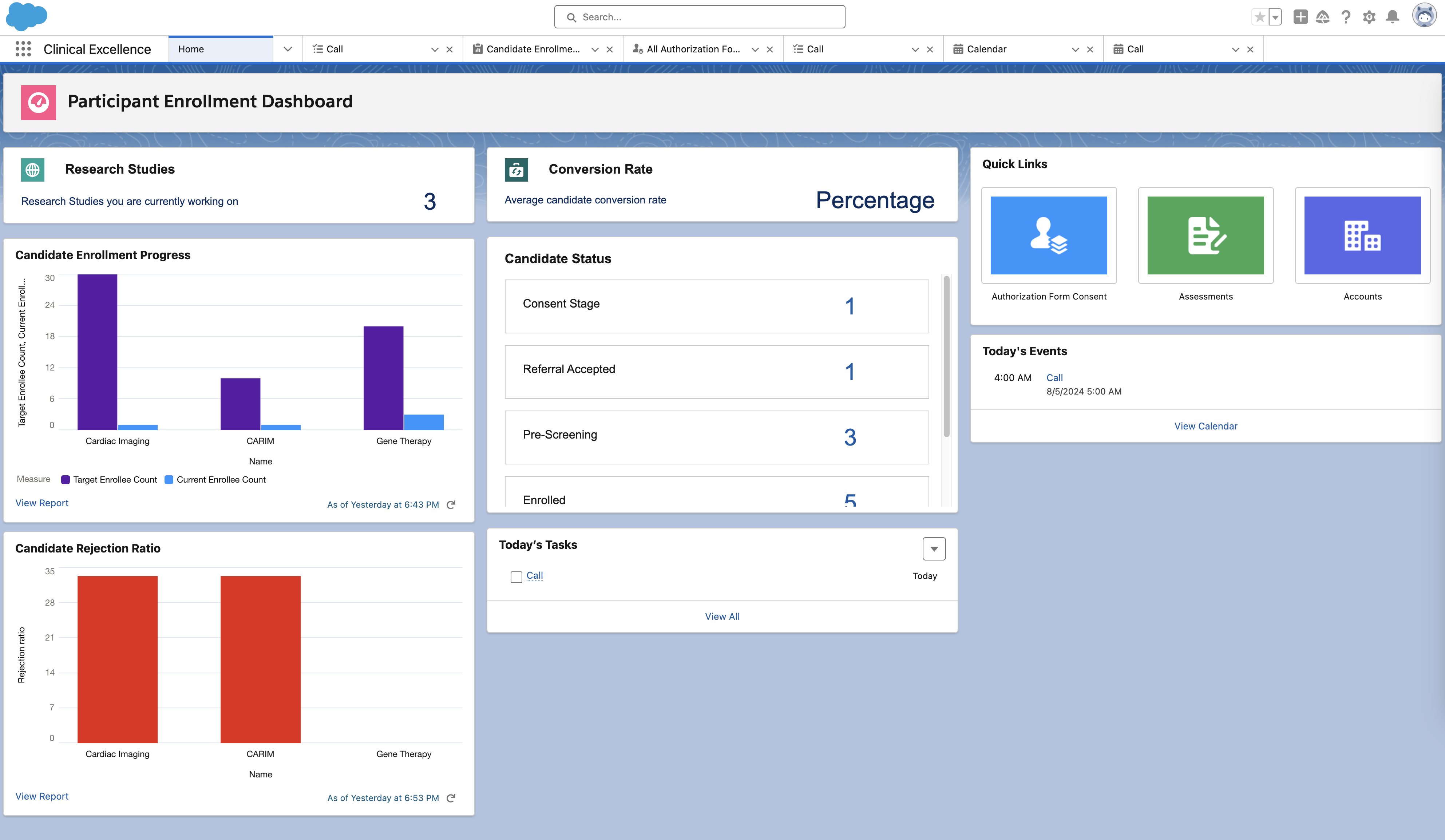
- Research Studies: The total number of active research studies users are working on.
- Conversion Rate: The average candidate conversion rate across active research studies.
- Candidate Status: The count of candidates across different stages of research study
enrollment.
 Note You can update these status values to align with the ones defined in the user org.
 - Candidate Enrollment Progress report: The bar graph displays the current enrollee count and target enrollee count across active research studies.
- Candidate Rejection Ratio: The bar graph displays the percentage of candidates rejected for each research study.
Research Study Candidates
In the Clinical Excellence console app, you can access research study candidates. Opening a research study candidate’s record takes the user to the candidate’s lightning page. Here, your users can find the candidate’s medical information presented through a patient card that helps them track a candidate’s condition by showing data from medical record fields. This lightning page allows your users to check candidates’ medical history and add new treatments or care. In addition, this lightning page features an Evaluation Results tab, which provides detailed outcomes of how each candidate matches the criteria of a research study. With this feature, your users can make an informed decision about candidate selection.
On the Evaluation Results screen, you see different sections.
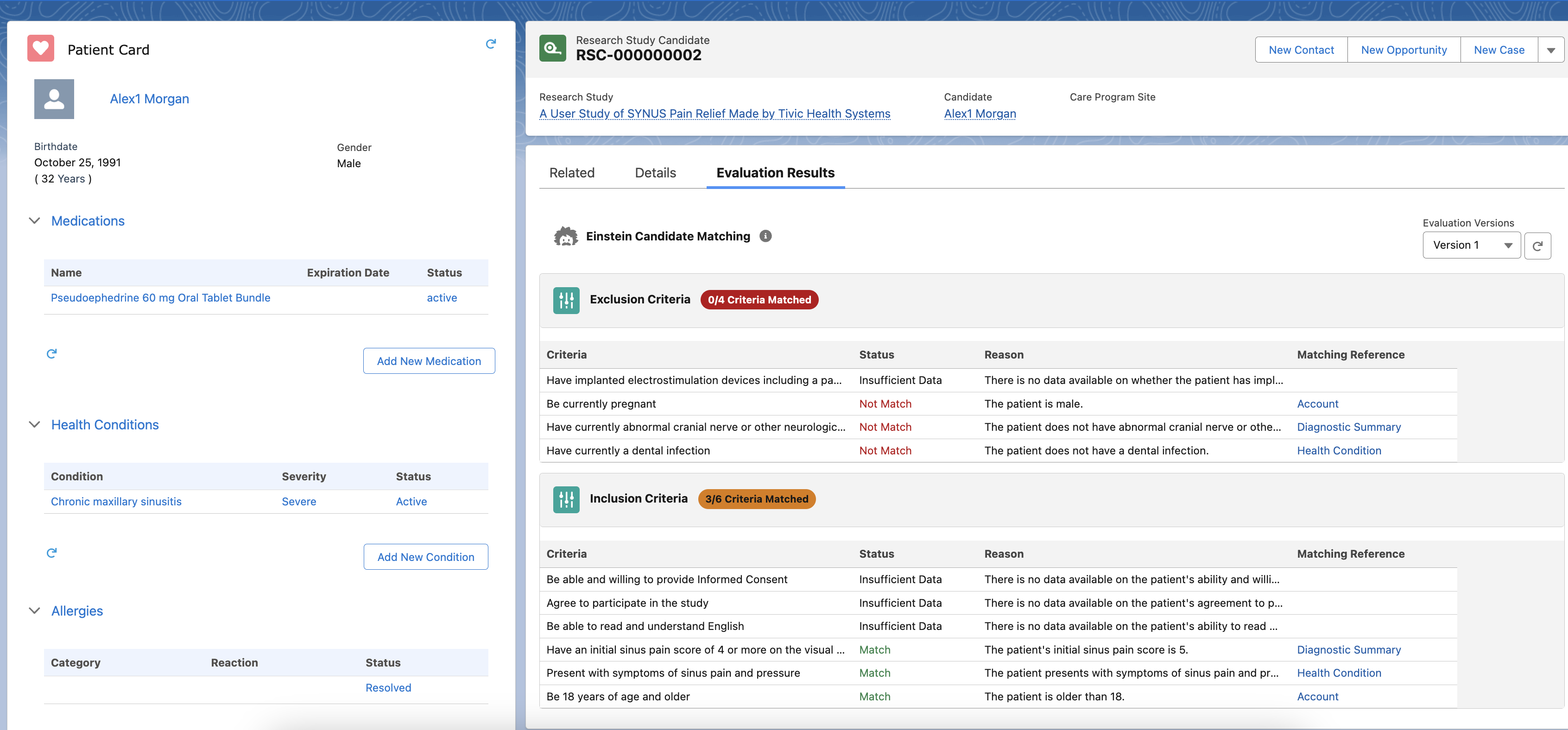
- Inclusion Criteria: The criteria candidates meet to be eligible for the study. This section shows the number of candidates that meet the criteria.
- Exclusion Criteria: The criteria that reject candidates or participants from participating in the study. This section shows the number of excluded participants.
- Status: The status that indicates whether the candidate meets the specified criteria.
- Reason: The reason as to why a candidate is a match or not a match with the research study criteria.
- Matching Reference: The link to the reference record from which the system matched the criterion.
Research Studies
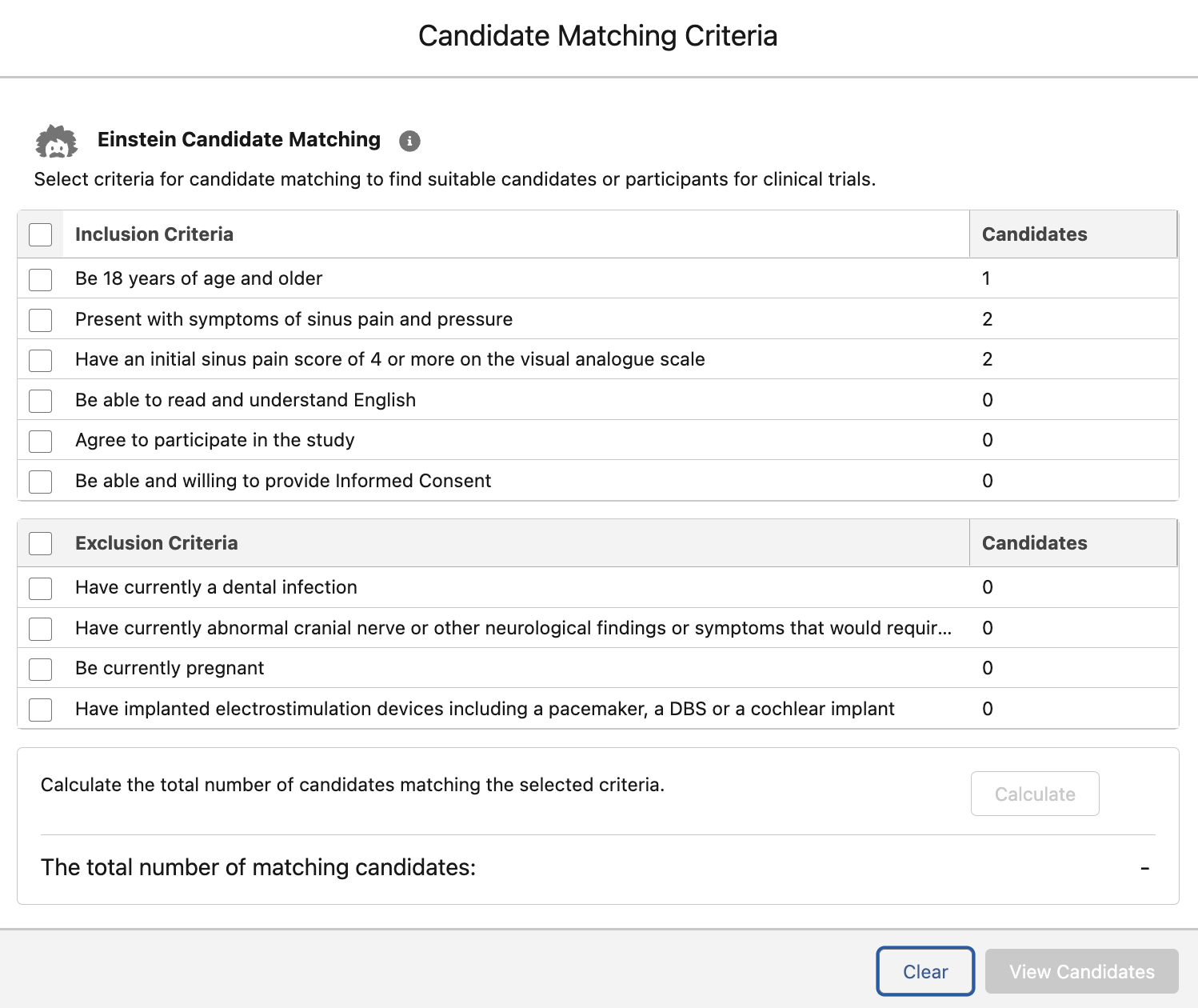
In the Clinical Excellence console app, you can access research studies. Clinical trial coordinators can build candidate cohorts from the research study record page or research study candidates list page with a single click. Users can select a research study's inclusion and exclusion criteria to check if candidates match the selected criteria. Users can then calculate the total number of candidates matching the selected criteria. They can also update the status of the research study candidates who match the criteria.
- Set Up the Clinical Excellence Console Home Page
Help trial coordinators or recruiters use the Participant Management's Clinical Excellence Console App to streamline important jobs by organizing metrics and tasks. This console app includes a clinical excellence Home page. It also includes research study candidate and research study pages where trial coordinators can view candidates' medical data and candidate-matching evaluation results. - Flexcard for Enrollment Dashboard
The Participant Management’s Clinical Excellence Console uses Flexcards to provide trial coordinators or recruiters with critical information about the recruitment and enrollment data of research study candidates. These Flexcards display the number of research studies, candidate conversion rate percentage, and candidate enrollment status.
