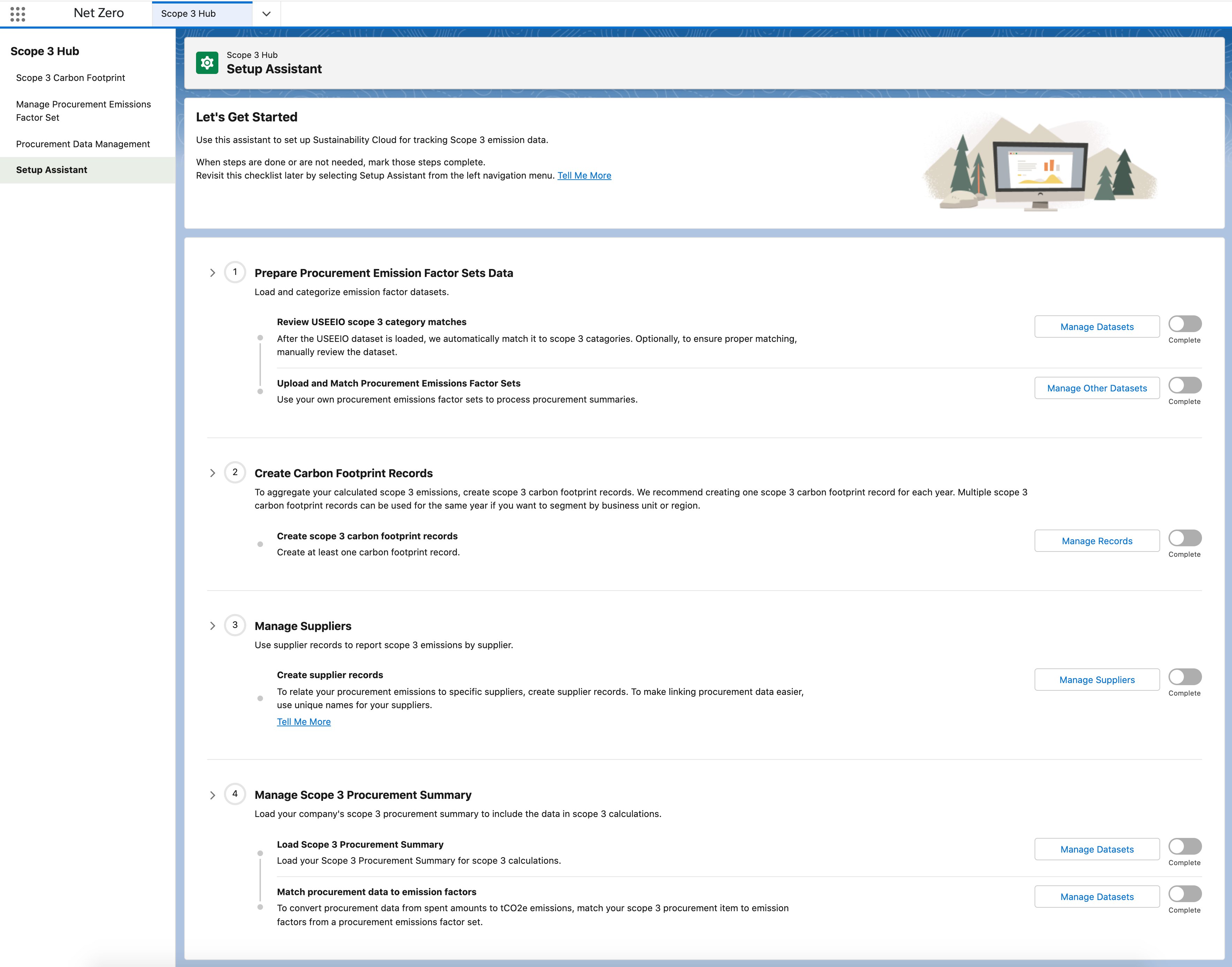
Use Setup Assistant to Track Scope 3 Emissions Data
Use the Setup Assistant to guide you through setting up Net Zero Cloud for tracking
scope 3 emissions data.
Required Editions
Available in: Lightning Experience
Available in: Enterprise, Performance, Unlimited, and
Developer Editions
Permission Set Needed
To enter and modify data:
Net Zero Cloud Manager
OR
Net Zero Cloud Admin
Setup Assistant is organized into Steps and Substeps. Steps have progress rings around them
that show the percentage of completion of each step. Checkmarks indicate completion. Not all
steps are required for all implementations of Net Zero Cloud.
Substeps are listed under the parent step:
Gray: Step is yet to start. To start, click the action button next to the step.
Blue: Step has started.
Green: Step is completed.
You can reset substeps by clicking the Complete toggle. For incomplete steps, Setup Assistant
appears as the default view for Scope 3 Hub. When all steps are complete, the Scope 3 Hub
defaults to the Carbon Footprint view.
Watch this video to understand more about how to set up Salesforce Net Zero Cloud to track
and manage your company's scope three emissions.
We use three kinds of cookies on our websites: required, functional, and advertising. You can choose whether functional and advertising cookies apply. Click on the different cookie categories to find out more about each category and to change the default settings.
Privacy Statement
Required Cookies
Always Active
Required cookies are necessary for basic website functionality. Some examples include: session cookies needed to transmit the website, authentication cookies, and security cookies.
Functional Cookies
Functional cookies enhance functions, performance, and services on the website. Some examples include: cookies used to analyze site traffic, cookies used for market research, and cookies used to display advertising that is not directed to a particular individual.
Advertising Cookies
Advertising cookies track activity across websites in order to understand a viewer’s interests, and direct them specific marketing. Some examples include: cookies used for remarketing, or interest-based advertising.