You are here:
Create a Manufacturing Program
Account managers can easily create customer-specific programs using program templates.
Required Editions
| Available in: Lightning Experience |
| Available in: Enterprise, Unlimited, and Developer Editions |
| User Permissions Needed | |
|---|---|
| To create a manufacturing program: | Program Based Business permission set |
- From the App Launcher, find and select Manufacturing Programs.
- Click New.
-
Specify these values:
Field Description Name Name of the manufacturing program. Manufacturing Program Template Template associated with the manufacturing program. The available templates are defined by your admin. Status Status of the program. Program Type Type of the program. This field is currently not available for use. Related Manufacturing Program Another manufacturing program associated with the manufacturing program. Start Date Start date of the program. End Date End date of the program. 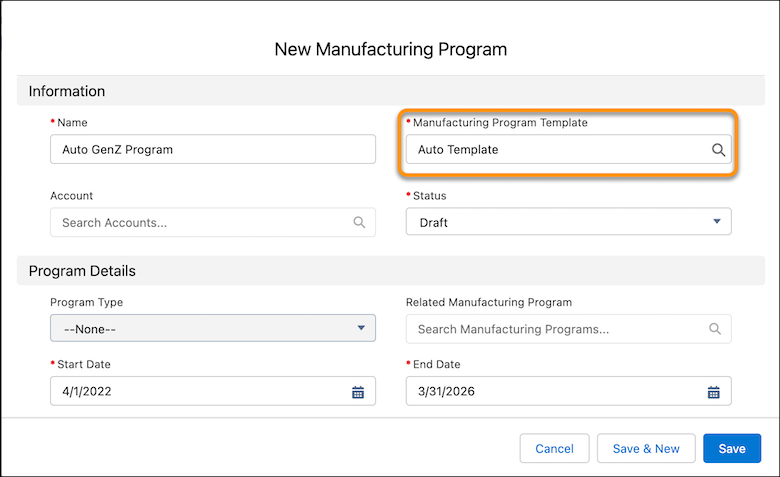
- Save your work.
See Also
Did this article solve your issue?
Let us know so we can improve!
