
You are here:
Set Up Record Alert Categories
Use categories to organize Record Alerts by priority, severity, or type when they appear for the user.
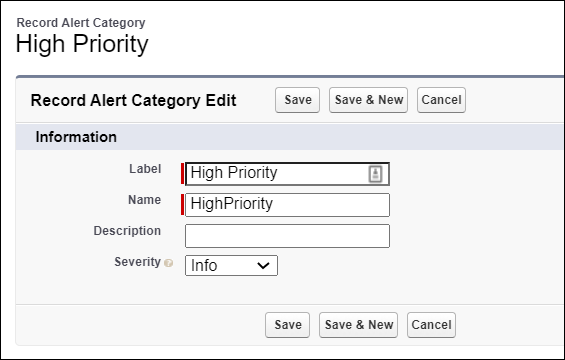
For example, create a category called High Priority. When you create Record Alerts on a person account and add them to the High Priority record alert category, they’re organized together. Record alert categories are recommended for keeping alerts organized, but they're not required.
- From Setup, in the Quick Find box, find and select Record Alert Category.
-
Click New Record Alert Category and enter a Label.
For example, enter High Priority.
- Specify an API Name, if the automatic value isn't right for you, and enter a Description if needed.
-
Select a Severity level and save your changes.
When a user creates a record alert and selects an alert category, the severity value in the alert category is the default value, but the user can change it.
Did this article solve your issue?
Let us know so we can improve!
