
You are here:
Create a Record Alert
You can generate Record Alerts from data within Salesforce or from an external system.
-
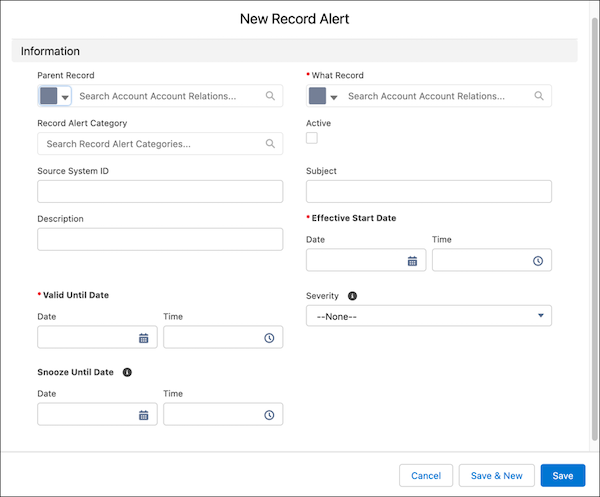
On the Record Alerts tab, click New.
The New Record Alert window can take a minute to open.
- For What Record, select the record whose data will trigger the record alert.
- For Parent Record, select the related user, account, or contact.
- Select a Record Alert Category.
- To make this a working record alert, select Active.
- If you're working with data from outside Salesforce, provide a Source System ID.
- Provide a Subject and a detailed Description. These values are visible on the record alert component on the What Record.
- If you want to stop generating alerts at some point, select a Valid Until Date and Time.
-
Select a Severity, which is populated from the record alert category if one is
specified, and save your changes.
When you create a value for the Severity field, the warning icon is associated with the field automatically. Your users can change the icon as needed.
Did this article solve your issue?
Let us know so we can improve!
