
You are here:
Create a Contract from an Opportunity, Order, or Quote
Using the Create Contract action button, you can create a contract directly from any object. The data from the object is copied to the contract object based on the defined field mappings. The field mappings can include both parent-to-parent mappings and child-to-child mappings.
| REQUIRED EDITIONS |
|---|
| Available in: Lightning Experience |
| Available in: Enterprise, Unlimited, Professional, and Developer Editions |
| USER PERMISSIONS NEEDED | |
|---|---|
| To create and update contracts from standard or custom objects: | CLM Runtime User OR CLM Digital Experience Partner User |
To create a contract from an opportunity, order, or quote:
- Click Create Contract action button on the opportunity, order, or quote record page.
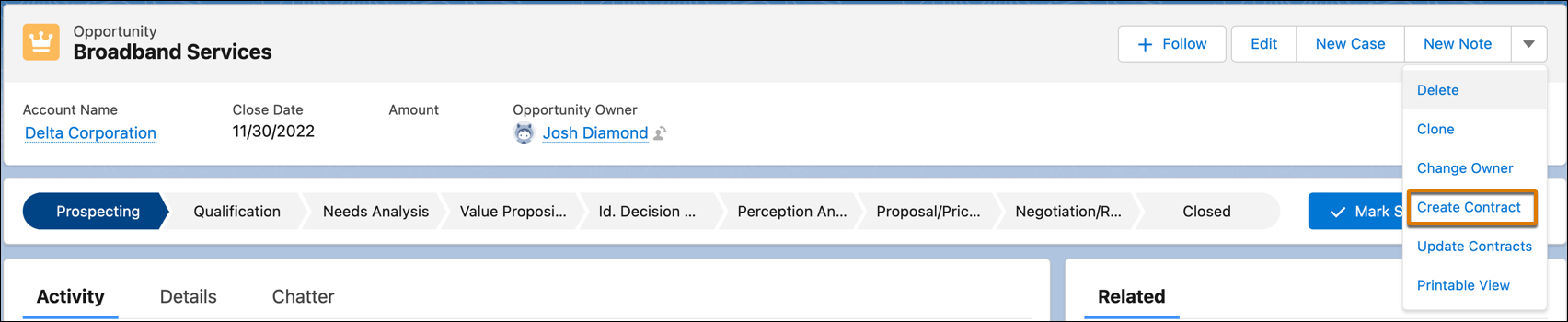
- Contract creation:
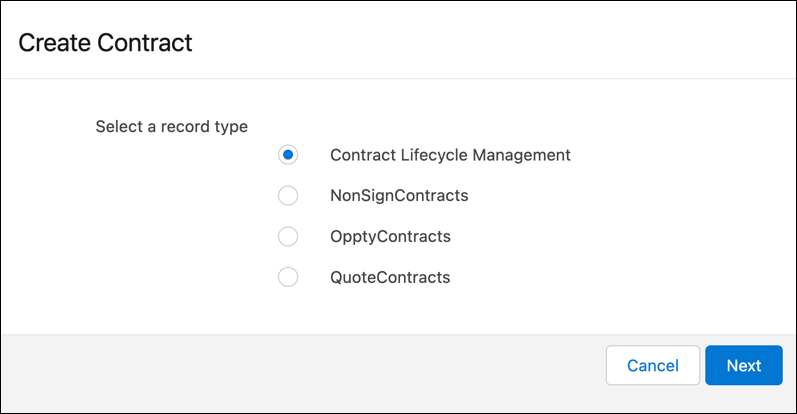
If the default record type Contract Lifecycle Management is the only record type configured in your org. The application automatically selects the default record type to create the contract and opens the new contract page.
If you have more than one record type, select a record type and then select Next to create a contract.
The new contract page opens.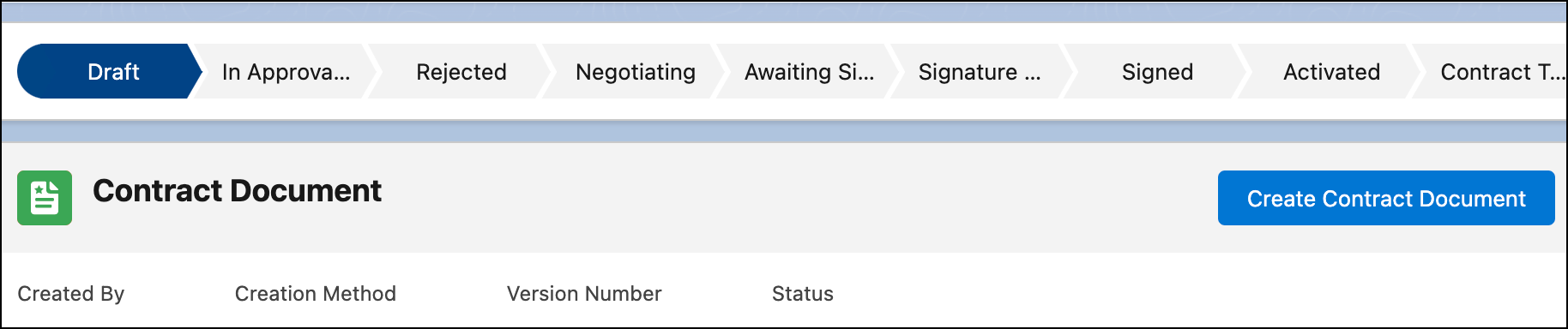
- On the contract page, click Create Contract Document.
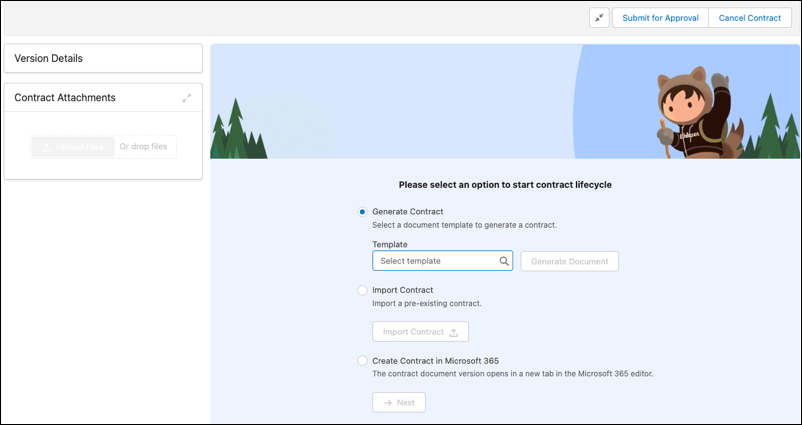 The contract document page opens.
Did this article solve your issue?
Let us know so we can improve!
