
You are here:
Contract Lifecycle Stages
Every contract moves through a series of stages from creation to activation. The default state model implements these stages as contract statuses with defined transitions between them.
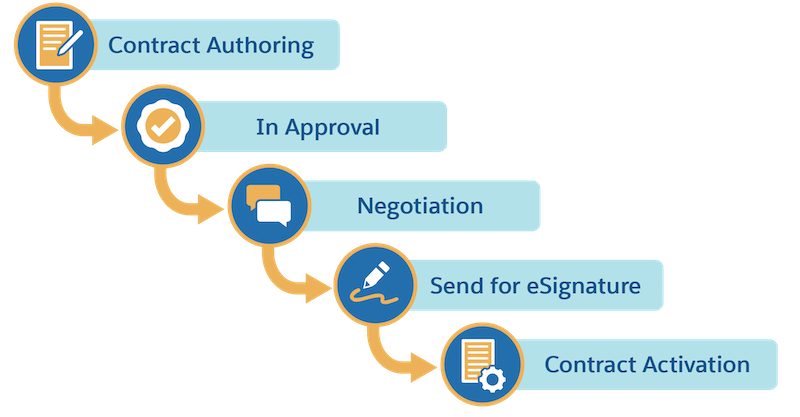
The contract lifecycle has five core stages:
- Contract Authoring
- Create the contract, generate a document from a template, and manage versions.
- Internal Approval
- Route the contract to internal reviewers such as managers and legal for sign-off.
- Negotiation
- Negotiate terms and conditions with the customer. Revise the document as needed.
- E-Signature
- Send the final document for electronic signature via DocuSign.
- Activation
- Activate the contract after all parties sign, creating a legally binding agreement.
Sample Contract Lifecycle Walkthrough
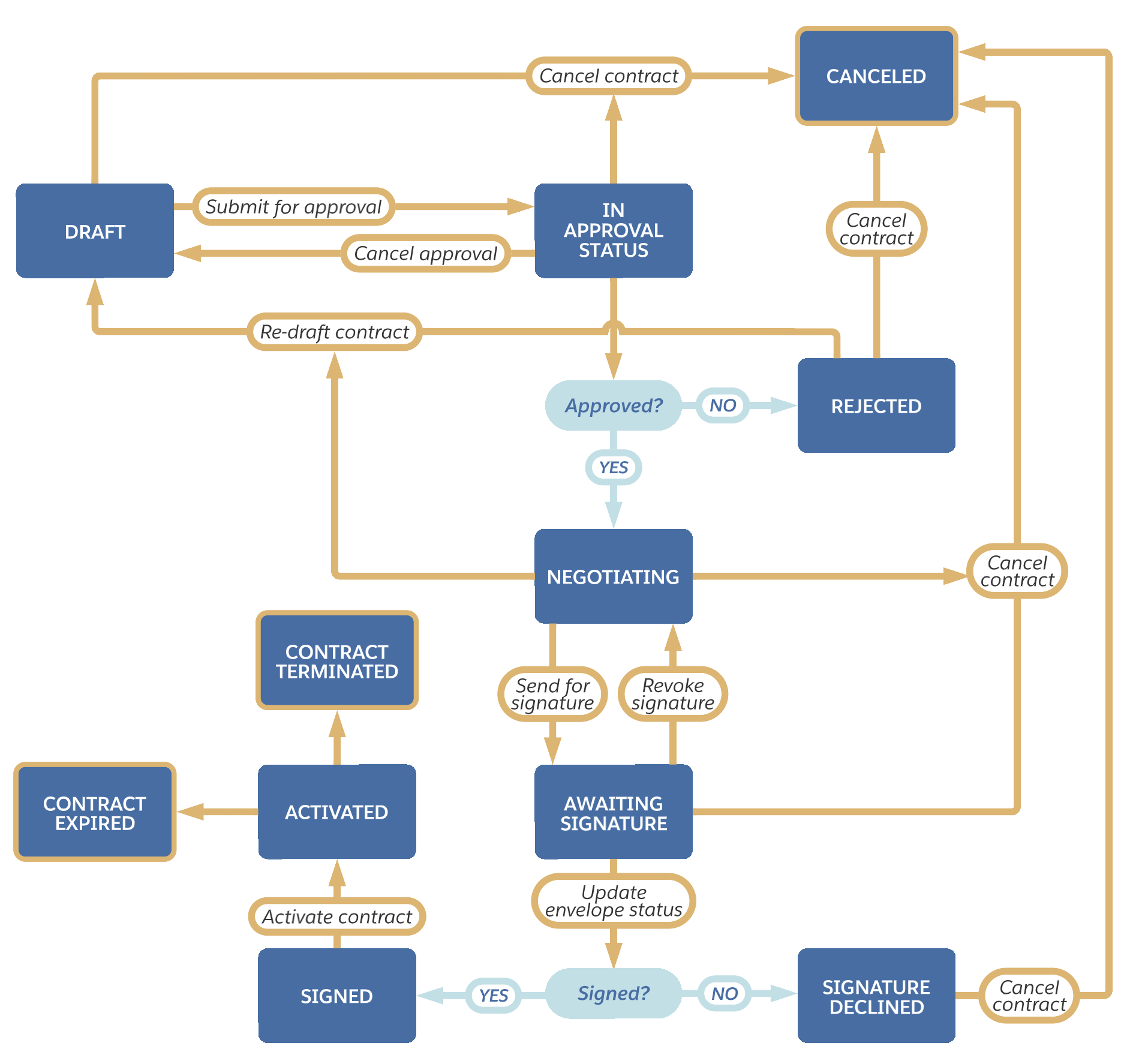
Follow a contract through the default state model from Draft to Activated, including the decision points and alternative paths at each stage.
Each contract type can have a unique lifecycle. This walkthrough uses the default Contract Lifecycle Management state model.
-
A contract starts in Draft status. The author creates the contract and generates a document from a template.
-
From Draft, two paths are available:
Submit for Approval moves the contract to In Approval Process. Go to step 3.
Cancel Contract moves the contract to Canceled. The lifecycle ends.
-
In In Approval Process, the outcome depends on the approver's decision:
Approved — status moves to Negotiating. Go to step 4.
Rejected — status moves to Rejected. The author can Re-draft (back to Draft) or Cancel.
Cancel Approval — status returns to Draft.
Cancel Contract — status moves to Canceled.
-
In Negotiating status, the author negotiates terms with the customer. When ready:
Send for Signature moves the contract to Awaiting Signature. Go to step 5.
Re-draft Contract returns the contract to Draft.
Cancel Contract moves the contract to Canceled.
-
In Awaiting Signature status, the contract is with the signer in DocuSign:
Signer signs — Update Envelope Status moves the contract to Signed. Go to step 6.
Signer declines — status moves to Signature Declined. The author can Re-draft or Cancel.
Revoke Signature returns the contract to Negotiating.
Cancel Contract moves the contract to Canceled.
-
In Signed status, click Activate Contract to move the contract to Activated.
-
After activation, Terminate Contract moves the contract to Contract Terminated if needed. Contracts can also move to Contract Expired when the end date passes.
