You are here:
Insert DocuSign Signature Tags
You must insert the DocuSign signature tags directly into Microsoft Word (.docx) or Microsoft PowerPoint (.pptx) file.
You can insert the following DocuSign signature tags into Microsoft Word and Microsoft PowerPoint files:
Sign Here tags: \sfSignHere1\ through \sfSignHere5\
Date Signed tags: \sfSignDate1\ through \sfSignDate5\
Initial Here tags: \sfInitialHere1\ through \sfInitialHere5\
When you send the contract to DocuSign, DocuSign requires that the selected signer places their signature on the Designated Signer tab. For more information about sending contracts for signatures, see Submit a Contract for e-signature.
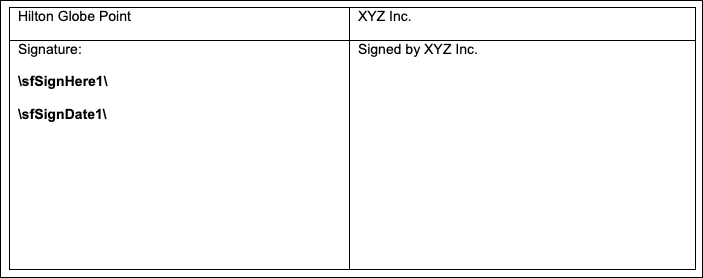
If the contract requires three signatures with corresponding dates, you would enter these tags:
\sfSignHere1\ \sfSignDate1\
\sfSignHere2\ \sfSignDate2\
\sfSignHere3\ \sfSignDate3\
Sample Signature Tags in a Microsoft Word Document