You are here:
Stage Management Basics
Use Stage Management to automate and manage business process stages and gain control over the record stage progress.
Required Editions
| Available in: Lightning Experience |
| Available in: Automotive Cloud, Education Cloud, Financial Services Cloud, Health Cloud, Insurance Cloud, Life Sciences Cloud, and Manufacturing Cloud. View edition availability. |
These terms are used in Stage Management to create sophisticated automation within Salesforce.
Stage Definition
The configuration of a specific field of a reference object with active picklist values.
Transition Plan
The steps and criteria required to move a particular record through different stage picklist values of a business workflow. A checklist for progressing through stages, such as requiring a credit check and obtaining approval to move from the Review stage to the Approved stage.
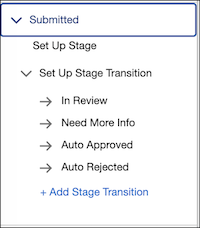
Stage Transition
Stage transition refers to movement a record from one stage to another within a workflow, guided by predefined rules and criteria.
Entry Criteria
The simple conditions, and user restrictions required to perform a stage transition. For example, the entry criterion for the Intake stage for a party profile record is that the user has populated all fields.
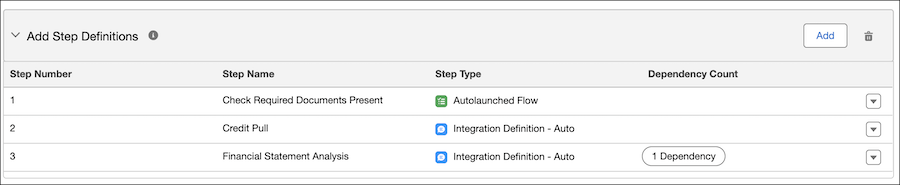
Step Definition
The tasks or processes that must be completed for a stage transition. The step definition makes sure that all necessary tasks are clearly defined and properly assigned, and run in the correct order to complete a stage transition. Specific tasks required for a stage transition, such as automatically running a background check or assigning a task to a user to review the loan application.
Stage Transition Rules
The rules that govern how records move from one stage to another within a stage transition workflow. Define access checks that can be assigned to users via permission sets or profiles. These checks can use custom or user permissions, and you can add conditions or custom logical expressions. For example, you can specify that all rules must be true, at least one rule must be true, or a defined custom logic must be true.
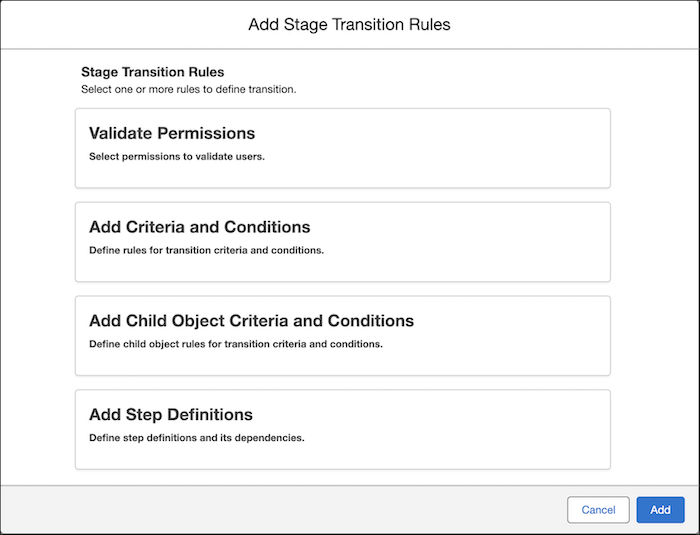
You can add step definitions to authorize specific users or queues to launch an Omniscript, trigger an Autolaunched flow, run integrations, or assign a manual task to a user or queue. You can define one or more dependencies between step definitions to maintain a proper sequence within a process or workflow. Stage Transition Rules make sure that the stage movement is controlled and follows the desired process flow.
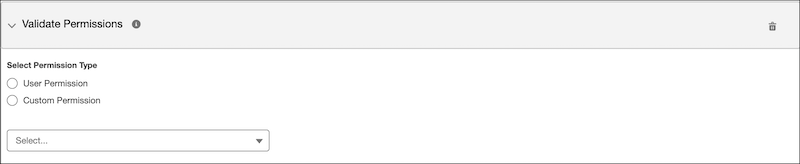
Validate Permissions
The access checks that can be assigned to users via permission sets or profiles by using custom or user permissions. The User Permissions option shows only the restricted user permissions.
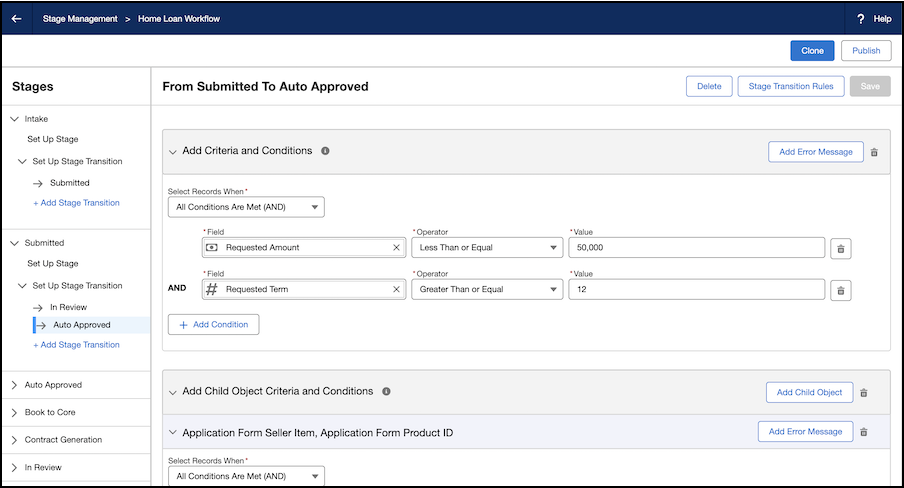
Transition Criteria
The conditions or requirements that must be met before a stage transition is complete. The requirements to complete a transition, such as ensuring the Approval Date field on the record is not blank.
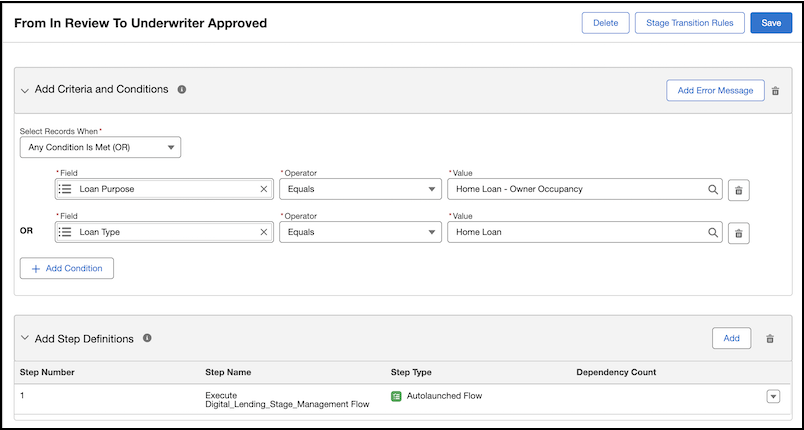
Step Dependency
The relationship between different tasks within a step definition where the completion of one step depends on the completion of another step.
Stage Definition Assignment
A mapping that links an object and record type to a stage definition, optionally using rule-based criteria. For example, you can assign the Express Process stage definition to Personal Loan application records, ensuring that only personal loan applications follow this specific process.
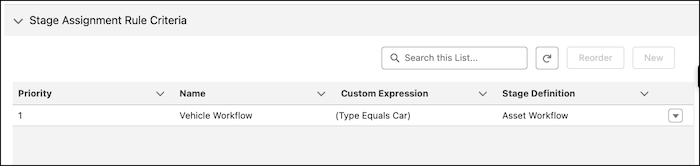
Stage Assignment Rule Criteria
Conditional logic used to apply a specific stage definition when a record matches the rule.