
You are here:
Create a Process to Trigger the License ID Flow
You can create a process to automatically assign licenses to users based on criteria such as profiles.
To create a process to trigger the license ID flow:
- From Setup, click App Setup, Create, Workflows & Approvals, Process Builder.
- Click New.
- Give the process a name and click Save.
-
Add entry criteria.
-
Click Add Object.
-
Select User object.
-
For the entry criteria, select only when a record is created, as shown in the graphic below.
-
Click Save.
 Note
NoteYou must select only when a record is created to allow a scheduled action to be used.
-
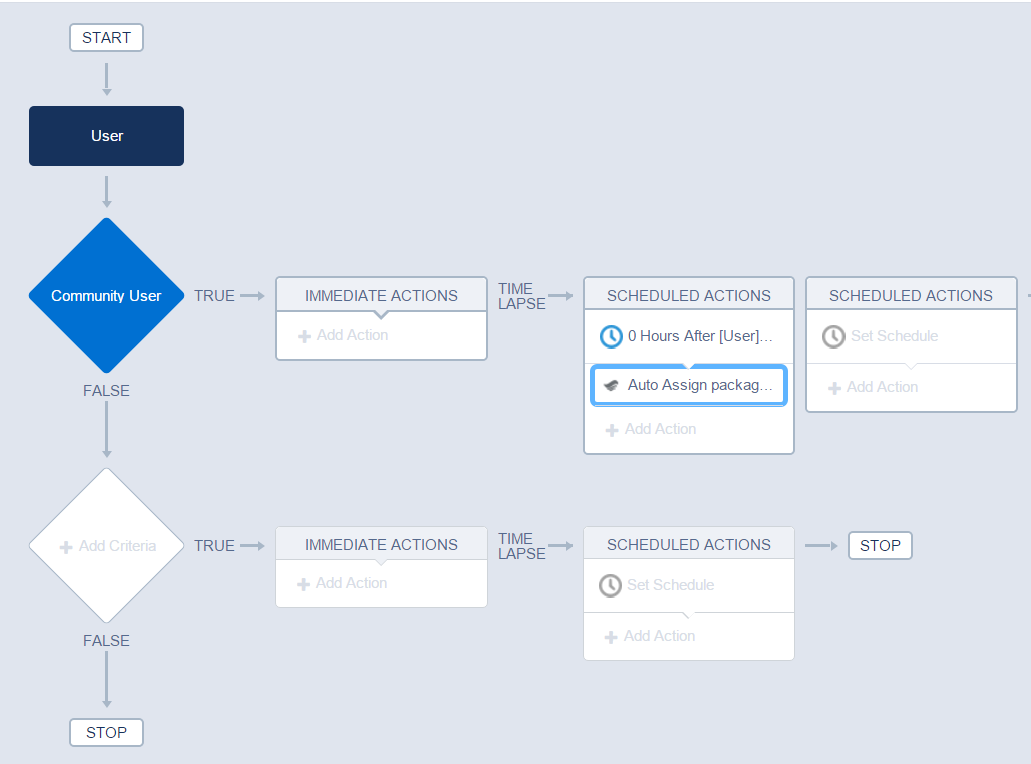
- Enter the criteria for when this process should trigger. This can be any criteria that meets your business requirements. Below is an example triggering off of a specific profile.
- Click Set Schedule, available under Scheduled actions. Set a time for scheduled actions to the following parameters:
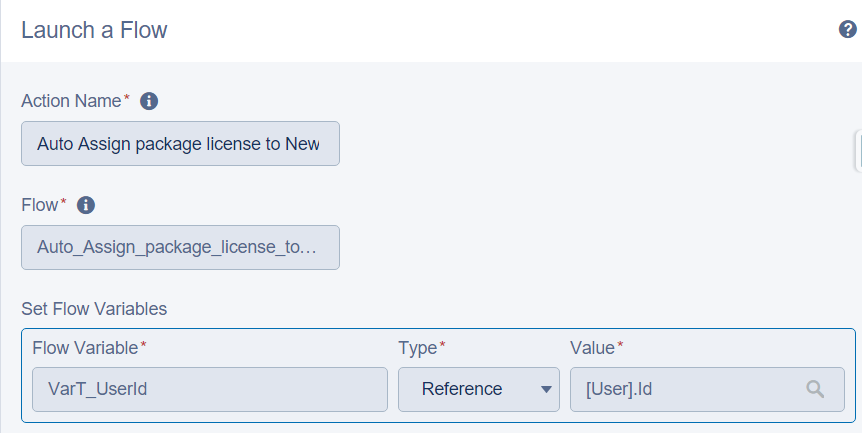
- Add a time-based action into the process to assign the package license. Select Action type Flows, Use Field Picker to select the following parameters:
- Click Save.
![In the Define Criteria for this Action Group configuration, the Criteria Name is Community User. Conditions Are Met is selected. The condition is [User].Profile, Equals, String, Geo Community. "All of the conditions are met (AND)" is selected.](https://sf-zdocs-cdn-prod.zoominsoftware.com/tdta-ind-comms_media_energy_managed-262-0-0-production-enus/61c0ab47-df76-4823-9d25-8db02080561a/comms_media_energy_managed/images/salesforce_definecriteriaforactiongroup.png)
![Figure shows "0 Hours After [User].CreatedDate".](https://sf-zdocs-cdn-prod.zoominsoftware.com/tdta-ind-comms_media_energy_managed-262-0-0-production-enus/61c0ab47-df76-4823-9d25-8db02080561a/comms_media_energy_managed/images/salesforce_settimeforactionstoexecute.png)
Did this article solve your issue?
Let us know so we can improve!
