
You are here:
Go to the Relationship Graph
To view relationships, go to a Contact, Account, or Household record. Scroll down to the Relationships section to see the relationship graph.
The Relationship Graph section of an object record page is actually the Account Relationship Graph Visualforce page. Using the relationship graph, you can visualize customer office hierarchies and relationships, connect B2B and B2C relationships, and visualize products and services delivered at a site.
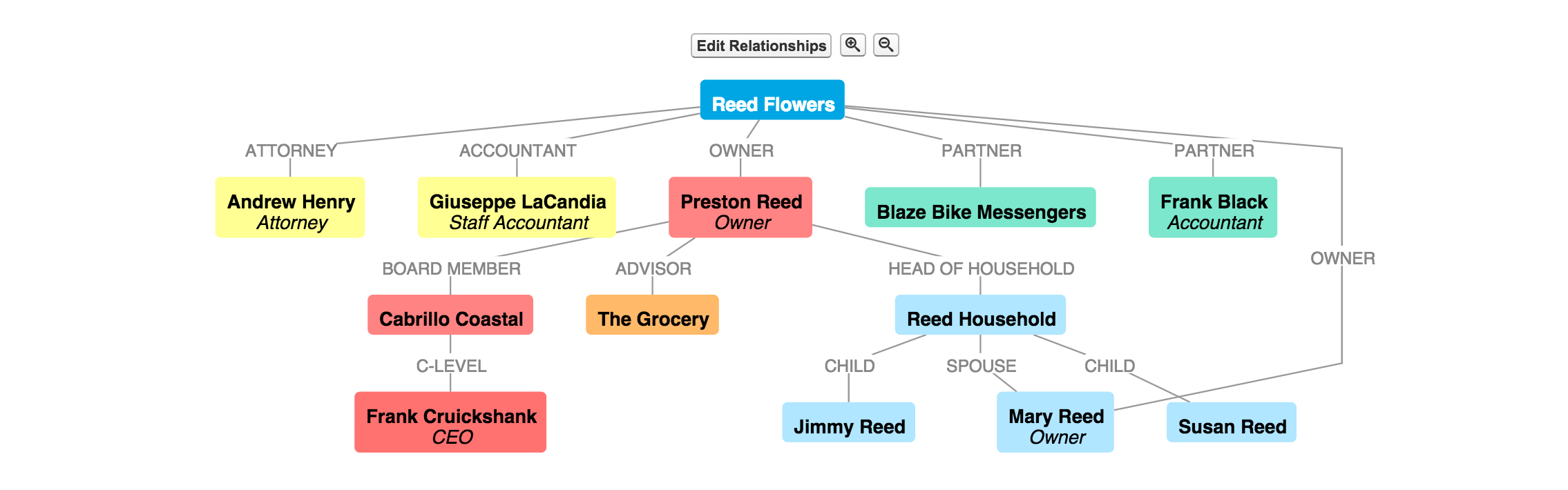
To go to a party page, click any party in the relationship graph.

Note The Account Relationship Graph escapes account names that include special characters
such as &, ", and <.
Did this article solve your issue?
Let us know so we can improve!
