
You are here:
Add Content in the Rich Text Field
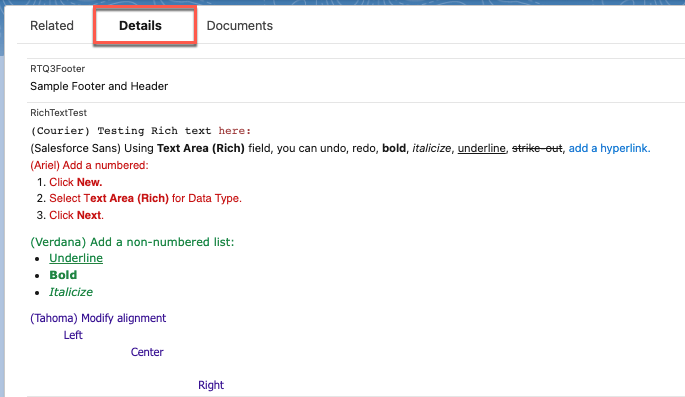
After you’ve created a custom rich text field in your desired object, you can add and format the content. You can undo, redo, bold, italicize, underline, strike-out, add a hyperlink, modify alignment, add a numbered or non-numbered list, indent, and outdent.
Here's an example of how to add rich text in a custom field:
- Open your object where you’ve created the custom rich text field, and go to the Details tab.
- Add your content in the custom rich text field. For example, the RichTextTest field.
Did this article solve your issue?
Let us know so we can improve!
