
You are here:
Configure the Contract Approval Process
When configuring the Vlocity Contract State Model, you must configure the Field Update Action in both the Final Approval Actions and the Final Rejection Actions. Then, the contract status will reflect the settings when the contract is approved or rejected.
- From Setup, in the Quick Find box, enter Approval Processes.
- Click Approval Processes.
- From the Manage Approval Processes For list, select Contract.
- In the Active Approval Processes related list, click ContractApproval.
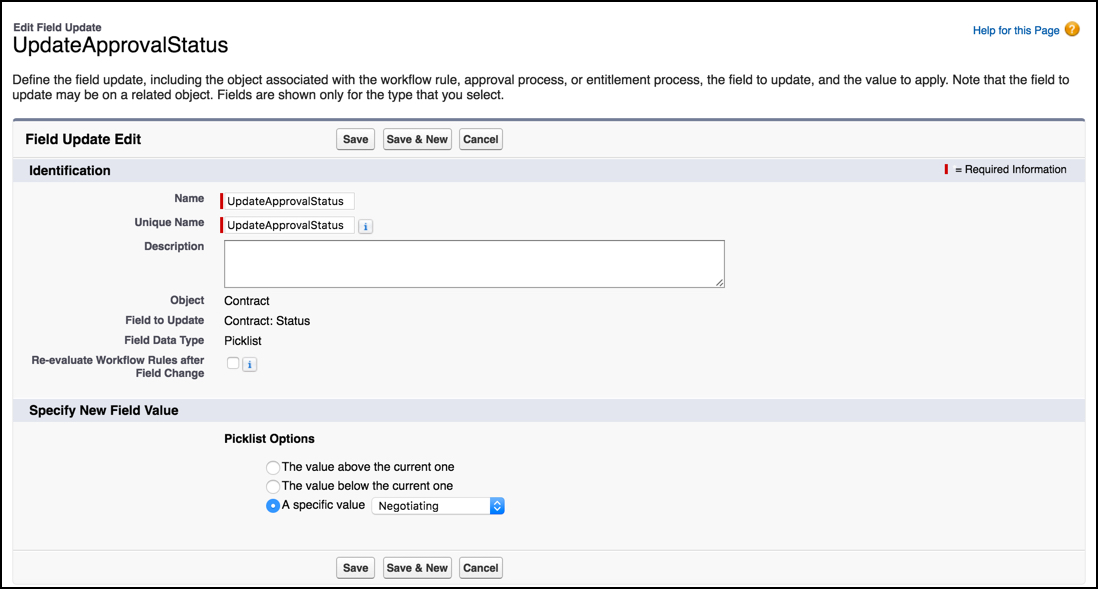
- In the Final Approval Actions related list, next to the Field Update action, click Edit.
- In the Picklist Options area, select A specific value Negotiating.
- Click Save.
- In the Final Rejection Actions list, next to the Field Update action, click Edit.
- In the Picklist Options area, select A specific value Negotiating.
- Click Save.
Did this article solve your issue?
Let us know so we can improve!
