Loading
Vlocity Contract Lifecycle Management
Table of Contents
Select Filters

          No results
          No results
          Here are some search tips

          Check the spelling of your keywords.
          Use more general search terms.
          Select fewer filters to broaden your search.

          Search all of Salesforce Help
          Create a Partner User

          Create a Partner User

          After creating a Partner Account, the next step is to add Partner Users to the account.

          1. In the App Launcher, search for and open Contacts.
          2. Click New.
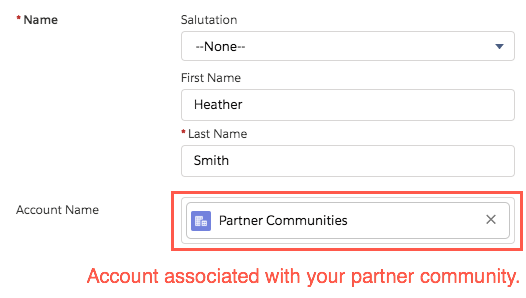
          3. In the Partner Account field, you must select the account you created for your partner community.
            In the Account Name​​ field, you must select the account you created for your partner community.
          4. Save the contact.
          5. Open the new contact you created, and click the dropdown menu to select Enable Partner User.
          6. In the New User page, select the following:

            User License: Partner Community Login

            Profile: Partner Community Login User

          7. Define other required fields, such as email and nickname.
          8. Click Save. Click OK.
            Important
            Important

            If you receive an error "Portal Account Owner has No Role," assign a profile to the owner of the partner account. Then repeat this procedure.

           
          Loading
          Salesforce Help | Article