
Loading
Salesforce now sends email only from verified domains. Read More
Vlocity Contract Lifecycle Management
Table of Contents
Select Filters

          No results
          No results
          Here are some search tips

          Check the spelling of your keywords.
          Use more general search terms.
          Select fewer filters to broaden your search.

          Search all of Salesforce Help
          Create Contracts From Large Quotes

          Create Contracts From Large Quotes

          Create contracts asynchronously based on large quotes by completing the following procedure.

          Note
          Note

          This feature is available for ​Salesforce Industries Communications, Media, and Energy Fall '20 users only.

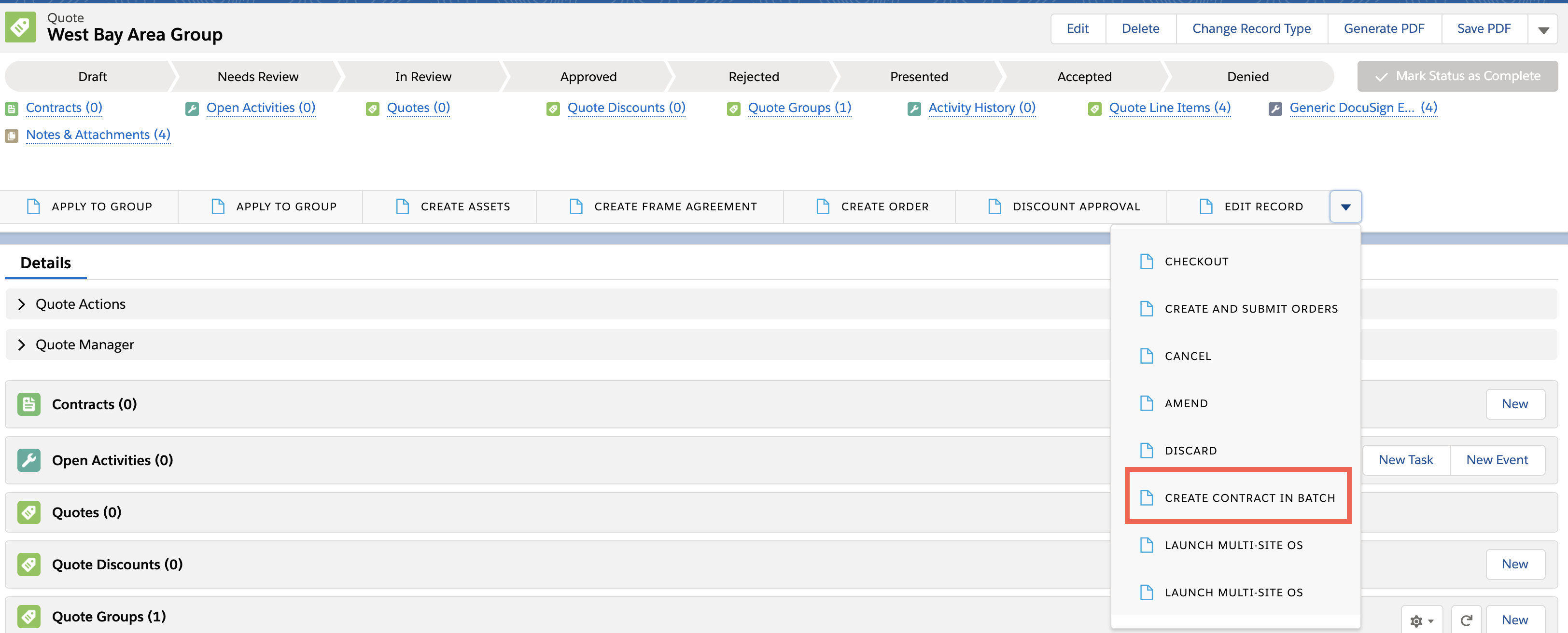
          1. Create your multi-site quote.
            Create contracts form large quotes button and screenshot
          2. Click Create Contract In Batch.
            Attention

            You cannot use this Vlocity action in Salesforce Classic. You can use it only in Salesforce Lightning.

            CLM launches the clm/asyncQuoteToContract Omniscript with the Object Id already populated.

            Multi site enter details Omniscript screenshot
          3. Run the clm/asyncQuoteToContract Omniscript, which creates the contract. For details, see Using the clm/asyncQuoteToContract Omniscript.

          After you create the contract, you can view the parent contract with all the contract lines, and if applicable, any sub-contracts associated with the parent contract.

          If you need to edit or delete this parent contract or the sub-contracts, you can use the multi-site APIs to make the changes instead of doing it manually.
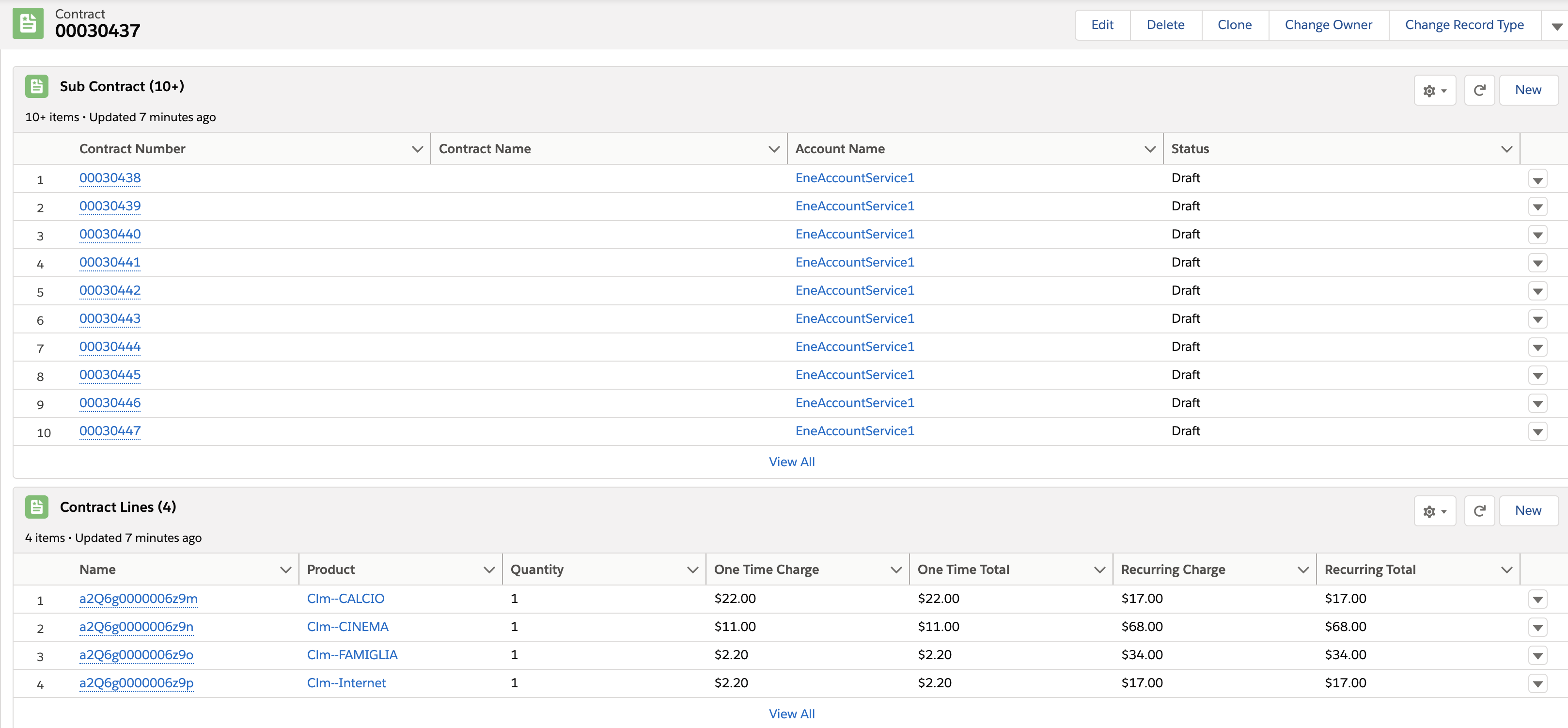
          Create contracts from large quotes subcontracts screenshot
           
          Loading
          Salesforce Help | Article