You are here:
Creating a Contract from an Opportunity, Order, or Quote
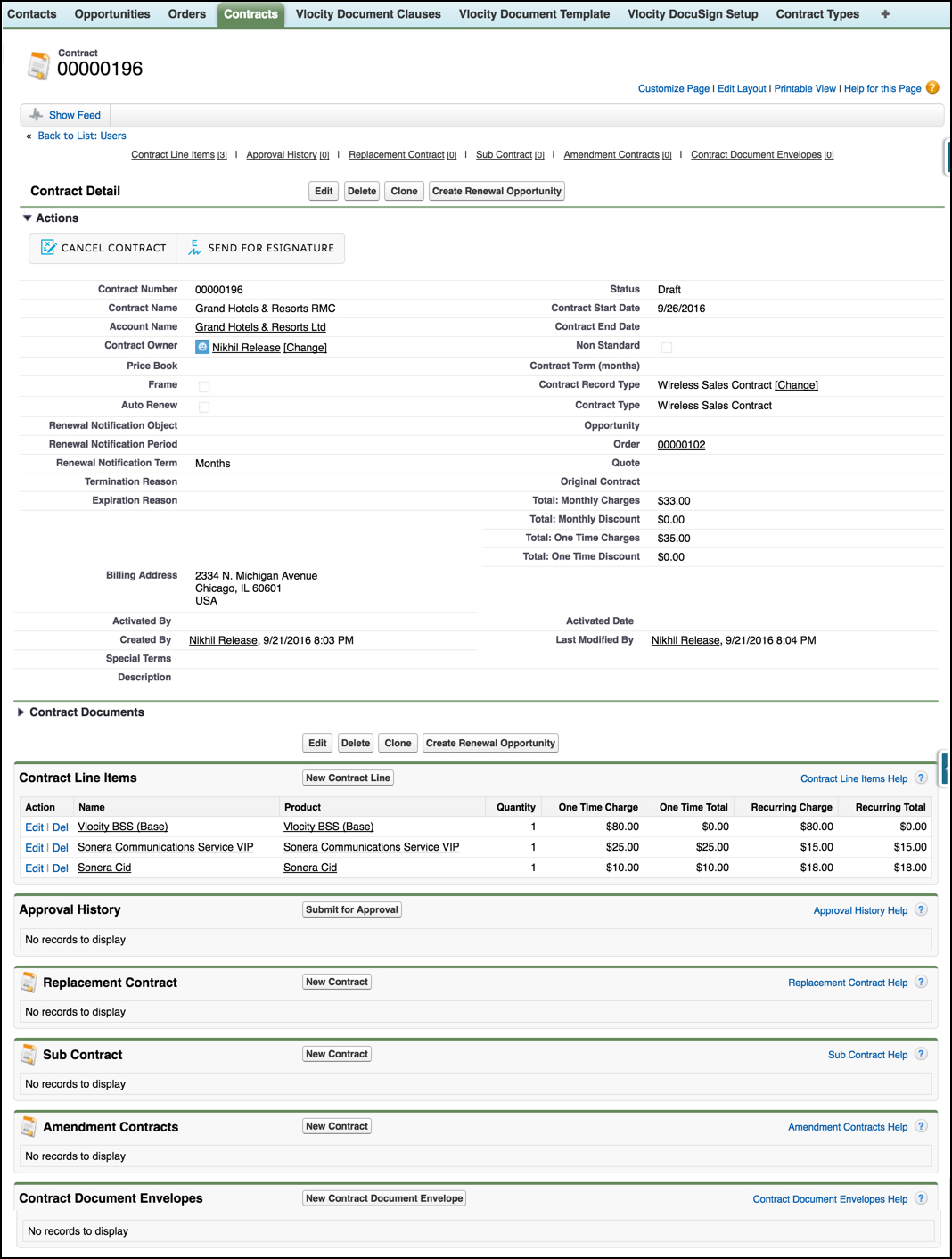
When you create a contract from an opportunity, order, or quote, Vlocity CLM automatically links the contract record to the parent object record from which it was created. For example, Vlocity CLM automatically links the contract record to the opportunity.
The Field Mapper maps data from the parent object and line items to the Contract object and Contract Line Item objects. For example, the Field Mapper maps the Opportunity object and Opportunity Products objects to the Contract and Contract Lines objects.
Field Mapper must include the following mappings:
-
Opportunity to Contract, OpportunityLineItem to ContractLineItem
-
Quote to Contract, QuoteLineItem to ContractLineItem
-
Order to Contract, OrderItem to ContractLineItem
For more information, see Map Fields for Vlocity CLM.
The order information moves with the contract. When an order is submitted and assets are created, Vlocity CLM updates the contract line Items with the appropriate asset references.
To create a contract from an opportunity, order, or quote:
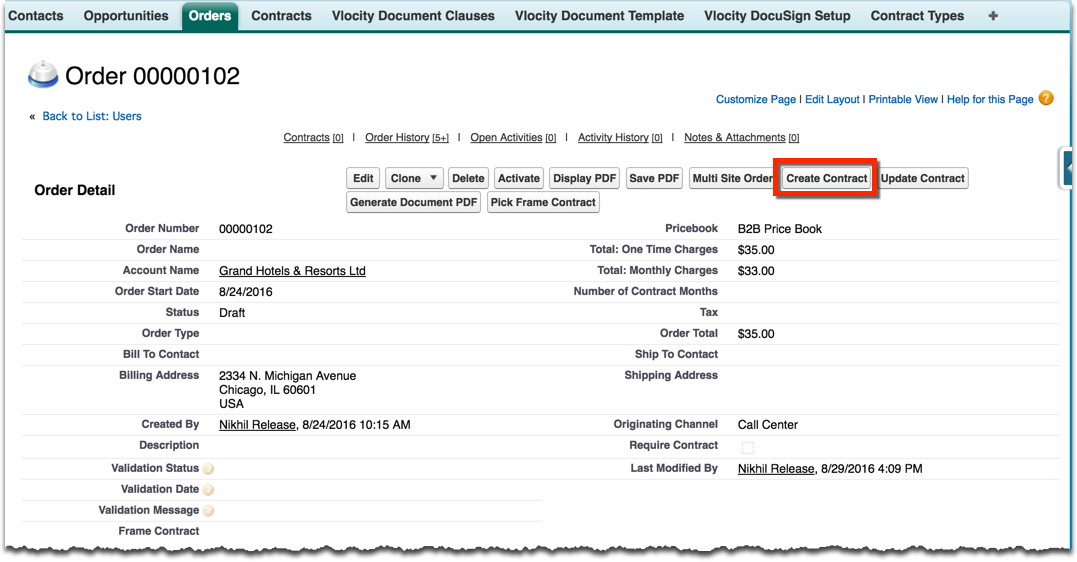
- On the opportunity, order, or quote record detail page, click Create Contract.
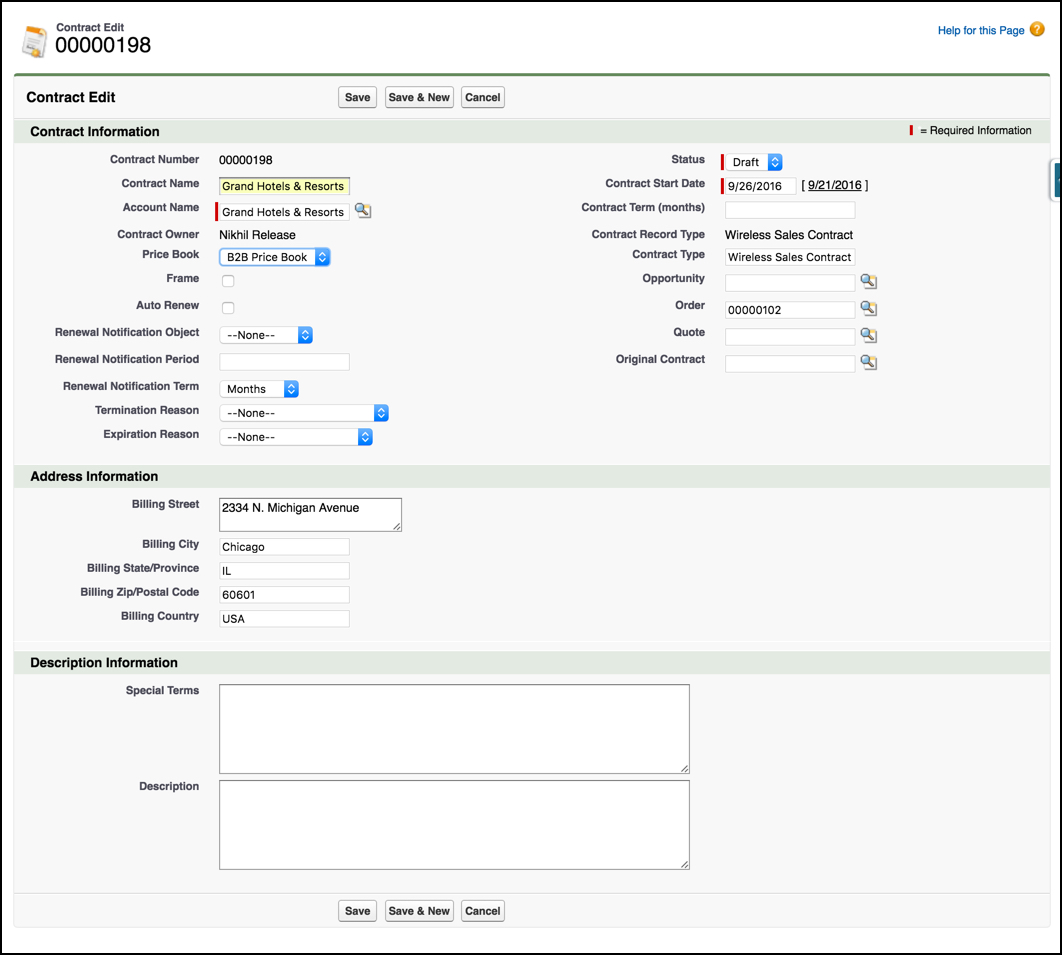
- On the Contract Edit page, edit or enter the following information:
-
Contract Name is a unique name for the contract.
-
Account Name is a lookup to the account with which the order is associated.
-
Price Book is the price book with which the order is associated.
-
Frame indicates whether this is a frame contract.
-
Auto Renew indicates whether the contract should be automatically renewed at the end of its term.
-
Renewal Notification Object indicates the type of record—opportunity, order, or quote—to create when the renewal notification period arrives. This record helps the sales team work on the renewal for a contract that is about to expire.
-
Renewal Notification Period indicates at what time before the expiration date a renewal notification should be created.
-
Renewal Notification Term specifies the unit of measure for the renewal term.
-
Termination Reason specifies the reason for which a contract may be terminated.
-
Expiration Reason specifies the reason for which a contract may expire.
-
Status is the contract status.
-
Contract Start Date is the date on which the contract begins.
-
Contract Term (months) is how long for which the contract is valid.
-
Contract Type is a reference to the Contract Type object. For more information, see Contract TypesContract Types.
-
Opportunity is a lookup to the opportunity with which the contract is associated.
-
Order is a lookup to the order with which the contract is associated.
-
Quote is a lookup to the quote with which the contract is associated.
-
Original Contract is a lookup to a previous contract from which this contract was derived.
-
The Address Information section contains the address associated with the account.
-
The Description Information section includes any additional information you want to provide.
-
- Click Save.