
You are here:
Creating a New Microsoft Word Template
You can use your own Microsoft Word template to include header and footer information, logos, and watermarks, and to change the default fonts and formatting.
You can create your own Microsoft Word template or you can edit the default template. If you create your own template, a Microsoft Word template must be a .docx file. The body of the document must contain the placeholder {@ContractData}, which will be populated by the generated contract text.
To create a new Microsoft Word template:
- From Setup, in the Quick Find box, enter Static Resources.
- Click Static Resources.
- Click New.
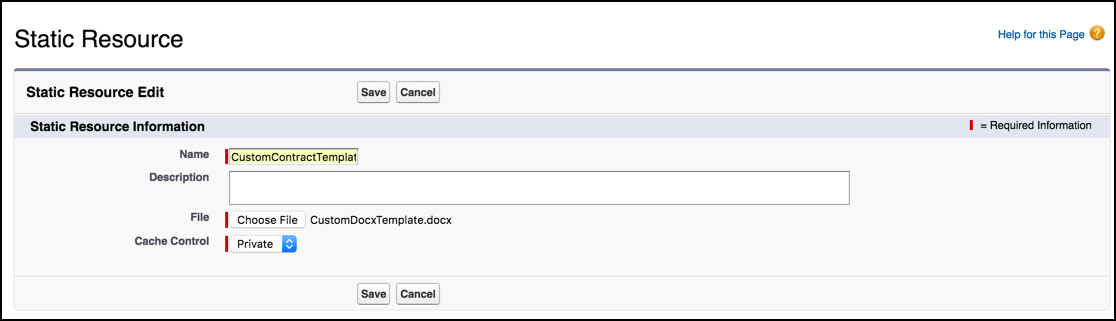
- Enter the following information:
-
Name is the name of the document template. You will need this name later, too.
-
Description is a description of the document template.
-
- From Cache Control, select Public.
- Click Choose File.
- Find the document template and click Open.
- Click Save.
- Change the DocxTemplateName setting for the Contract Type.
- Go to the Contract Types tab.
- Click the Contract Type for which to add the template.
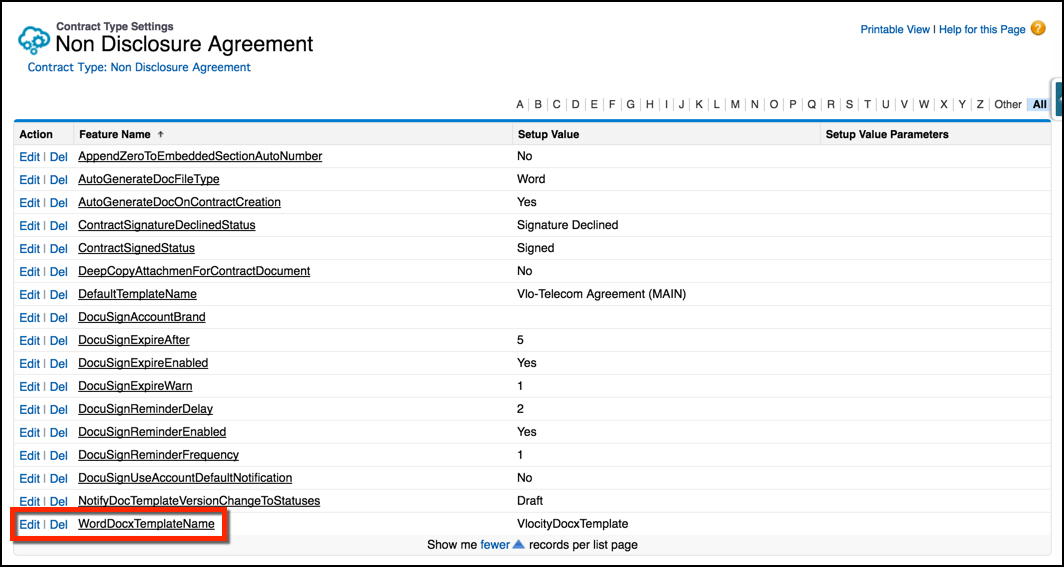
- On the Contract Type record detail page, in the Contract Type Settings related list, show all of the settings.
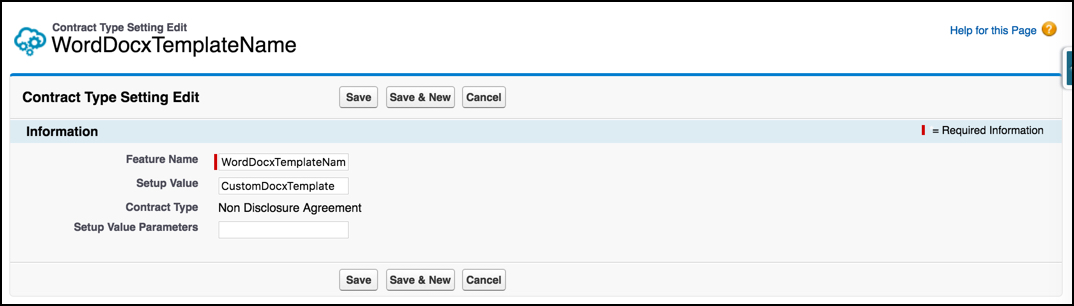
- Next to WordDocxTemplateName, click Edit.
- In Setup Value, enter the name of the custom document template.
- Click Save.
Did this article solve your issue?
Let us know so we can improve!
