
You are here:
Generating a Contract Document
Vlocity CLM generates a contract document from a document template associated with the contract. Vlocity CLM stores the contract document in HTML format, but you can create Microsoft Word or PDF contract documents.
When you create a new contract, Vlocity CLM creates a Contract Document record. However, Vlocity CLM may or may not generate the contract document itself. Vlocity CLM must be configured for automatic generation.
To generate a contract document:
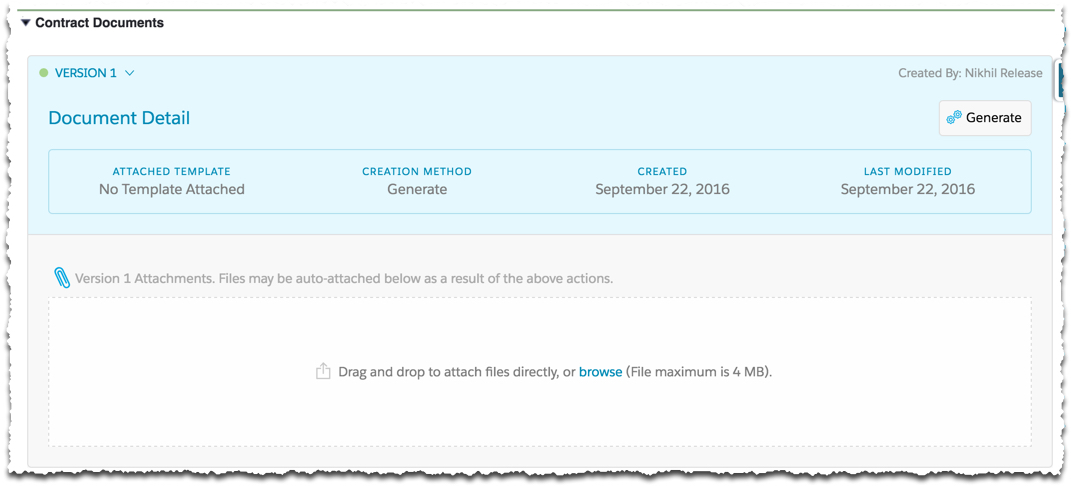
- On the Contract record detail page, expand the Contract Documents Visualforce page.
- Click Generate.
-
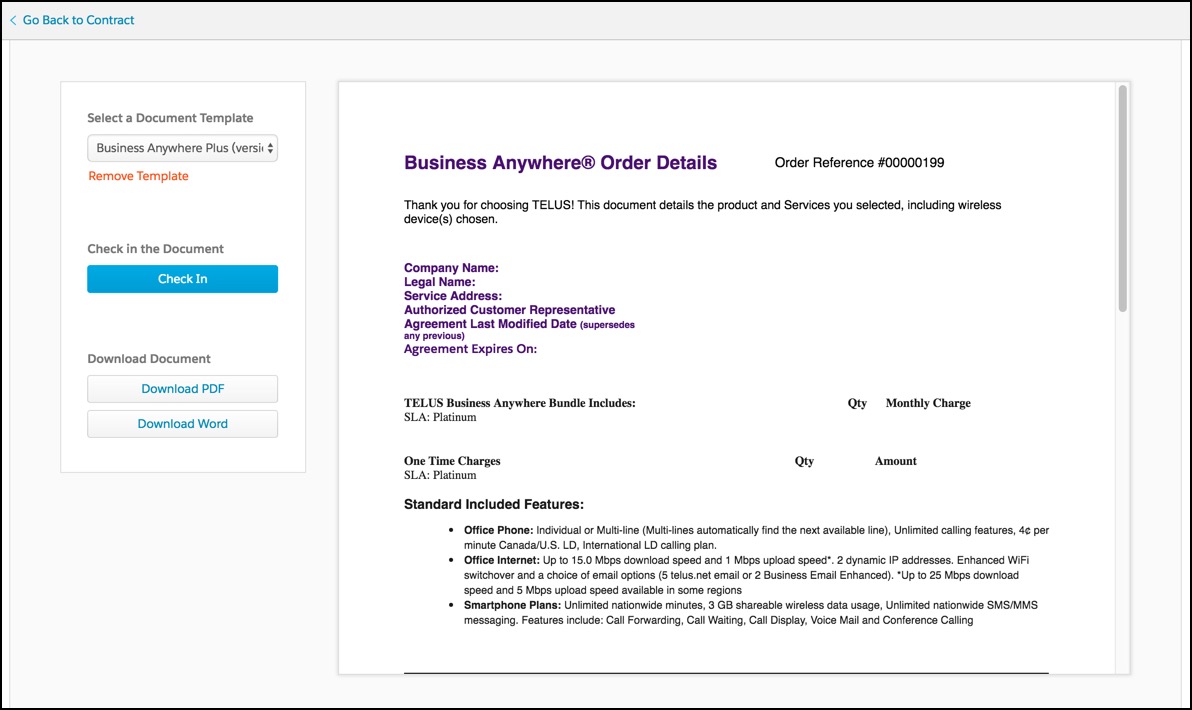
Select a document template.
When you assign a template to a contract document, CLM generates a document using the template conditions, mappings, and so on. Vlocity CLM creates a version of that contract document and saves it as an attachment. Vlocity CLM populates the appropriate sections, such as the account name, contact name, list of line items, and terms and conditions.
Vlocity CLM generates contract document sections by applying conditional logic to the selected template and substituting data for variables. Vlocity CLM generates an HTML version of the contract document. The contract document view is read-only.
You can select the format in which to save the contract—Microsoft Word or PDF. Typically, you want to save a contract as a Microsoft Word document so others can edit it, if necessary. After all parties agree on the contract, you can save the contract as a read-only PDF file.
Vlocity CLM uses the Salesforce.com PDF rendering service to create PDF documents. This service has its limitations. For more information, see "Visualforce PDF Rendering Considerations and Limitations," in the Visualforce Developer Guide.
- Click Check In to convert the document to Microsoft Word, PDF, or both, and attach the contract document to the latest version.
- Creating a New Version of a Contract Document
You click Generate to generate the first version of a contract document. When a contract document has already been generated, you can generate a new contract document, using the same template or a different template. The new generated contract document reflects changes to the contract data and template. - Deleting Document Versions
You can delete document versions of your contracts by editing the page layout of the contract.
