You are here:
Redlining a Contract Document for Web Templates
Vlocity CLM tracks changes using redlines for internal use at your company. This helps you track changes that have been made to a contract while you are internally customizing the contract. Vlocity CLM tracks every change that anyone at your company makes to any contract.
Changed text appears in red. Deleted text appears with a line through it. Track changes includes information about who made the change, as well as the change date and time. You can review the changes and accept or reject them, using the rich text editor buttons.

This feature is for Web templates only. If you want to track changes for Microsoft Word DOCX templates, you need to use the Track Changes feature in Microsoft Word, which CLM uses to reconcile documents. For details, see Reconcile Documents for Microsoft Word DOCX Templates.
To enable internal redlining for contracts, the Contract Management Configuration TrackContractRedlines setting must have the Setup Value Yes. For more information, see Enable or Disable Contract Redlining at the Org Level or Enable or Disable Contract Redlining at the Document Template Level.
To redline a contract document:
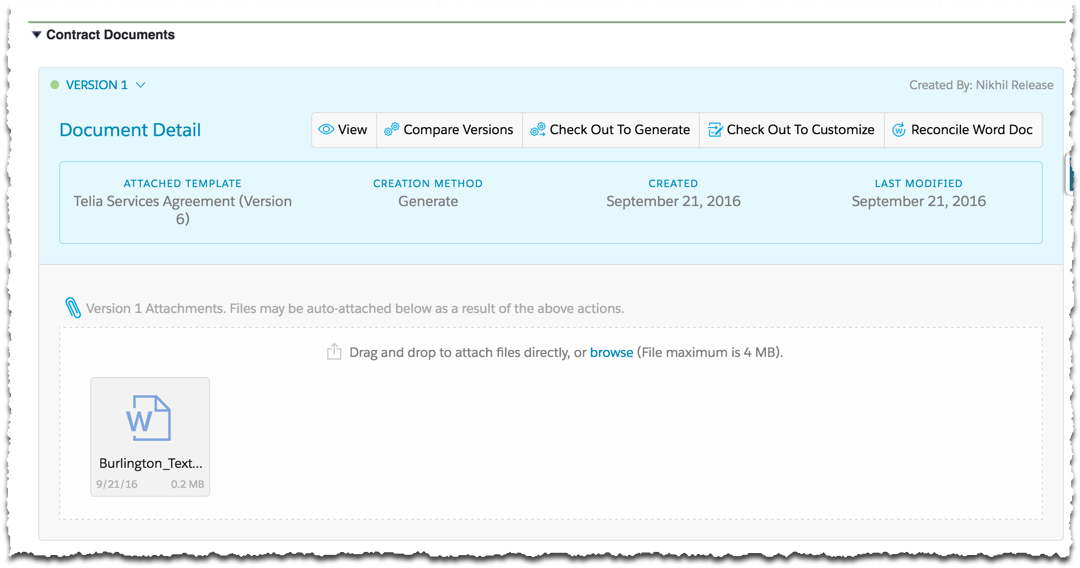
- On the Contract record detail page, expand the Contract Documents Visualforce page.
-
Click Check Out to Customize.
You receive a message indicating that Vlocity CLM will create a new version of the contract document.
-
Click Continue.
The contract document preview opens.
- Click any part of the document to open the rich text editor and edit the document.
- Click Save All Sections.
- When you are finished editing the document, click Check In.