
You are here:
Selecting the Language for a Document Template
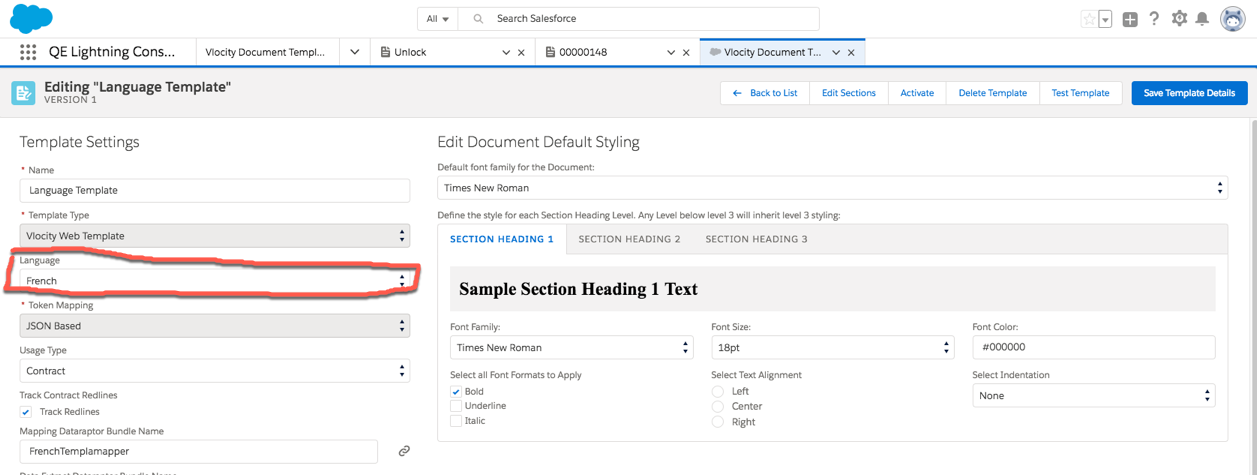
To select the language for a Document Template, follow these steps.
- Go to the Vlocity Document Template tab.
- Double-click a template and select Template Settings.
-
Select the Language that matches the Language in your locale settings. See
Selecting your Locale
Settings.
 Important
If a language is set in a Contract, it overrides the language set in the associated Document Template. For objects other than Contracts, the language set in the Document Template applies. See Selecting the Language for a Contract.
- Click Save Template Details.
Heeft dit artikel uw probleem opgelost?
Laat ons weten wat we kunnen doen om te verbeteren!
