
You are here:
Document Template Designer
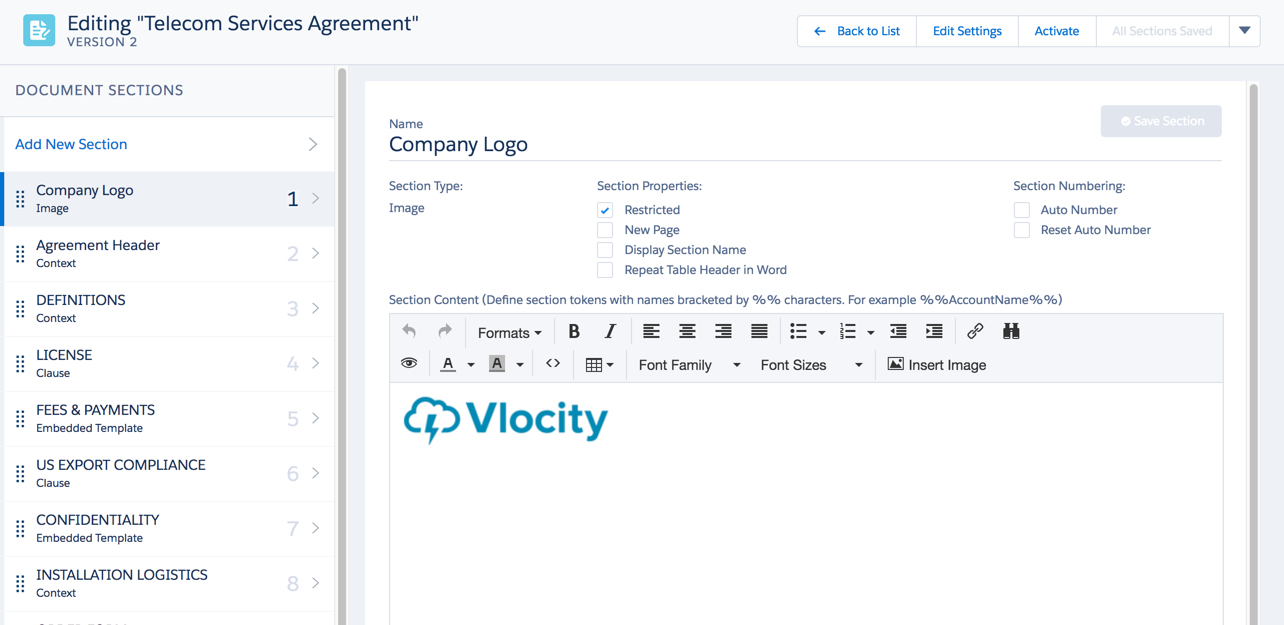
The Document Template Designer enables you to assemble the template and define the relationship between clauses and sections and the document template. You design templates in the HTML-based Document Template Designer.
Because the Document Template Designer provides a rich-text editor, there is no need for programming or coding. However, if you do have business needs that are outside what Vlocity CLM delivers, you can code custom contract sections using Apex classes.

For Web templates, Vlocity does not recommend directly modifying HTML or CSS source code of the template sections. That may cause inaccuracies in the output Word and PDF documents that are generated from the template.
You can create a document template using the following procedures:
-
Create a template without any existing material; that is, create a template from scratch.
-
Clone an existing template.
-
Import a JSON export.
You can use the Document Template Designer to create document templates for other objects as well. For example, you could create a Quote template.

- Microsoft Word and Microsoft PowerPoint Document Templates
You can create Microsoft Word or Microsoft PowerPoint documents that contain formatted text, including tables, paragraphs, columns, and images. - Vlocity Web Templates
When you create a document template in the Template Designer, the template is stored in Salesforce tables in HTML format. You can map tokens, or variables, in the document template to data from a Salesforce object or a JSON data structure. This data is merged into the document when the document is generated. - Comparing Vlocity Web Templates and Microsoft Word and Microsoft PowerPoint Document Templates
Compare Vlocity Web Templates and Microsoft Word and Microsoft PowerPoint document templates. - Document Template Basics
In this section, you will see how to create, clone, map, update, activate document templates.
