
Loading
Salesforce now sends email only from verified domains. Read More
Vlocity Contract Lifecycle Management
Table of Contents
Select Filters

          No results
          No results
          Here are some search tips

          Check the spelling of your keywords.
          Use more general search terms.
          Select fewer filters to broaden your search.

          Search all of Salesforce Help
          Inserting DocuSign Signature Tags

          Inserting DocuSign Signature Tags

          In Vlocity Web Templates, you can create signature sections. In Vlocity Document Templates based on Microsoft Word or Microsoft PowerPoint documents, you must insert the DocuSign signature tags directly into the Microsoft Word (.docx) or Microsoft PowerPoint (.pptx) file.

          Important
          Important

          To ensure seamless eSignature functionality, don’t modify existing anchor tab settings or create duplicate settings in docusign portal. These settings are critical for proper operation, and any changes—whether in custom settings or within the eSignature platform may lead to unexpected behavior, errors, or disruptions.

          You can insert the following DocuSign signature tags into Microsoft Word and Microsoft PowerPoint files:

          • Sign Here tags: \vlcSignHere1\ through \vlcSignHere5\

          • Date Signed tags: \vlcSignDate1\ through \vlcSignDate5\

          • Initial Here tags: \vlcInitialHere1\ through \vlcInitialHere5\

          For example, if the contract requires three signatures with corresponding dates, you would enter these tags:

          \vlcSignHere1\ \vlcSignDate1\

          \vlcSignHere2\ \vlcSignDate2\

          \vlcSignHere3\ \vlcSignDate3\
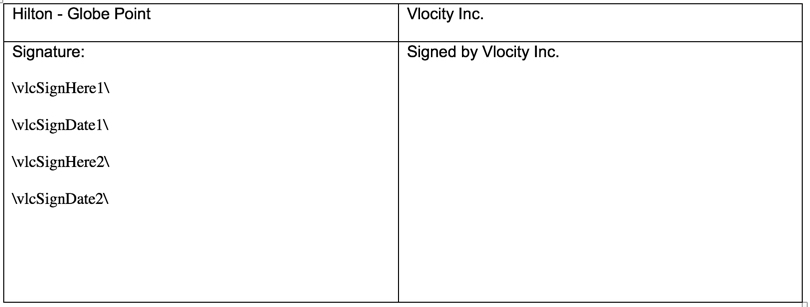
          Sample Signature Tags in a Microsoft Word Document

          Example Word document showing four Docusign tags that are \vlcSingHere1\,vlcSignDate1\,vlcSignHere2\, and vlcSignDate2\.

          When you send the contract to DocuSign, DocuSign requires that the selected signer places his or her signature on the Designated Signer tab. For more information about sending contracts for signatures, see Submitting a Contract for eSignature.
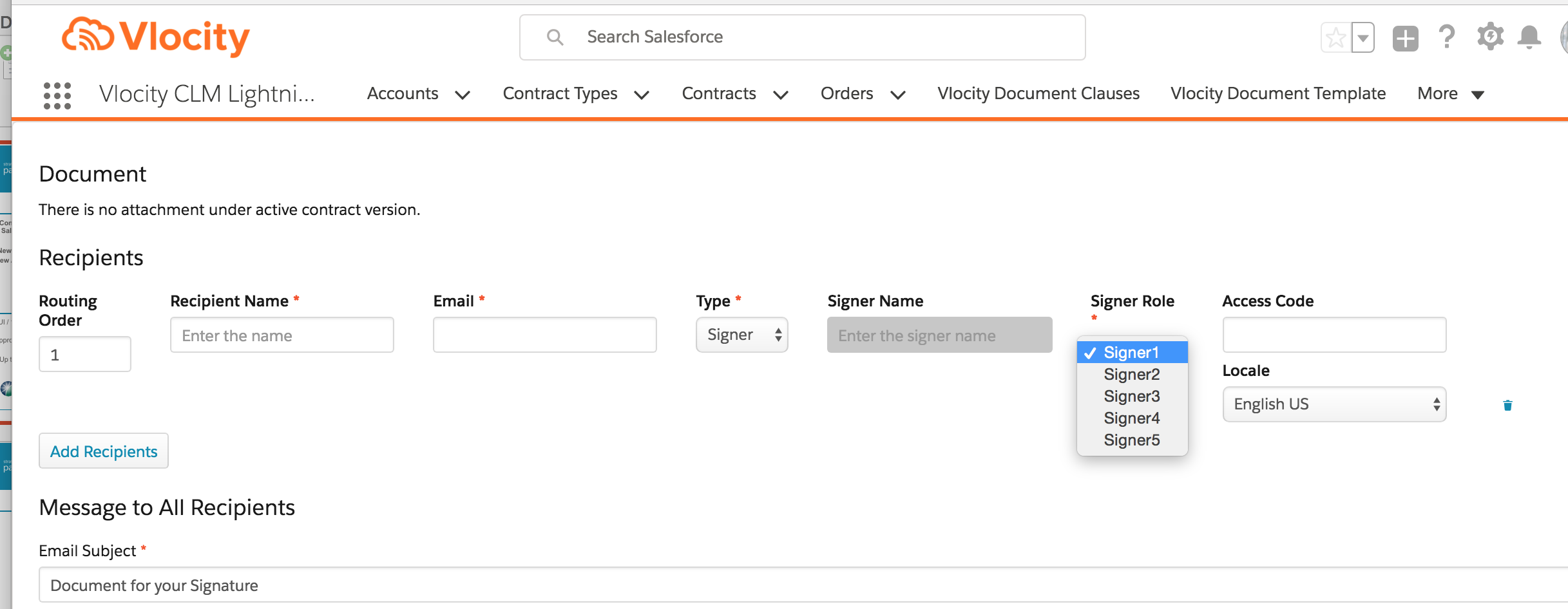
          An example DocuSign screenshot showing the Document screen and tags.
          Note
          Note

          The ability to create document templates based on Microsoft Word and Microsoft PowerPoint documents is available only in and later.

           
          Loading
          Salesforce Help | Article