
You are here:
Terminating a Contract
You can terminate a contract for reasons that the contract administrator specifies.
For more information, see Create a Contract from an Opportunity, Order, or Quote.
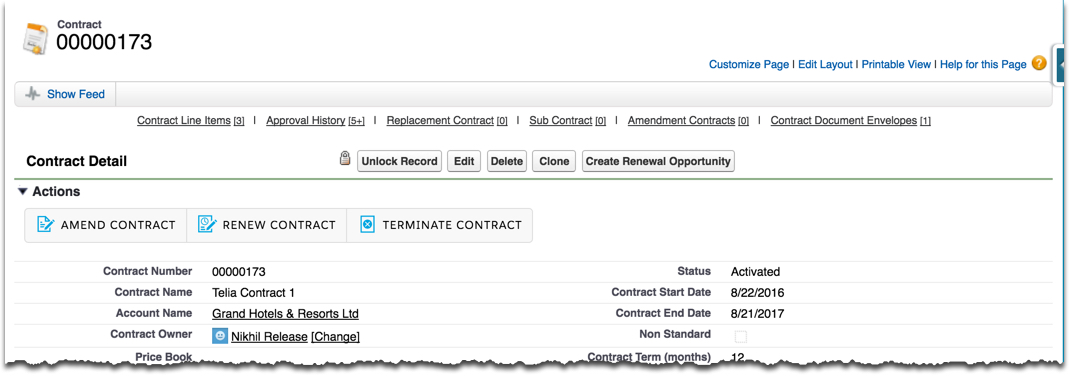
- On the Contract record detail page, click Terminate Contract.
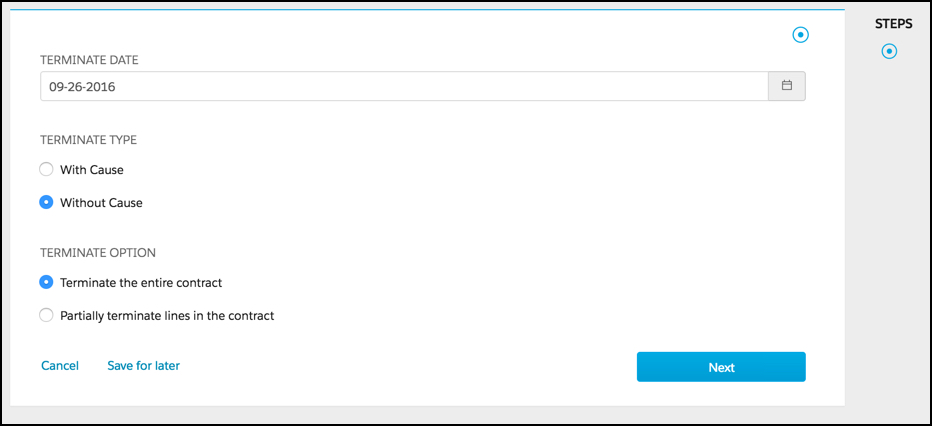
- In Terminate Date, enter or select the date on which to terminate the contract.
- Select the Terminate Type.
- If the Terminate Type is With Cause, select the Terminate Reason.
- Select the Terminate Option.
- Click Next.
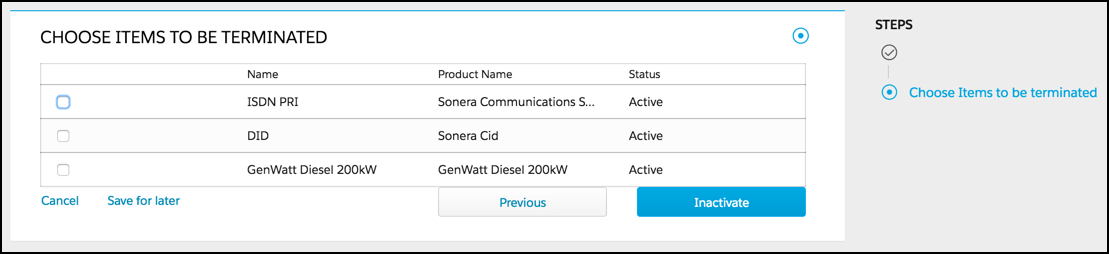
- Select the items to be terminated.
- Click Inactivate.
Did this article solve your issue?
Let us know so we can improve!
